

The Fujifilm Instax range has seen quite a number of variations and iterations of each over the years. However, with each new release you ask what can be so different when releasing any new model. While there have been a few tweaks here and there on already-established models with new iterations, we rarely see a significant overhaul. That is, until now. The Instax Mini Evo Cinema takes a different approach to the majority of the devices within the range, offering video capture as its primary function, as opposed to instant still images. But there’s a lot more to it than simply video recording.
It’s a filmmaking language modern audiences already know by heart. The shaky, grainy camcorder aesthetic has been a horror and drama staple for decades – think The Blair Witch Project, Cloverfield, and Paranormal Activity, each built around the idea that handheld, imperfect footage feels more real than anything a cinema camera can produce. J.J. Abrams leaned into that same analog nostalgia with Super 8, an entire film about kids shooting their own amateur movie on actual Super 8 cameras. Even the Mini Evo Cinema’s retro body design borrows from that world, echoing the Super 8 and camcorder-style rigs that defined amateur and found-footage filmmaking long before “cinematic” became a smartphone filter setting.
What Is the Instax Mini Evo Cinema? Fujifilm’s $410 Time Machine
From the naming convention, the assumption is that the new Instax device is based on the original Mini Evo. However, the similarities are sparse, with their category as both being hybrid cameras the main identifier. With both Mini Evo devices being able to capture and print, they offer great value for customers wanting to print images and photos from their smartphone. With the Evo Cinema, it has the additional capacity to record video as well, upgrading the original from a 2-in-1 to a 3-in-1 device.
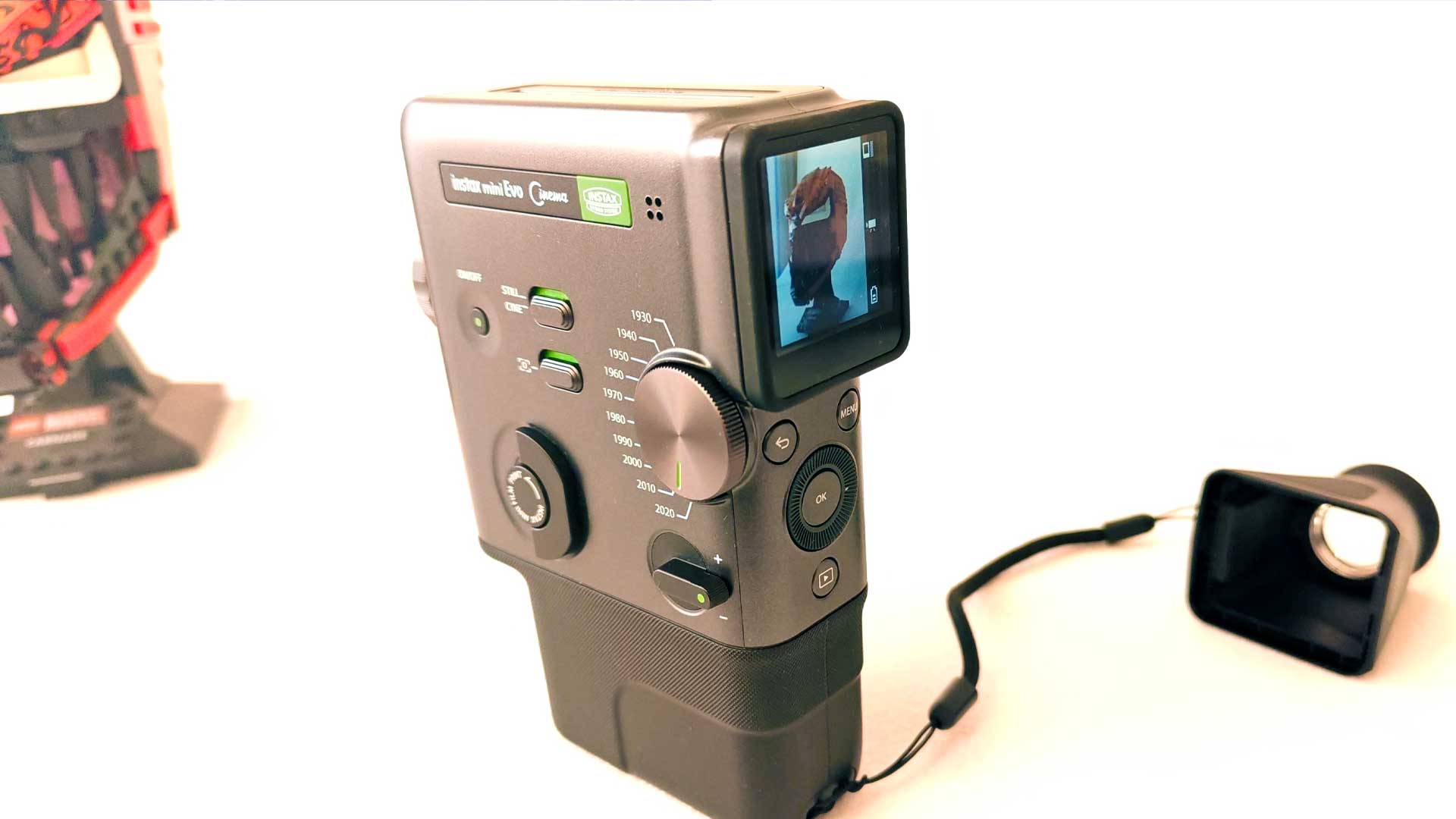
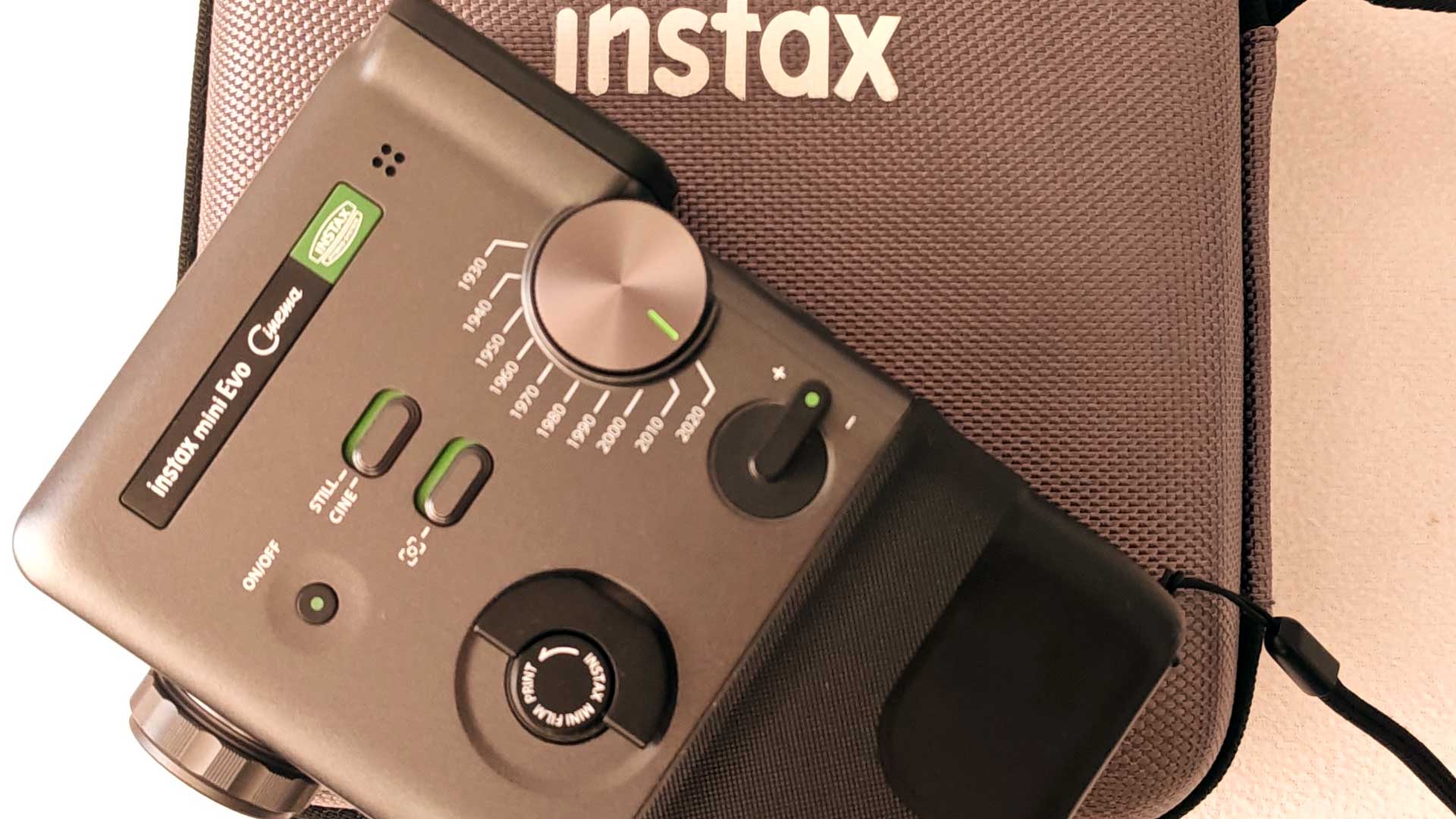
But it’s more than just simple video capture. Upon unboxing, you’ll almost immediately notice the strange shape of the new Instax. Moreover, you’ll also notice the giant dial on the “front” of the device, known as the “Eras Selector.” As the name suggests, users can turn the dial to enable a preset filter based on the decade you’ve selected, ranging all the way from the 1930s to the 2020s. There are two additional toggles that also go hand-in-hand with the selector, that being the choice between still or video, as well as the inclusion (or exclusion) of the overlay.
Each decade has a distinct filter applied based on the footage we often associate from that period. You’ll get all the bells and whistles when using each preset, with the option to turn the effect up to the maximum, where you can barely make sense of any object given the “accuracy”, or tuning this down somewhat. It’s a bit of an odd one, where if you’re looking for historical accuracy, you won’t get much of the detail, but opting for more detail waters down the effect to make it come across as more of a grainy, poorly recorded video, as opposed to something accurate and nostalgic.
From these settings, my favorites were the 1930s and 1990s modes. The first being related to the first motion capture images from almost 100 years ago, while the 1990s filter includes the VHS recording overlays, complete with dates, outlines, etc. which makes for great nostalgia. And that’s the main purpose of the Mini Evo Cinema – creating moments of nostalgia in 2026. It’s a quick and effective means to capture fun, albeit short, clips across different periods for various uses, such as recreation of home videos, or even moments from your favorite classic TV shows. Switching between the various periods to attempt to create some classic-looking video makes for a highly addictive pastime.
The Mini Evo Cinema is arriving in the middle of a much bigger cultural moment: the analog revival. Gen Z is buying VHS players again and shooting on disposable cameras, while horror filmmakers behind franchises like V/H/S and analog-horror hits like Backrooms have turned grainy, degraded footage into a genre unto itself. Fujifilm isn’t inventing that appetite – it’s just the first company to hand you a dial for it.
Design and Build: A Camcorder Built for TikTok, Inspired by the 1960s
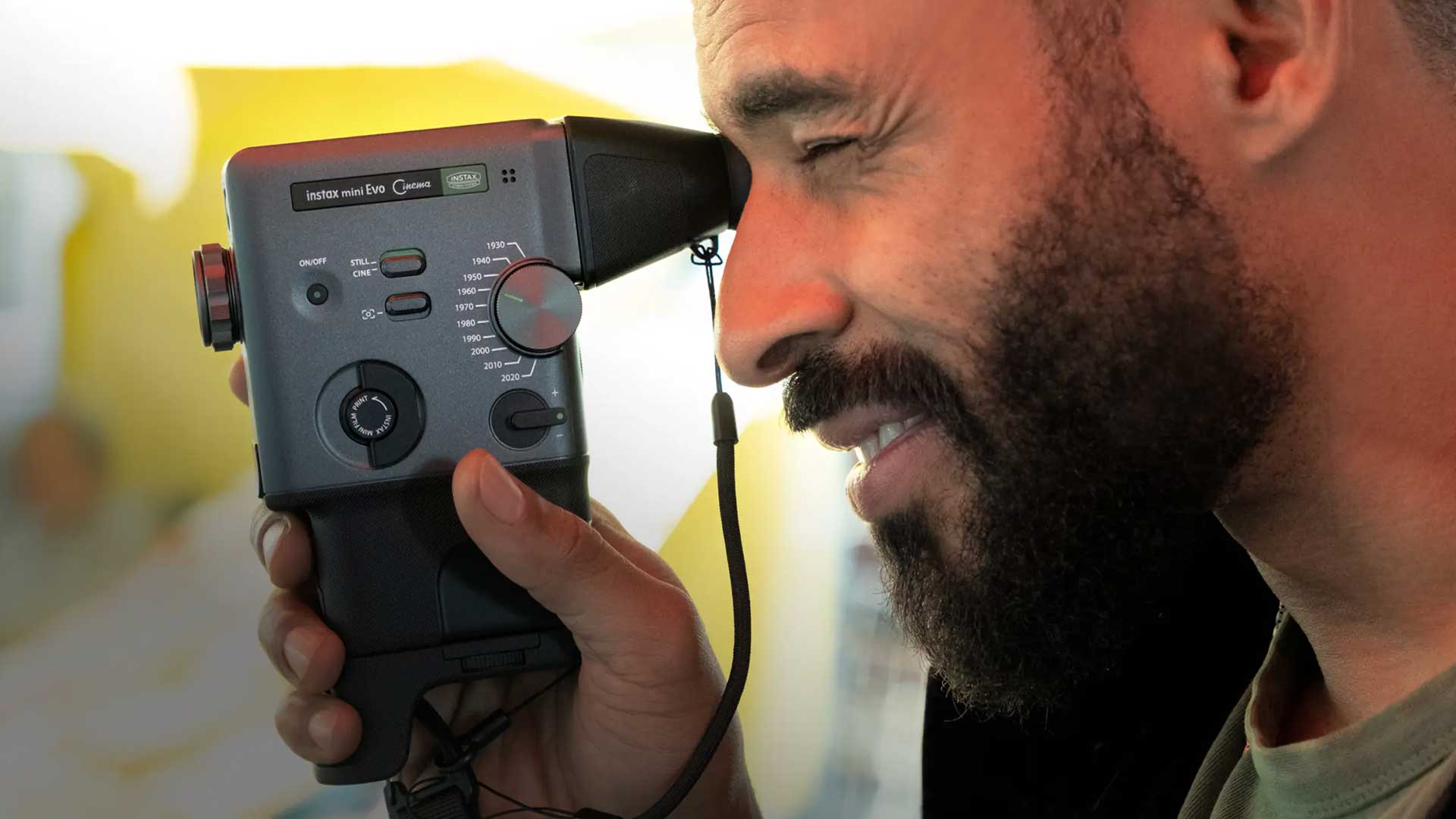
The new Instax Mini Evo Cinema has a unique design. Its design seems to be loosely based on the Fujica Single-8 from 1965, Chinon 722-P PowerZoom or the Kohka Super 8 giving it that retro design and nostalgic feel, largely thanks to its portrait orientation filming – which is the trend in 2026 thanks to TikTok, YouTube Shorts and Instagram stories – and pistol-point-and-shoot style capture. Similarly to how those handheld video recorders were designed to take VHS cassettes, the Mini Evo Cinema also holds the film cartridge.
In terms of its specifications, the Mini Evo Cinema is one of the largest in the Instax range, apart from some of the larger Wide variants, like the Wide 400. The unit measures 39.4×132.5×100.1mm. Although I wouldn’t consider any of the other Instax units “pocket-sized” besides a few of the purpose-built printers, they’re usually easier to carry around. The Mini Evo Cinema isn’t what you’d call heavy, but around 270g it is a bit heavier than the more conventional Mini range, although not much heavier than modern smartphones around 200-220g.
As mentioned, the design has been taken from handheld cameras of yesteryear. As a result, the layout of the controls, lens and display is quite different. It’s also a lot busier than most other Instax devices, but that’s a huge plus in this instance, with everything available right at your fingertips, without the need to dig through menus on screen.
As mentioned in the previous section, a lot of the focus is on the Decade Dial on the left-hand side of the camera towards the rear. Even while you’re gripping the device to film, you have easy access to this dial and many other controls. Sticking on the left-hand side, you have the power button on the front end with two toggles right behind it to control the switch between still or video capture, as well as having the overlay on or off. Below this you’ll find the print trigger, which you can just pull to print whatever is displayed/selected currently. I didn’t find much use for this, having printed images largely from the Mini Evo app itself, turning the device into a printer. Lastly, you have the “+” and “-” toggle, which allows the user to set the extremities of the applied filter.
On the front, you have a 5MP camera just off center, with a selfie camera directly above it, flanked by a flash to the right and indicator light to the left. At the bottom you’ll find the trigger button, which is used to start filming.
The rear features a 1.54” LCD screen, used as a viewfinder and doubles as the menu. Instax also includes a separate adapter, which attaches to the LCD and can be used like a more conventional viewfinder. This works well if you’re unable to see the detail on the screen, especially in direct bright sunlight. There are four buttons below the LCD, with a large selector and OK button in the center, along with the Back and Menu buttons above it and a Playback button below.
Tucked away below the device behind a flap is the USB Type-C port for charging and a microSD card slot. The latter comes in handy, as the internal storage is only capable of storing a few images and up to 10 videos at any given time.
In terms of the camera’s specifications, it has a 1/5-inch CMOS sensor, 28mm focal length and f/2 lens, which creates still images at 2,560×1,920px. Most of the settings can’t be tweaked for manual use, but it automatically adjusts the shutter speeds (between ¼ second and 1/8000 seconds), has auto flash, as well as auto ISO between 100 and 1,600. The images are fairly decent in the right conditions, but you really get the most out of the prints when snapping images from your phone and using the Evo Cinema as a printer.
The Catch: 15-Second Clips, a Dying Battery and a Slow Decade Dial
On the surface, the Instax Mini Evo Cinema may give you plenty of nostalgia, like some device capturing the first man to walk on the moon, but it’s not without several drawbacks.
The first of these is the 15-second capture limitation. As if you can only remember small snippets from your past in short bursts, the Mini Evo Cinema doesn’t allow for longer video capture. This is rather unfortunate for many content creators. Unless you’re able to plan clips in shorter intervals, you’ll have a hard time capturing exactly what’s needed or wanted in just 15 seconds.
The second issue is the battery life. When using the device as a camera or printer, the battery life is fairly stable. Users can get a few cartridges of film through print before needing to recharge. You can easily get over three refills printed before needing to pay attention to the red-light indicator. However, it’s the video capture that consumes most of the battery, and perhaps why it’s limited to shorter bursts. Walking around to capture a few moments, one short clip at a time, the battery started fading after just 30 minutes.
In many cases, having an internal, rechargeable battery is a huge benefit to the end user. However, in instances such as this, it would be preferable to offer rechargeable but swappable batteries instead. Much like the drone battery, with a standard flight time of 30 minutes, you could easily swap out the batteries and be on your way again in a few seconds. However, on the Mini Evo Cinema, you’ll have to wait at least 30 minutes to get a decent charge back before you’re up and running again.
Lastly, there’s the delay. Although, this is more a preference rather than an outright issue, the time taken to switch between each decade filter can be a bit cumbersome. Sometimes it can take just five seconds to make the switch, but oftentimes you could wait around 30 seconds before it’s stable again. I suspect a lot of this has to do with jumping over each filter to get to your eventual period on the dial. It’s likely pre-loading the filter when clicking to the next, while then having to reload the next filter before completing the loading time.
For the most part, I’m certain much of the above-mentioned can be fixed with optimization of the firmware. Simply allowing for longer video capture may deplete the battery even quicker, with the possibility of heat and other factors playing a role. As such, a good update to the firmware may be what’s required to achieve a much smoother operational experience.
There are also a few other softer points worth noting. While you do have the option to record in the 2020s, our current decade, it does up the resolution a bit to capture more vibrant video, while also applying a filter if you’ve selected the toggle. It’s worth noting that its 5MP camera won’t compete with the majority of smartphones available today.
Also, when using the Mini Evo app, you have the option to automatically download the videos to your smartphone for storage, something that’s at a premium on the device itself. It’s quick and easy. However, trying to use these captures anywhere outside of the app is where the challenge lies. It’s encrypted, and as such, can only be used via an Instax app for playback. To overcome this, you’ll need to insert your own microSD card, where it will then automatically change the capture storage location, allowing you access to the files once removed and connected to your PC or smartphone.
Should You Buy the $410 Instax Mini Evo Cinema?
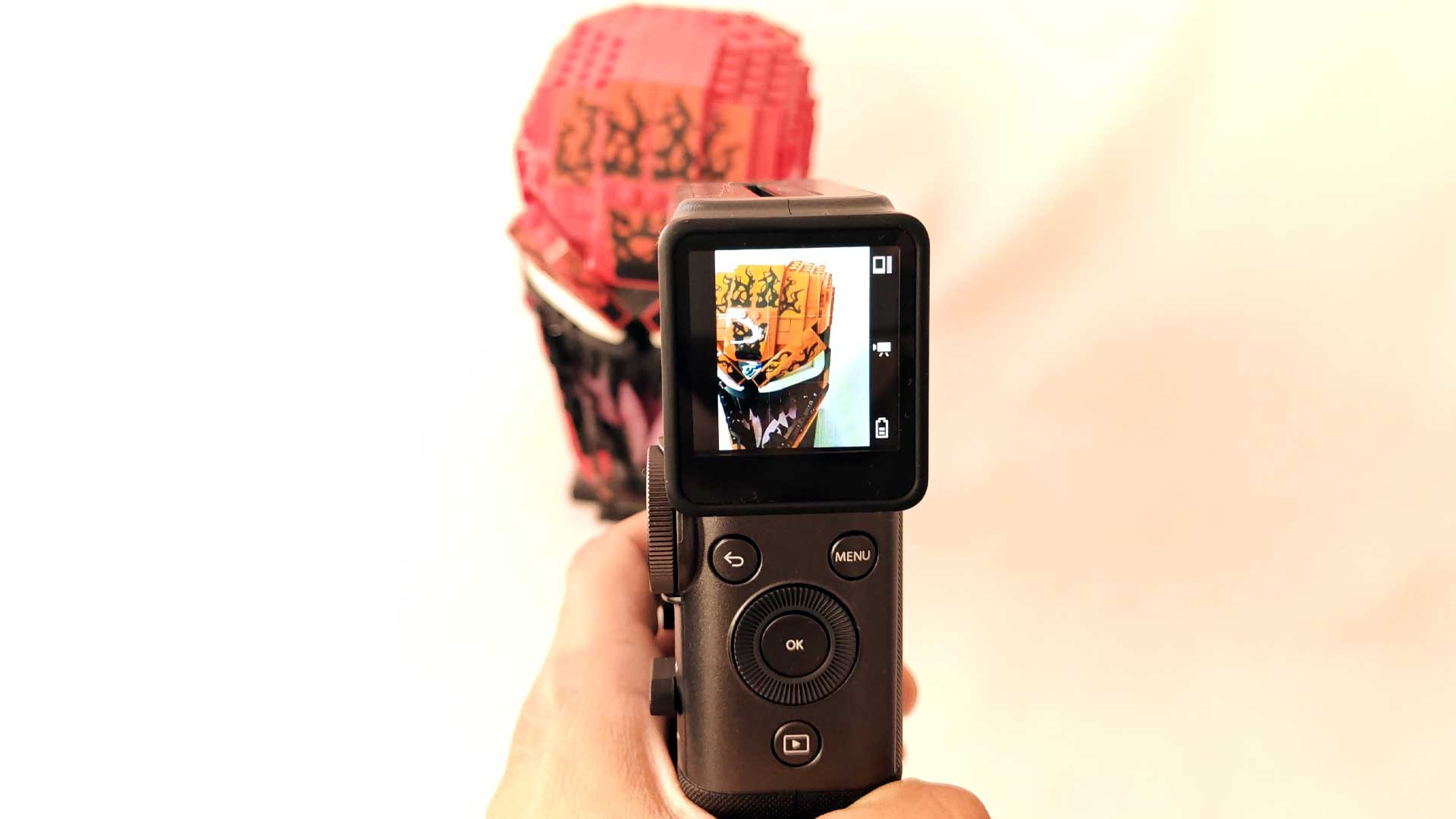
Picking the unit out of the box and almost instantly starting to film and capture those iconic scenes from yesterday, I really wanted to enjoy the Instax Mini Evo Cinema. In fact, I do really still love the unit, but mostly because of its potential. There are plenty of use cases to capture moments through various periods in time over the past 10 decades. However, if you had to ask whether I would recommend it as your next purchase, the answer is a bit harder to express.
At a recommended retail price around the R7,000 mark (~$410 in the US), it’s hard to outright recommend the device. You could argue that it still doubles as a great Instax camera and printer, but at half the price I would easily recommend the previous Instax Mini Evo instead. Many of the limitations seem to be software limited, like the 15-second video capture. And for that reason, I can only hold out hope that there are firmware updates in the near future to offer a mini upgrade of the device, which could instantly overturn the points raised and my overall view.
The Instax Mini Evo Cinema is available now in the US through Best Buy and B&H Photo at its $410 MSRP, per Fujifilm’s official listing.
In South Africa, the Instax Mini Evo Cinema launched in limited quantities at select retailers with a recommended retail price of R7,499, confirmed directly by Fujifilm South Africa. Given the limited local stock, it’s worth checking availability before making a special trip.
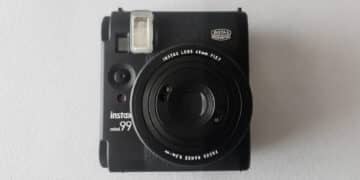
If the Mini Evo Cinema is a bit rich for your blood, check out our other Instax reviews, including the Instax Mini 99, the Instax SQ6, and the Instax Mini Link 2.
The Review
Fujifilm Instax Mini Evo Cinema
The Instax Mini Evo Cinema is a great concept for the Instax range, taking the nostalgia of retro photography and video to new levels. Its decade dial allows you to instantly switch to classic content between different eras. However, all this comes at a cost – both literal and from a performance perspective.
PROS
- Instant decade filter
- Easy-access feature dials
- Retro design with added viewfinder
- Instant nostalgia videos
CONS
- Limited 15s video capture
- Poor battery life
- Pricey