




It’s been a few months since the release of the Honor 400 series, which included the flagship Honor 400 Pro, and the range of smartphones still stands up against some of this year’s leading devices from major OEMs. We’ve seen some comical releases along the way, introducing features we’ve seen on many smartphones for years, many of which the Honor brand has embraced and perfected over the years.
All that aside, the brand delivers an excellent experience for all users, providing some of the most enhanced features in 2025, including a few industry firsts as well. However, if you’re still on the fence as to which smartphone is best for you and your budget, here’s a quick rundown of a few of the best features and selling points for the Honor 400 Pro to make it a top contender in 2025.
Capture Every Detail: The Honor 400 Pro’s Game-Changing 100x AI Super Zoom

Even at the launch event, from a quick, two-minute hands-on experience, the Honor 400 Pro’s 100x AI Zoom was the first feature I tested. And it immediately struck me as a fantastic addition to the already packed feature list.
While the entire Honor 400 series has an upgraded imaging system with the added benefits of using AI, the Pro takes things to the next level with AI Super Zoom. In short, the technology features a hybrid camera solution, including a mix of digital and software-enhanced zooming capabilities. The software portion is based on Honor’s cloud-based AI algorithms, making for unmatched clarity of imagery, even at long range. It may not be the first to offer the 100x zoom support. Still, it is the first for a mid-range smartphone to integrate these zoom capabilities with the level of computational power available via the cloud today.
How does it work? Thankfully, there’s not much effort on the part of the user to snap that epic 100x zoomed image. Just point, zoom and snap. Users who spot something interesting they wish to photograph in the distance only need to open the app, use their fingers to zoom in and out to get the perfect image.
This is where the software kicks in. After you’ve snapped the image, the AI will get to work in the background to optimise the image to improve the clarity by sharpening the image, while also reducing the noise. Thereafter, it gets to work on the colours, exposure and balance of the image to bring the results to life truly. For low-light images, it works the same, this time also enhancing the lighting for nighttime zoom capabilities.
In the end, irrespective of the distance, users can capture images with great detail. Whether you’re atop a building or in the stands at your favourite sporting stadium, the details shine through.
AI Tools That Turn the Honor 400 Pro Into a Creative Powerhouse
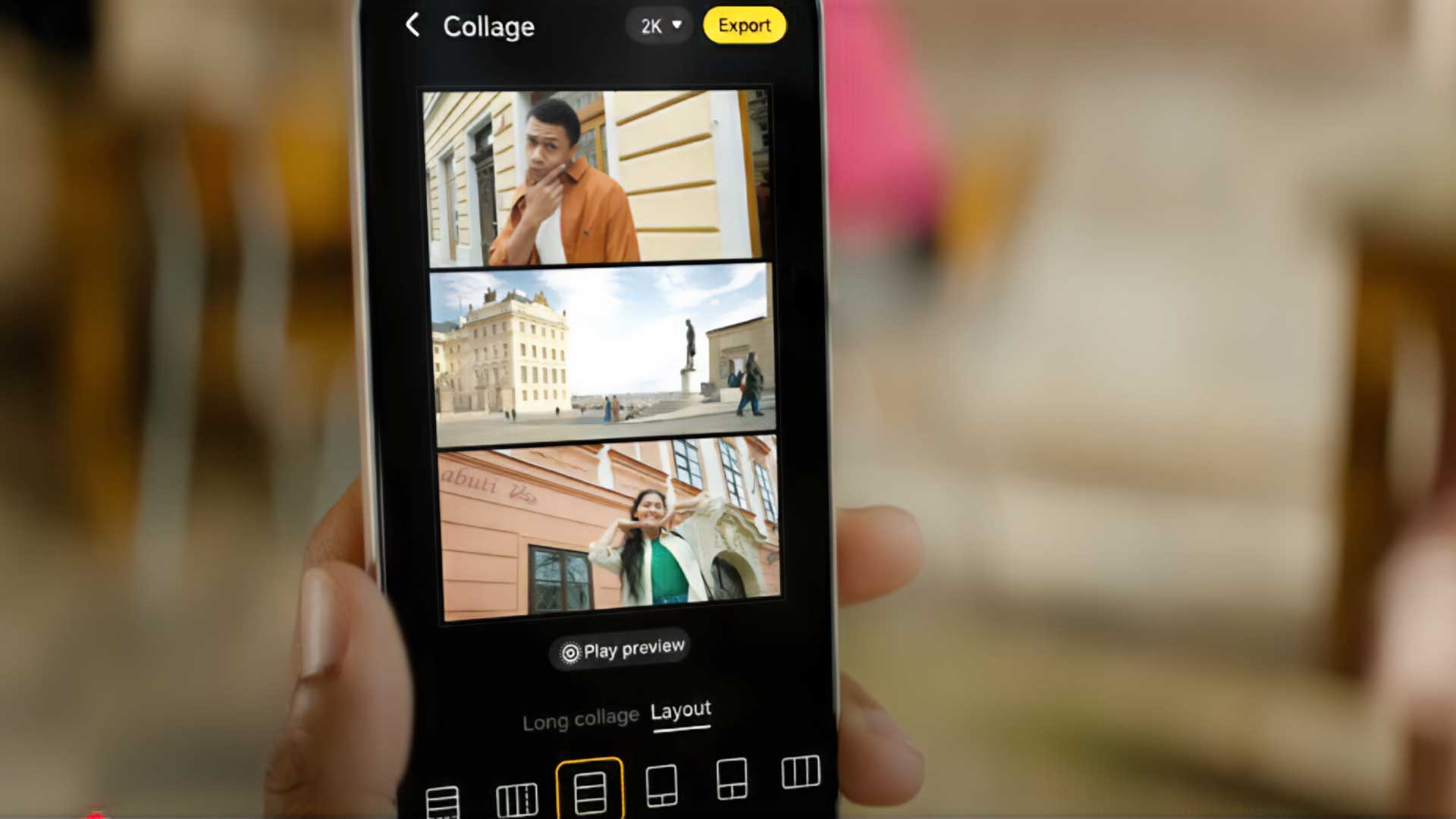
With your smartphone now a fully integrated tool for your everyday life, there’s very little that users don’t have access to right at their fingertips. Previously, many of these tools needed to be accessed via your PC or laptop to get the job done. With the increased power of the smartphone and enhanced software tools backed by AI, users are increasingly capable of doing more.
For content creators, while there are more professional scenes, ads and posts, many of which require powerful image-editing software available for PCs, there has been an increasing trend of users moving towards mobile image and video editing. With the Honor 400 Pro, there are plenty of tools, now native to the MagicOS 9 firmware. And some of these are powerful, useful and creative tools, backed by AI, to meet most of your content creation requirements.
Honor offers users tools like its built-in AI Eraser tool, which eliminates the need for any third-party editing apps to remove clutter, photobombers, or just to remove objects you don’t necessarily want in your shot. Other AI tools also include AI upscale, which creates a larger, clearer and less noisy image that you snapped. Similar to AI Eraser, there’s the AI Cutout tool, which allows you to encircle your object of focus and erase everything around it, with the added option of replacing the background. Lastly, there’s the AI Outpainting tool. Here, users can select an image and add more details by enlarging the area around the original image taken.
These tools can be accessed directly from your phone’s Gallery app simply by selecting the image you wish to edit and selecting the editing tool you wish to use. They’re all extremely easy to use by following a few additional selections and then creating your newly enhanced image. Each of the AI tools creates its results with context-aware, edge-sensitive detection, while also preserving the textures, lighting and colour tones to create a realistic enhancement without appearing alien.
Further to the AI tools available from the Gallery app, there’s also the built-in AI when taking your image. In addition to the 100x zoom, users can also use Honor’s AI-enhanced portrait engine to create professional-grade portraits, which combine facial geometry analysis and studio-grade lightning simulation, with some options supported by Harcourt. This includes real-time bokeh and depth correction, skin tone calibration, texture retention, along with built-in presets for light filters, including Neo Glam, Cinematic Glow, and Editorial Matte.
Create Studio-Quality Videos Right on the Honor 400 Pro

If there’s one aspect of modern life that is undeniable since the outset of the smartphone, it’s the shift of having much of your day spent exercising your fingers doing a plethora of tasks. This includes everything from simple social media scrolling, watching videos, researching for school or topics of interest and more. However, with more powerful hardware now packed into these tiny rectangles, we’ve shifted this even further, to the point where some of us could essentially complete an entire day’s worth of work from a device that fits into our pockets when done.
When it comes to video editing, Honor made significant strides with the release of its 200 series smartphones. They’ve further enhanced the video editing capabilities on the Honor 400 series smartphones. Having spent quite some time with the Honor 400 Pro recently, I’ve edited five new videos posted to Instagram and YouTube. With a host of templates to choose from to make life so easy, the more professional users can take things further by utilising in-app tools like cut, trim, crop and speed individual clips before being finalised in the overall video. Although relatively common, transitions are a critical aspect of the creative process. Here, Honor offers many more options than I’ve seen on any other smartphone I’ve tested.
Although I’m not the biggest fan of it, there’s also a VIP option, which provides even more video editing presets, filters, transitions and more to create stunning videos. The VIP subscription isn’t limited to video editing, however, providing access to more themes, backgrounds, sounds and music, filters, effects, text, stickers and more, for every aspect of customisation for your device and all the content you create on it. In addition to offering these features when editing your images and videos, there’s also the option to create pieces with these presets directly from the camera app.
Creating great video content has never been as easy as it is today, and the Honor 400 series gives users an even more powerful tool to access the tools needed to create professional videos.
Smarter, Safer and More Connected: The Honor 400 Pro’s AI Ecosystem Explained

I’ve spoken at length about all the AI tools available for content creation, whether it’s in-camera photography or post-snap editing. However, Honor offers more than just creative tools when it comes to AI, it also features a host of other tools that not only enhance your experience but make those experiences more secure while doing it.
MagicOS 9 offers so many tools for users to get the job done, even when performing every work task. With options like Magic Portal that utilise the circle feature to select content on your phone and get more information, update schedules, or log inventory to your shopping list, it’s all as easy as finding it on screen.
In addition to this, Honor’s Magic Capsule provides an easy, interactive experience to allow users to access real-time information at a glance without switching apps, being disturbed, or missing any information. This includes features like filtering calls, especially those from unknown numbers. When using video calling apps, the Honor AI is also capable of detecting deepfakes in real time, providing an analysis of movement, speech and other traits that can be used to detect scams.
For more convenient office tasks, the device supports bright note-taking, which allows you to record a meeting or call, transcribe the entire call, and provide an optimised summary with key deliverables and action points. This can also be done between persons who don’t speak the same language, translating calls live while keeping an up-to-date record of the conversation.
The MagicOS ecosystem now also brings with it a wide variety of sharing tools, including cross-platform live sharing. This feature allows users to work seamlessly across devices without needing to wait for uploads and downloads from various sharing apps. Instead, users can simply drag files from their smartphone over to the laptop and continue the work exactly where they left off. These tools do require some setup on your third-party device, but once that’s all set up, working between devices will become a breeze.
Flagship Power Without the Price Tag: Why the Honor 400 Pro Is Worth It

Needless to say, affordability remains one of the most significant driving factors in purchasing a smartphone. Thankfully, with the Honor 400 Pro, users don’t have to break the bank and pay flagship prices, these days ranging anywhere from R25,000 to R35,000. Instead, the Honor 400 Pro will set prospective buyers back just R17,999.
Although it isn’t what you’d consider ‘cheap’, it’s still an excellent price, especially considering its flagship-level specifications. As we’ve previewed above, the Honor 400 Pro delivers great features for its users, whether you’re a power user, content creator or just a casual shooter to keep track of key memories, there’s enough available at your fingertips to make this an excellent purchase.
If you’re still undecided on the Honor 400 Pro, take a look at the rest of the Honor 400 range, which may help you decide whether one of the other devices is right for you.