


The ASUS ROG Zephyrus Duo (GX651AX) is unlike anything else on the market — a dual-screen gaming laptop packing some of the best specifications available in 2026. The results are as impressive as the hardware, with one surprising caveat holding it back from perfection.
Why the ROG Zephyrus Duo GX651AX Is the Most Exciting Gaming Laptop of 2026
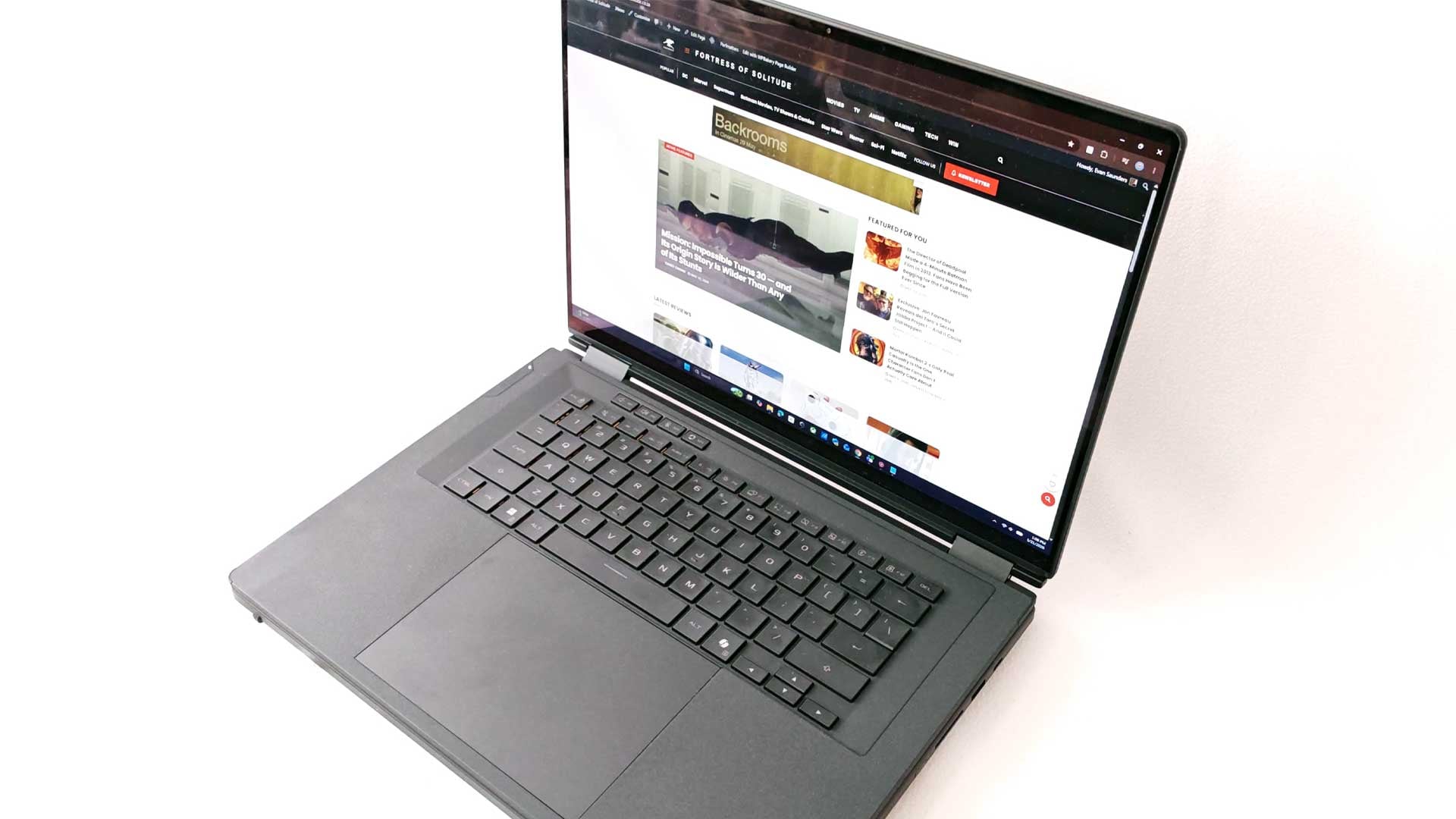
ASUS has a prodigious history when it comes to new, creative and unique designs for a range of their products. While some releases are used to test the waters of consumer buy-in or simply what may be possible from a design challenge perspective, like the Zenbook 17 Fold OLED from 2022, the development team aren’t resting on its laurels. Although I would have loved further exploration into the laptop-turned-giant-tablet design, ASUS has been developing and releasing its Duo range successfully for a large portion of the past decade. With the Zenbook Duo range having cemented a solid fanbase from its annual release cycle, ASUS has ventured over to the gaming side with the ROG Zephyrus Duo in recent years. The ASUS ROG Zephyrus Duo (GX651AX) 2026 marks the latest iteration for the range.
Build Quality: Heavy, Sleek, and Unapologetically Different
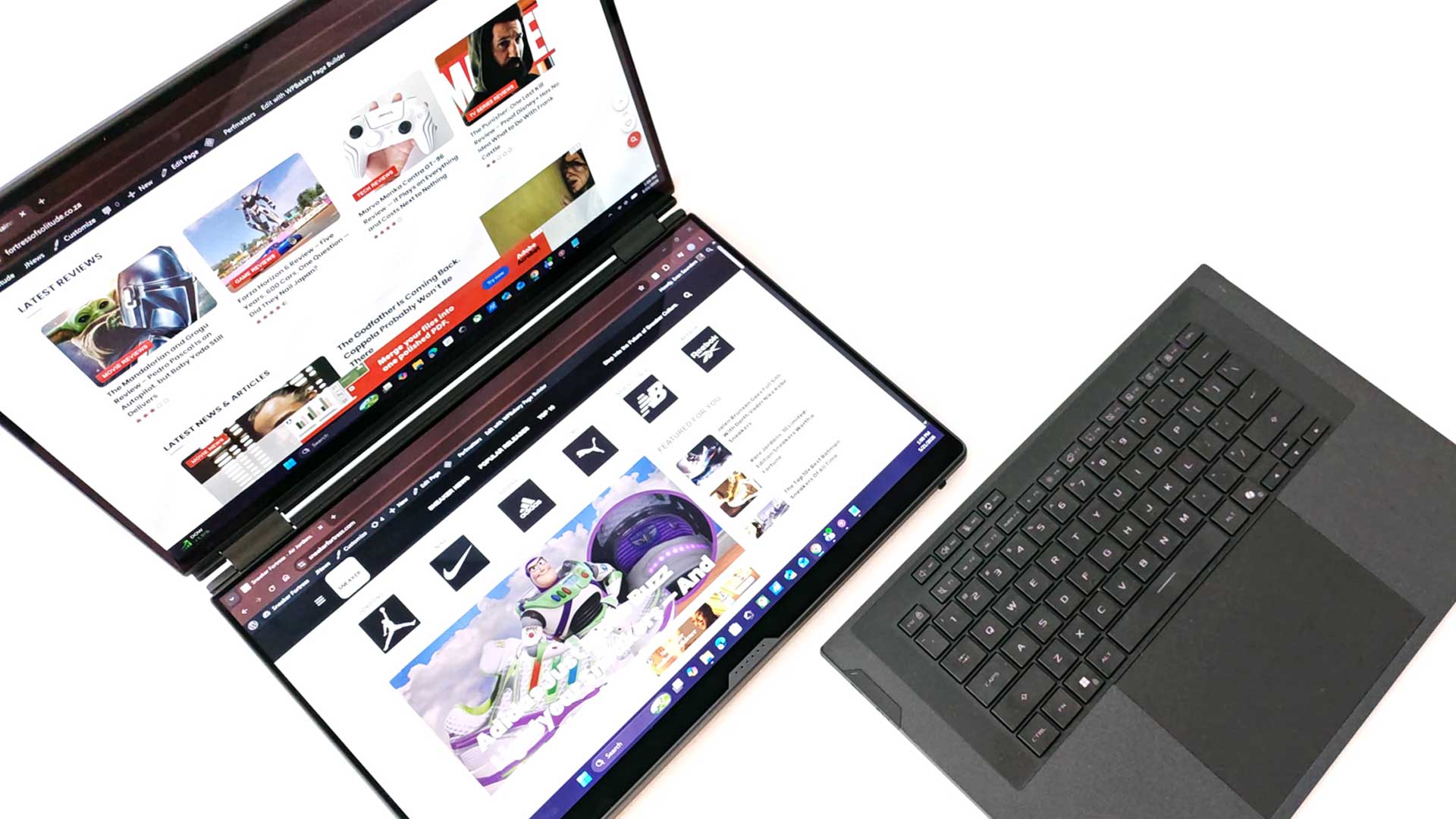
As with many of the past ASUS Duo laptops, there is a general design ethos extended to the ROG Zephyrus Duo. Initially, the dual screen was much smaller and built directly into the keyboard layout, which was cramped to make room to accommodate this second screen. As the screen became larger, a new design took over – that of the slim-fit Bluetooth keyboard sitting atop of the second screen. This has been the design principle of the past three or four iterations.
With the standard ASUS Zenbook, it’s built as an Ultrabook with the second screen tucked away quite nicely. On the ROG variant, however, you have to factor in the additional hardware, especially that its powerful GPU, in the design. As a result, the base is much thicker on the ROG Zephyrus Duo compared to the list of Zenbook Duo laptops.
And, this is the point of the first major noticeable point of the laptop. Weighing a hefty 2.82KG, the “laptop” doesn’t live up to its definition. My current gaming laptop, albeit a few years old now, weighs 1.4KG, with the ROG Zephyrus Duo more than double that. As a result, it’s not the most comfortable working from your couch on your laptop, especially if you’re going to be gaming for a few hours or so. The dual-screen option with all its gaming tech has added quite a chunk to the design, although it still looks fairly thin in comparison to many other entry-level laptops. It still fits snug in your backpack, so there aren’t any challenges on that front.
What makes it a bit uncomfortable to use on your lap is also what makes it great. Having two screens without needing to carry around a second screen, and one that can fit in your bag without extra capacity required, is immensely convenient. Admittedly, when out and about, I used the ASUS ROG Zephyrus Duo as a standard, clamshell laptop, with the keyboard fixed to the device. However, when the need arose, and when using it on my desktop at home, switching things to the dual-screen mode was great. Further to this, you could also rotate the device on its side to use in portrait mode on both screens, which works great when designing, scrolling websites and seeing multiple lines of code. So, it’s practical as well.
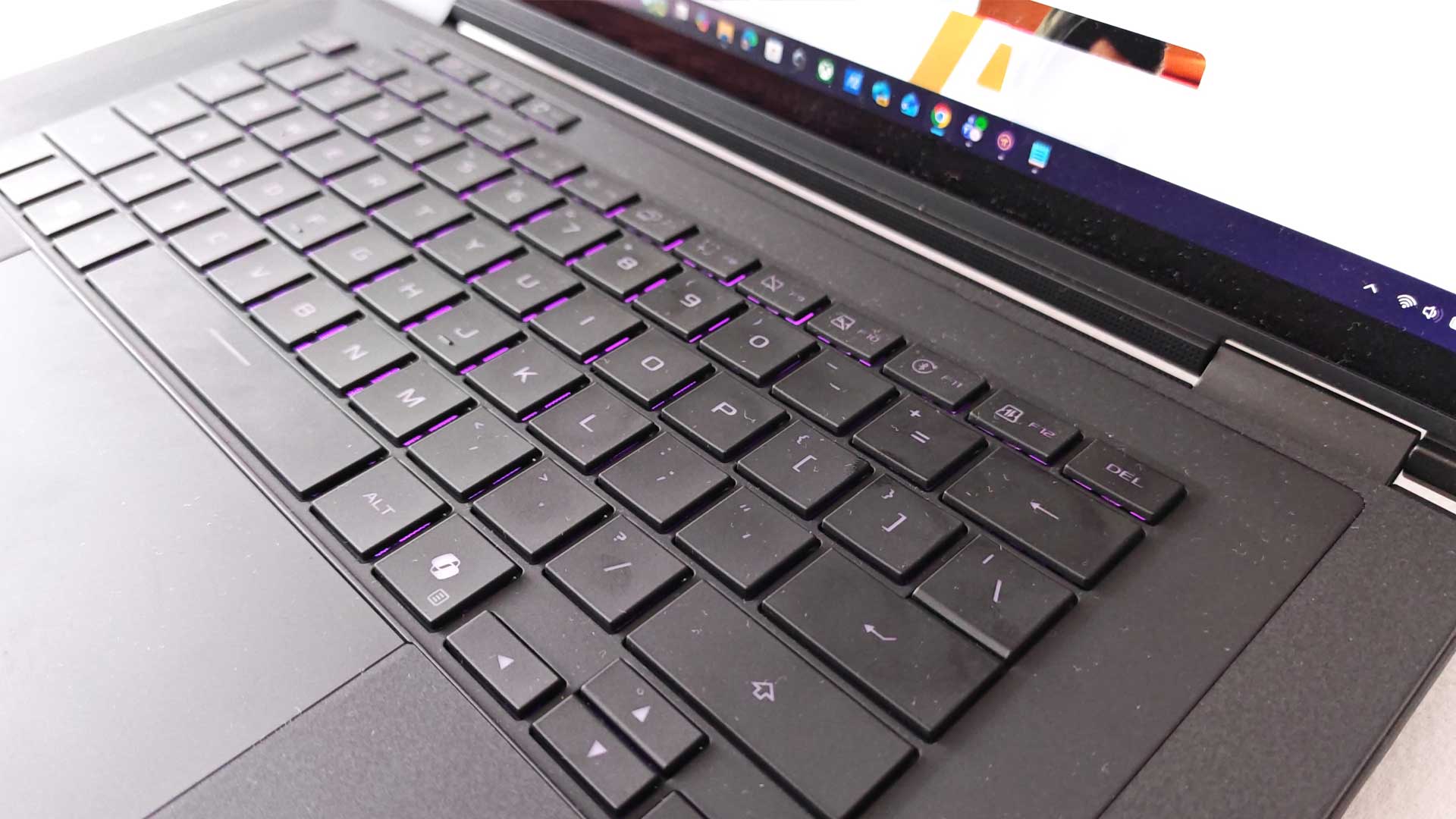
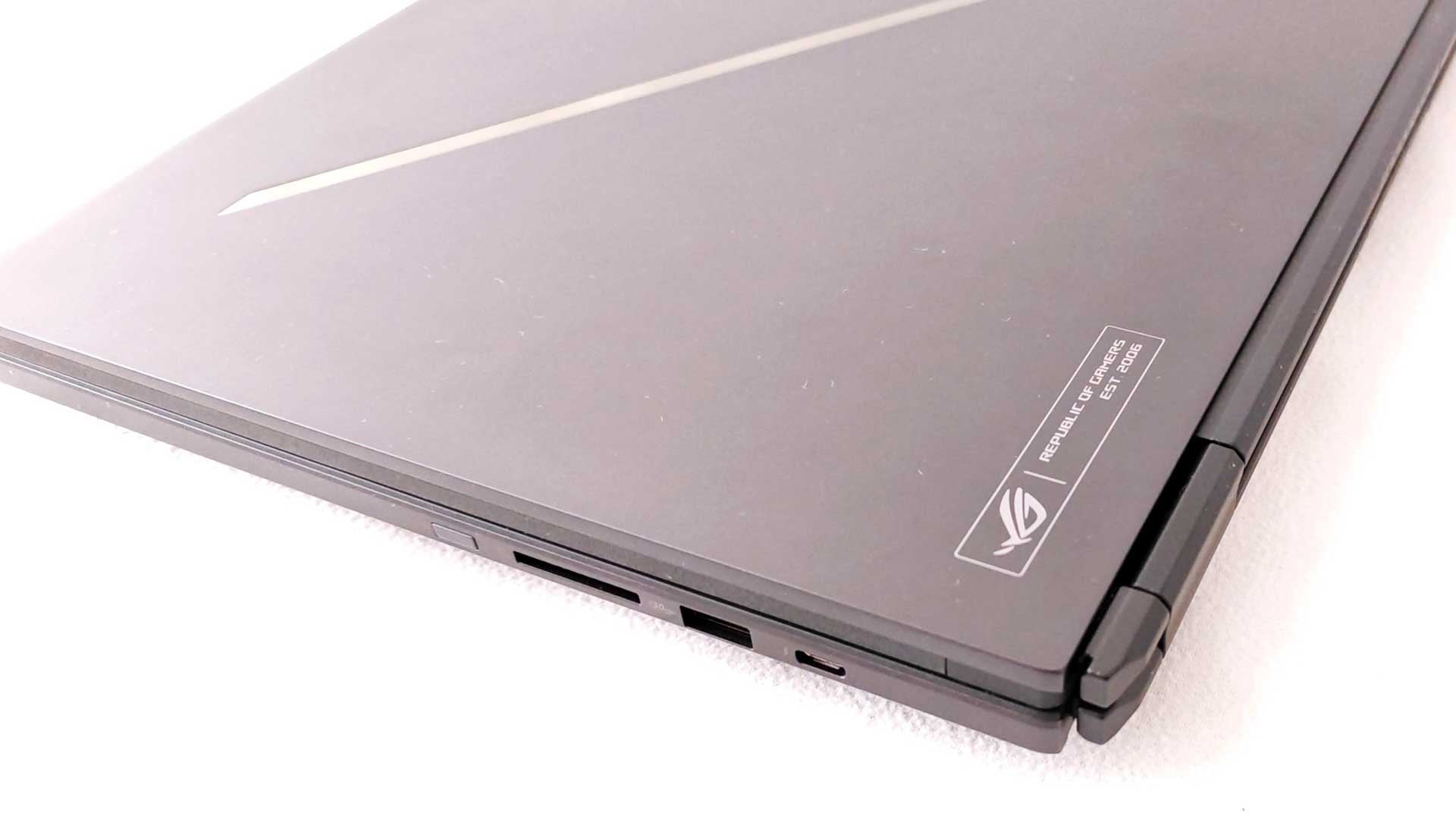
The Zephyrus design ethos also shines through. It’s a minimalist take on the gaming laptop, with a sleek, matte black finish with rounded edges but a rather squared chassis. Gamers who don’t enjoy the frills of LED and RGB-fitted laptops would love the Zephyrus build. It has always appealed to me since its first release a few years back, for this very reason. For the most part, you wouldn’t even associate it with the many other gaming laptops and designs on the market. The only amount of flair added to its design is the customisable LED diagonal strip across the lid. Even then, it’s only a monochrome option.
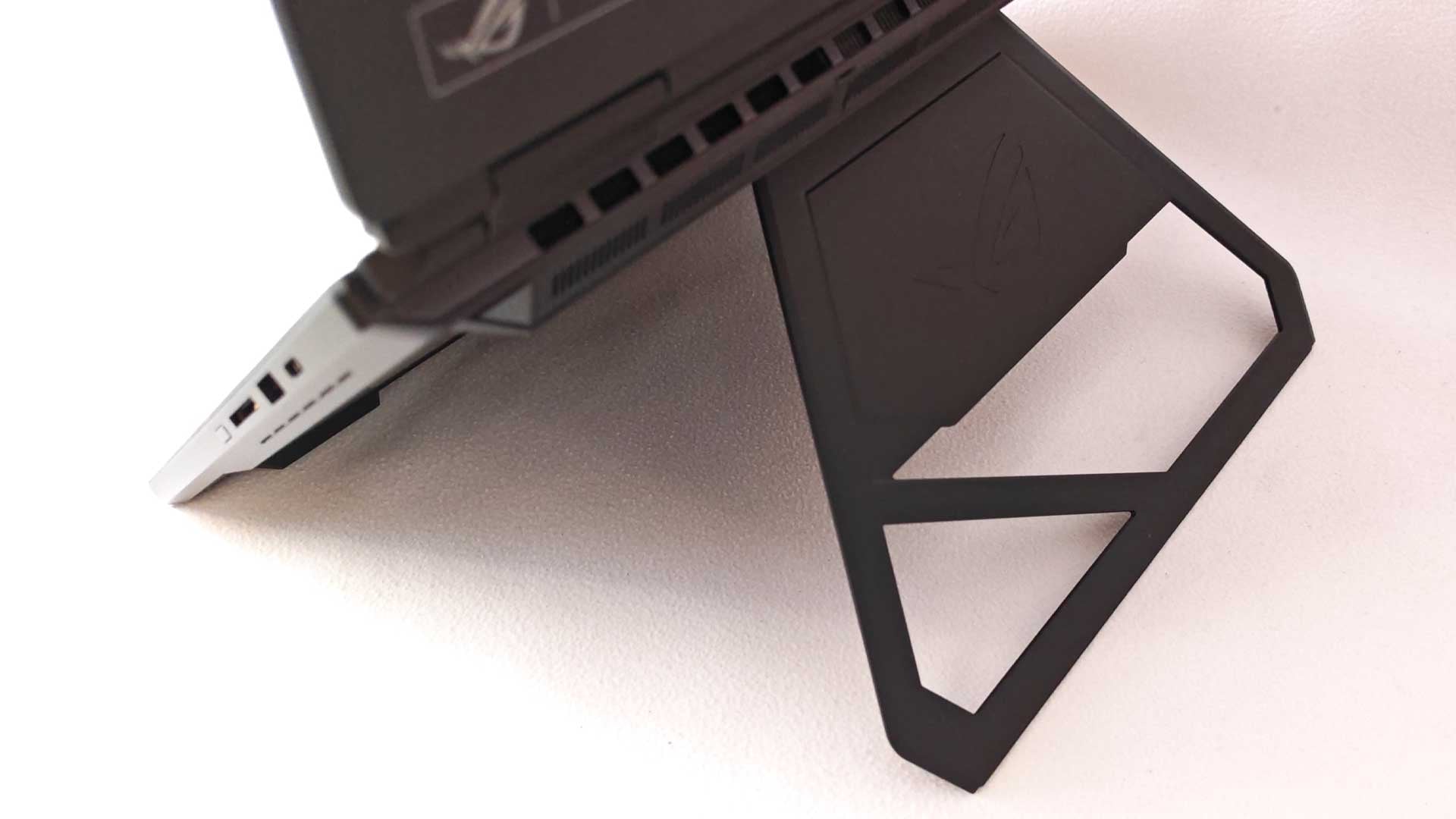
To cater for the second screen, ASUS has fitted a kickstand on the bottom, which allows both screens to be lifted towards the user. With this, ASUS has delivered five different modes of use for its dual-screen laptop. This includes Laptop Mode, Dual Mode, Sharing Mode, Book Mode and Tent Mode. The laptop mode is fairly obvious, using it as a standard laptop with the keyboard still attached. Its second option is the dual-screen option, initiated by the kickstand on the rear. The Sharing Mode allows for the two screens to present the same screen in an opposite-facing option, with the laptop lying flat on the table or desk and visible to users on either side of the laptop. Book Mode is the laptop on its side in portrait rotation, which is automatically detected and flipped accordingly. And, lastly, the Tent Mode allows users to play some two-player games, much in the way of Battleship or similar. But these are just the basics, users can open up a world of additional possibilities as to how they use the dual-screen laptop.
All these different modes are enabled thanks to its 320° hinges, allowing the screens to be flipped and positioned as required. It’s not quite full 360°, which could turn it into tablet mode, but more than sufficient for its dual-screen operation.
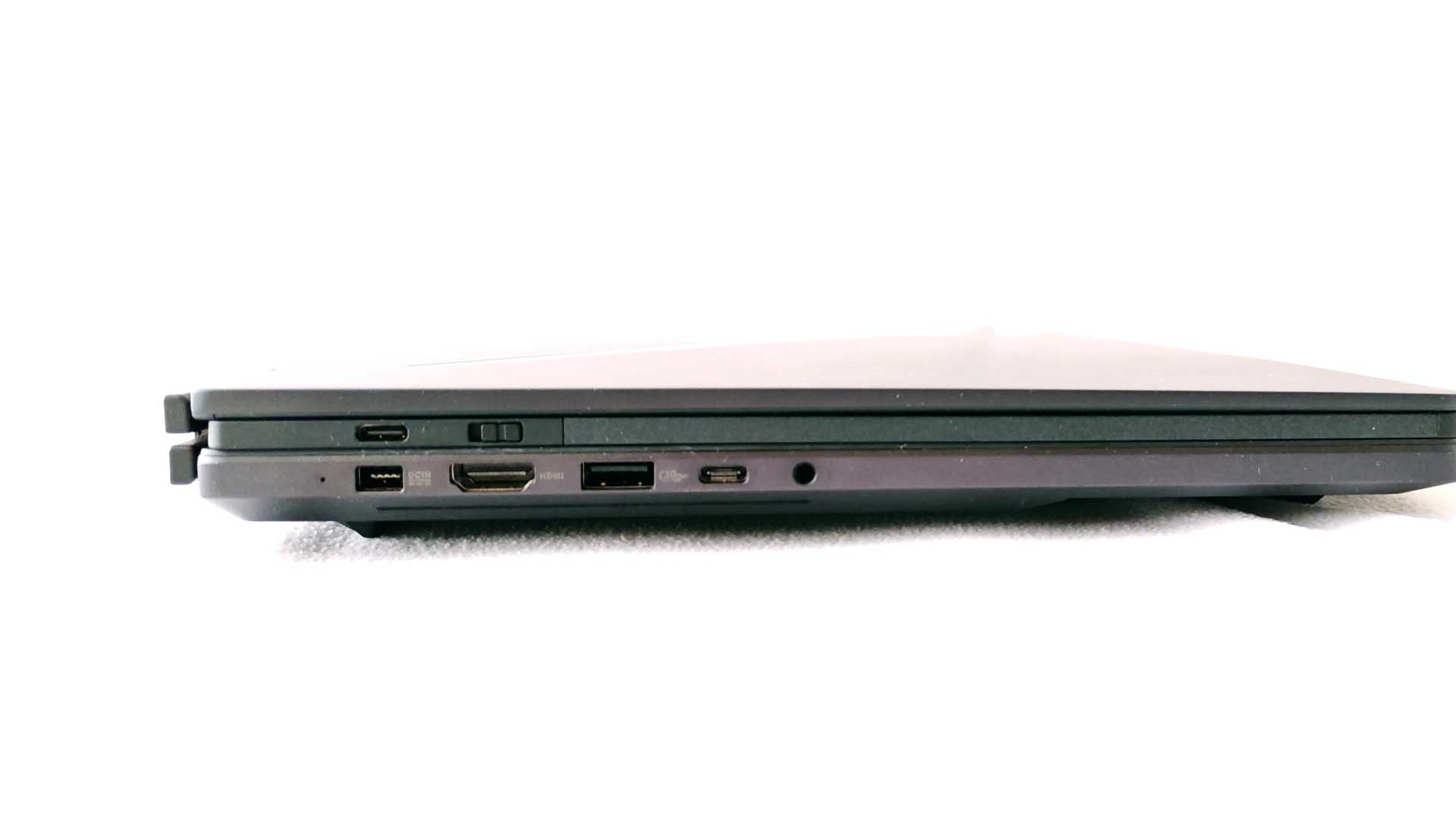
When it comes to your inputs and ports, users also don’t have to worry that the second screen and design changes take away from your immediate necessities. There are two USB Type-A 3.2 Gen 2 ports, along with two USB Type-C Thunderbolt 4 ports for good measure. Additionally, there’s a full HDMI 2.1 port, UHS-II card reader, as well as a 3.5mm audio jack. This then allows for a third monitor to be plugged in via the HDMI cable, with even more if you’re connecting via wireless options.
Overall, the design and chassis are great. There are plenty of options on how to utilise the ASUS ROG Zephyrus Duo, all with the portability of a normal laptop. Apart from its heavy 2.82KG build, there’s not many issues with the design and build, with a solid chassis, with a premium aesthetic to match.
Dual OLED Displays: Two 16-Inch Screens That Actually Match
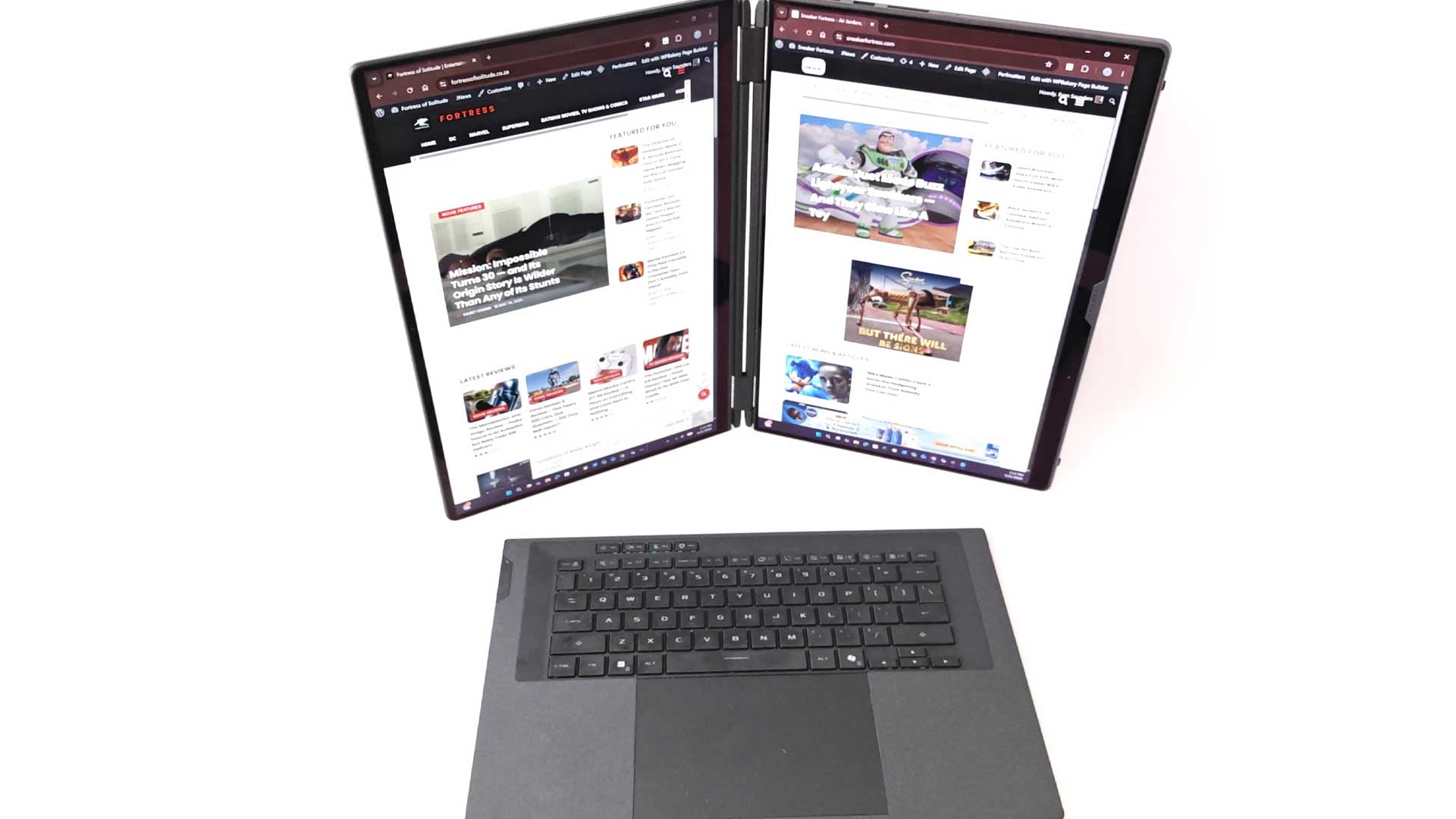
The dual-screen setup wouldn’t mean much if the two screens’ quality didn’t match the design. ASUS has fitted two 16” ROG Nebula HDR displays to the ROG Zephyrus Duo. Both screens have an OLED panel with 3K resolution (2,880×1,800px), a 120Hz refresh rate and 16:10 ratio. Compared to the previous model, which had a small screen and lower resolution, ASUS has increased this by 213% over the 2025 variant of the ROG Zephyrus Duo. In terms of certifications and support, the dual screens have DCI-P3 100% colour space support, 1,100 nits peak brightness, VESA DisplayHDR True Black 1000, Dolby Vision, as well as G-Sync on the main panel.
Interestingly, these ASUS panels have been developed in conjunction with Samsung, who supply the panels, and NVIDIA, the GPU supplier. With this partnership in place, ASUS has continually pushed to improve its quality, not simply an added specification on the hardware list. The result of this is two good-looking screens, both of which perform at the highest quality. If you’re gaming or consuming content in dual-screen mode, you won’t have differences between the two panels in terms of the quality. And this is key to getting the best results from the setup.
ASUS doesn’t specify how many simultaneous contact points there are for the touchscreen panels. Testing both screens together and individually, it was able to detect all 10 fingers on each panel and then five on each simultaneously, limited only by my two hands. Overall, the dual-screen device works great, and looks as amazing as well with its OLED panels.
Specs and Features: Some of the Most Powerful Hardware of 2026
ASUS has gone big with the hardware specifications with the ROG Zephyrus Duo (GX651AX), featuring some of the best hardware available in 2026. The list includes:
- CPU: Intel Core Ultra 9 Processor 386H 2.1GHz (up to 4.9 GHz)
- NPUA: Intel NPU up to 50 TOPS
- GPU: NVIDIA GeForce RTX 5090 Laptop GPU 24GB GDDR7
- Screen: Dual 16″ ROG Nebula OLED HDR panels
- Display: 3K (2,880×1,800), 120Hz, DCI-P3 100%, 1,100 nits peak brightnes
- RAM: 64GB LPDDR5X-8533 MT/s onboard
- Storage: 2TB PCIe® 5.0 NVMe M.2 SSD
- Connectivity: Wi-Fi 7, Bluetooth 6.0
- Audio: x4 2W Woofers, x2 2W Tweeters, with Dolby Atmos
- Camera: 1080p IR Camera
- Battery: 90Wh, with 250W ASUS Slim Power Adapter. Supports USB-PD over Type-C up to 100W
As with many ASUS laptops, and almost all ROG laptops, the laptop comes pre-installed with Armoury Crate. Here, users get to customise the device’s settings, some automated features and most of the day-to-day functionality you’ll utilise. Most of this is setting the various performance modes, which utilise different levels of power and outputs. There are other pre-installed software like OLED Care and ScreenXpert that also add to the user experience. These can be turned off or uninstalled if you have no use for it to streamline the overall experience. However, with all the power and RAM available under the hood, it may not be necessary at all.
Performance: Brilliant Results — With Power Left on the Table
The overall performance of the ROG Zephyrus Duo is second to none. It’s an amazing device capable of completing every task you throw at it, from general daily tasks, like multiple background activities across multiple tabs, running video editing software, and even processing and generating AI requests thanks to its NPU.
Interestingly, there is a lot of configuration and settings established on the backend that limits quite a bit of the full potential of the Duo. For example, the Core Ultra 9 386H chipset has 16 CPU cores (x4 performance, x8 efficiency, and x4 low-power). However, this is limited to a draw of just 80W and clock overclocking to 4.9GHz. Compared to its predecessor, the Core Ultra 9 285HX has a maximum draw of 160W and clock speeds up to 5.5GHz. It’s a strange decision to lower the power output of the chip to levels below previous CPU options.
When it comes to the graphics capabilities, ASUS has attached the NVIDIA GeForce RTX 5090 Laptop GPU with 24GB GDDR7. On paper, this one of the most powerful mGPUs available. Playing through a list of my AAA games, I was able to maximise the settings, including the graphics quality, refresh rates and the likes and at 3K resolution. While the results varied across each game, I was able to hit the minimum 30FPS threshold, up to 100FPS in some instances. Its great that some of the AAA games could manage around 100FPS to unlock the capabilities of the 120Hz refresh rate.
However, upon further digging and as more testing was done, I noticed that the output, as with the CPU, isn’t fully maximised. ASUS and NVIDIA has set the thresholds of the RTX 5090 GPU to 135W TGP. This doesn’t seem like an issue, but when compared to two other 2026 ROG laptops, you’re looking at 160W TGP on the Zephyrus G16 and 175W TGP on the ROG Strix Scar 16, both using the same/similar RTX 5090 mGPU. While the graphics still look great, and the device is capable of playing all games at maximum settings, it feels like there’s still some performance left on the table, most likely as a result of how it manages the load on a dual-screen configuration.
Another interesting aspect of the dual-screen configuration on the Zephyrus Duo is that it utilises an HDMI bridge on the motherboard to connect the two screens. This means that when you lift the magnetic keyboard from the chassis, it detects the second screen as a newly attached screen. This is the same as if you’re plugging in an external monitor via the HDMI port. Personally, it doesn’t matter too much, but for a device carrying these specifications and a steep price point, this should’ve been integrated a lot better. Lifting the keyboard initiates the second monitor, which then plays the Windows chime notification of this, and then takes a few seconds to establish before being able to be used. This is also a factor when the device goes into power-saving modes, like turning off the screen. The device will take a few seconds to turn on the main screen, almost as if it’s detecting which and how many screens are being activated.
With some of the best specifications available in 2026 fitted inside the ROG Zephyrus Duo, the overall performance is still there — benchmarks sit within 10-20% of the top laptops in 2026. Yes, it still delivers what is required and you’re able to play all the AAA available at maximum settings, the benchmarks indicate that it’s down on overall performance, even compared to its other siblings in the 2026 ROG lineup. All that said, there’s still more to unlock.
Battery Life: Better Than You’d Expect From a Dual-Screen Beast
The battery life is very dependent on how you utilise the device and its hardware. It may seem like an obvious statement, but there are plenty of variables to consider, more so than your average laptop. With the addition of the NVIDIA mGPU, there are two options for the GPU, including the Intel integrated chip. Users can use the device in its hybrid mode, turning off or disconnecting the mGPU and opt for the low-powered, integrated GPU instead. This will guarantee a much better battery life. There’s also the small issue of the single-screen versus the dual-screen options.
Initially, I assumed that with the powerful mGPU and dual screen, the battery would take a massive hit for everyday use. However, the change in performance settings and configuration via Armoury Crate made for favourable results across the board.
For starters, using the default, out-of-the-box settings, I could just about eke out a full day’s worth of usage at the office before needing to reach for the charger. Testing this out at the office on a Friday, I only needed to plug it in around 15h30, right before packing up for the day, which I would’ve done if not for showcasing some new games and the GPU performances to a few colleagues.
On the rundown tests, playing 4K videos for a few hours at medium screen brightness and a few tabs open, the Zephyrus Duo is capable of about 10 hours of battery usage. That’s quite impressive with a fully engaged GPU, albeit with only one screen active. Disconnecting the GPU and switching to hybrid mode, you can increase this by a further two hours, now lasting an even better 12 hours of uptime. When using the second screen and completing the same tests, the battery life decreased on average by about 60 to 90 minutes. That’s not as hefty a drop as I would’ve expected.
In the background, ASUS’s software does a lot of the heavy lifting in regard to managing all the components it needs to keep fired up when stabilising the performance. Being on battery instead of wall-powered initiates some notifications from the software, like alerting to the fact that the GPU is still engaged and some are using it, which can be closed to avoid increased battery drain. This, and many others, are useful software inclusions out of the box. There are plenty of ways in which to increase battery life, like switching to silent mode and hybrid modes that allow for the longer usage.
If there’s one aspect of the battery testing that’s guaranteed to eat up the battery capacity in record time, it’s firing up your favourite games. While reviewing the Zephyrus Duo, I also had the opportunity to review Forza Horizon 6, which I used to conduct these tests. Although the game, prior to release, was limited to 60FPS on high graphics mode and 120Hz on medium graphics, the battery life averaged between two and three hours. Not much to write home about here, this is the average across the industry, with gaming laptops not really built for long-lasting game time when running on the battery.
Verdict: Is the ASUS ROG Zephyrus Duo (GX651AX) Worth $5,500?
The ASUS ROG Zephyrus Duo (GX651AX) 2026 is a fascinating device. It’s not just a dual-screen laptop, it’s a gaming laptop as well, along with plenty of additional features and utilisation options. If you’re looking for a laptop with performance and multitasking in mind, it’s got you covered. If you’re looking for a gaming laptop with top-tier performance, it’s got you covered as well. And, if you’re looking for a device for being creative, you don’t have to look elsewhere. Whatever the requirement, the Zephyrus Duo can deliver.
The only caveat, and it’s a major factor, is the price. The unit I received for the review was the top-of-the-range Zephyrus Duo — the RTX 5090 configuration — which retails at $5,499.99 (approximately R140,000). That’s not pocket change. And even the lower RTX 5070 Ti tier starts at $4,499.99 (approximately R100,000). These are laptops designed with high-end hardware specifications and to maximise productivity, making them devices for niche requirements. Yes, anyone would love to get their hands on owning one of these babies, but for most, there would need to be a very specific set of use cases to justify the purchase at the end of the day.
The Review
ASUS ROG Zephyrus Duo (GX651AX)
The ASUS ROG Zephyrus Duo (GX651AX) 2026 is a truly brilliant laptop, with specifications and features to leave your mouth watering. Its dual-screen configuration allows for multiple usage modes, while also doubling as a top-tier gaming device. If not for the steep price of owning one of these, the laptop would definitely be on the wishlist of many.
PROS
- Impressively powerful hardware
- Beautifully-crafted design
- Dual-screen experience with amazing OLED panels
- 64GB RAM
- Solid Battery Life
CONS
- Extremely heavy - not quite a laptop
- Slow switch to dual-screen use
- Maximum performance potential withheld