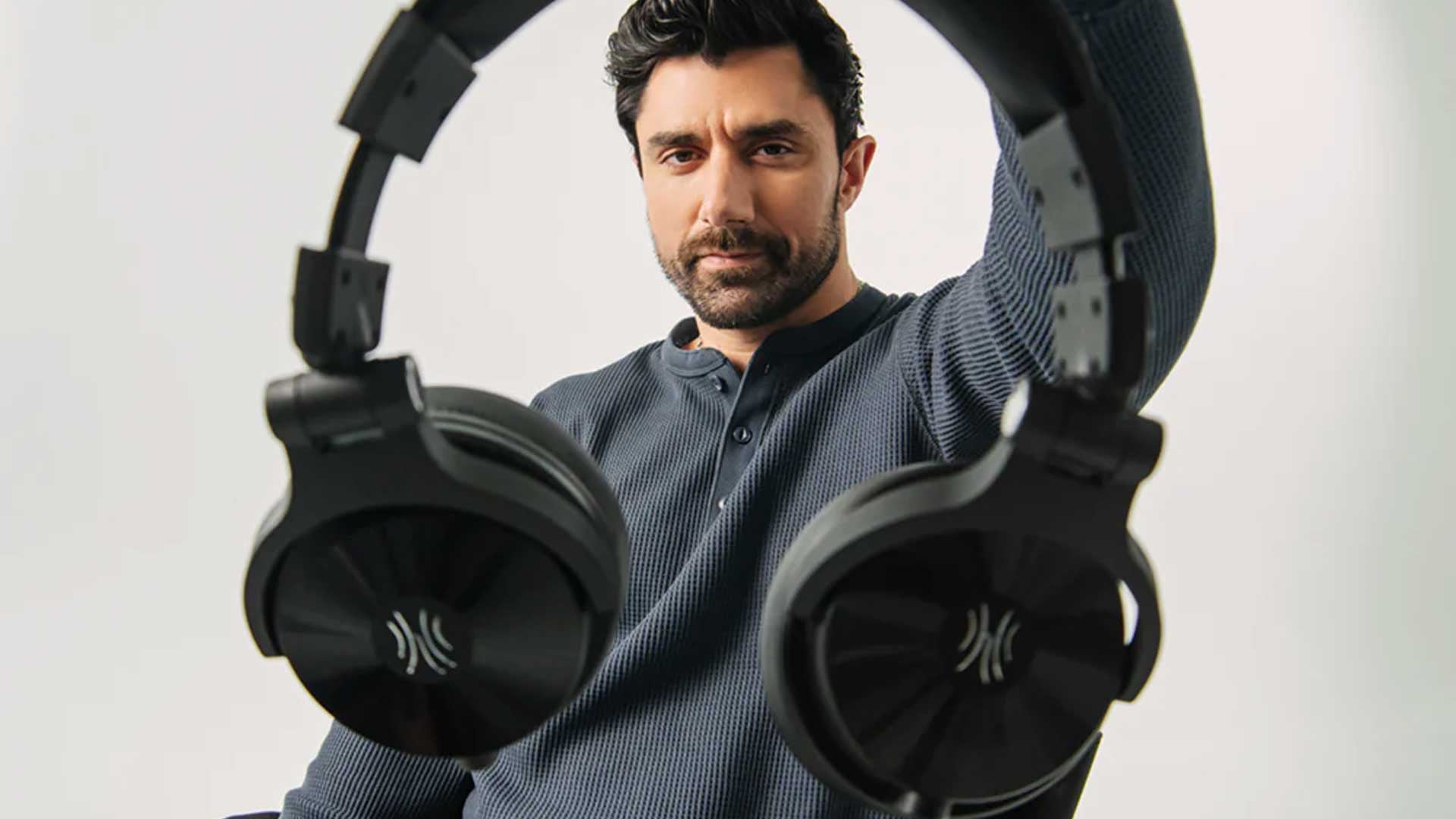


In 2025, OneOdio launched their new flagship headphone series, the Studio Max. I reviewed that device towards the end of the year, which scored well overall. Fast-forward to 2026 and the brand has launched the second iteration of this flagship, the OneOdio Studio Max 2 (Tuned by KSHMR).
Since receiving the Studio Max 1, I’ve been switching between it and another pair of earbuds as my daily drivers, depending on the location and requirement. The Studio Max 1 delivers fuller audio with deeper bass than most earbuds, so it has been my go-to for listening to music at the office, or playing games late at night, not wanting to make any excessive noise in the home. With the OneOdio Studio Max 2, I expected more of the same qualities, but with a few enhancements to improve on some of its shortcomings, some of which I mentioned in my previous review.
OneOdio Studio Max 2 Design: What’s Changed and What Stayed
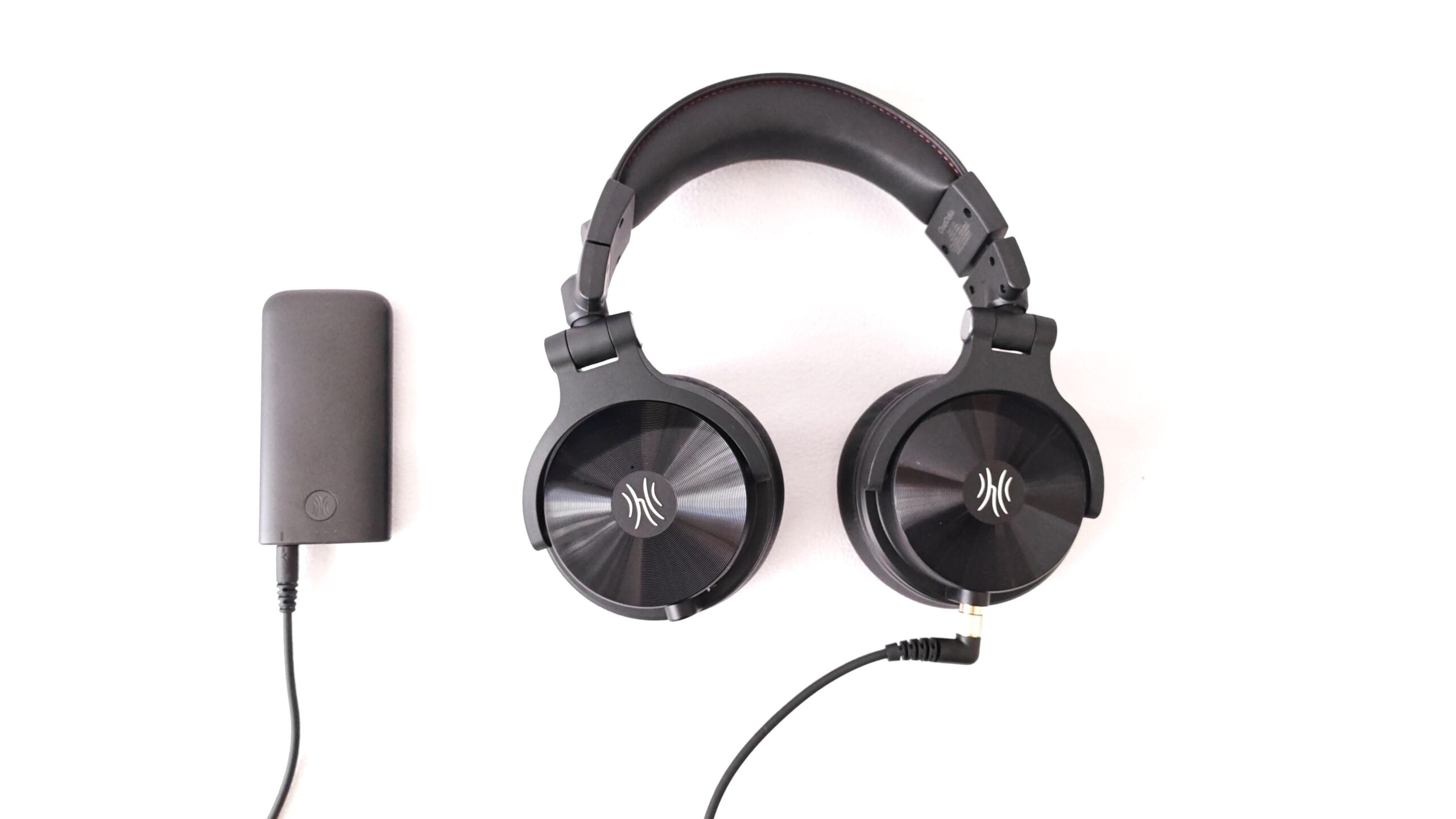
Before you get to the headphones themselves, there’s already a major change over the previous version – the inclusion of an EVA carry case. Last year’s model also had a case, which was more of a material pouch than anything. While I could easily pack the Studio Max 1 and its included cables, I never felt comfortable holding it in hand, which is why I always carried it in my laptop bag. Now, with the EVA case, it feels protected. As such, I’m able to carry it around using the rubber strap. The headphones pack away neatly into the inner cutouts, with the cables and transmitter having their own slots as well. So far, we’re off to a good start.
Taking the headphones out of its carry case, you’d be forgiven for thinking that not much has changed between the iterations. But, after a closer inspection, there are changes everywhere, while keeping all of the good aspects.
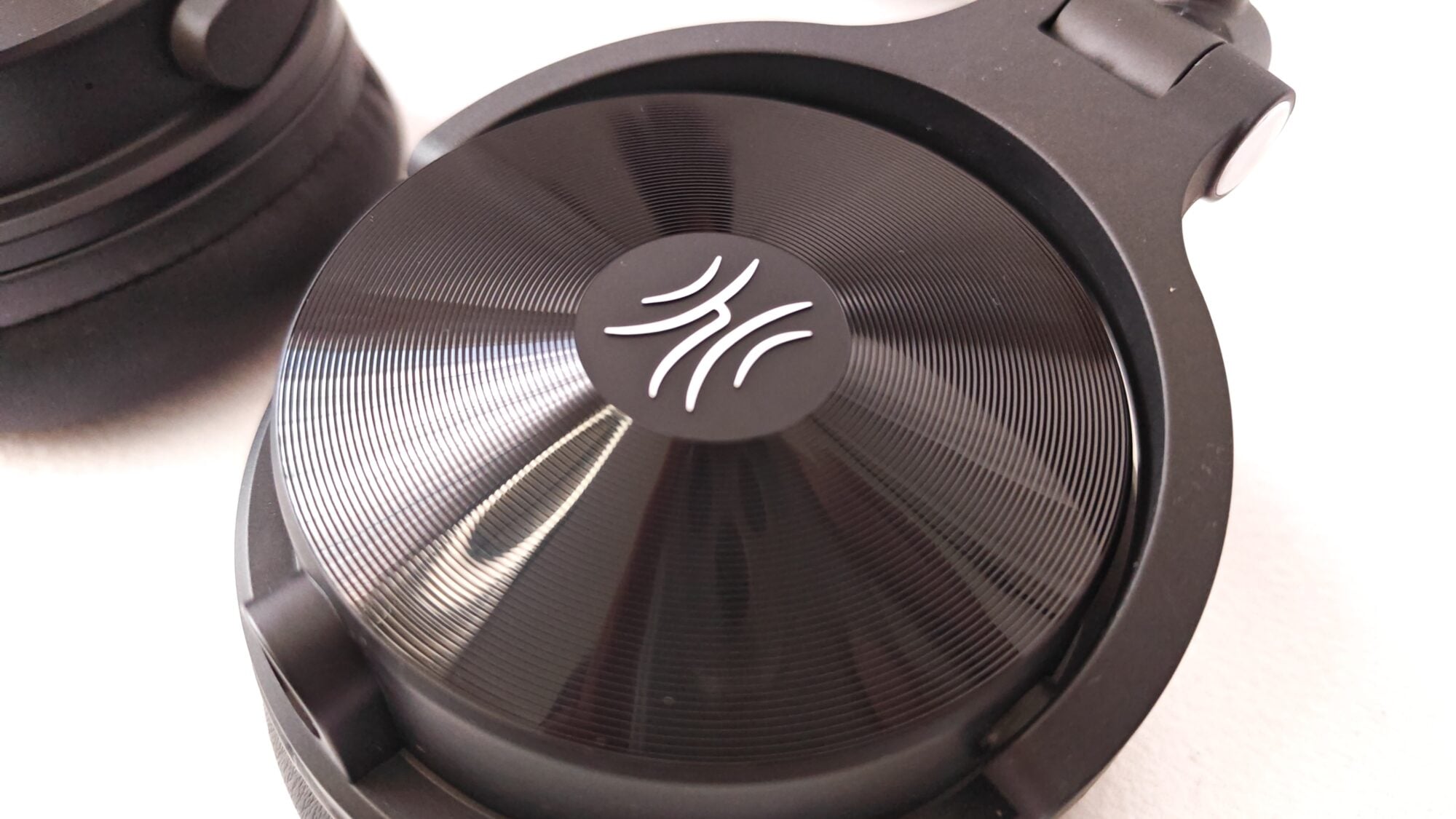
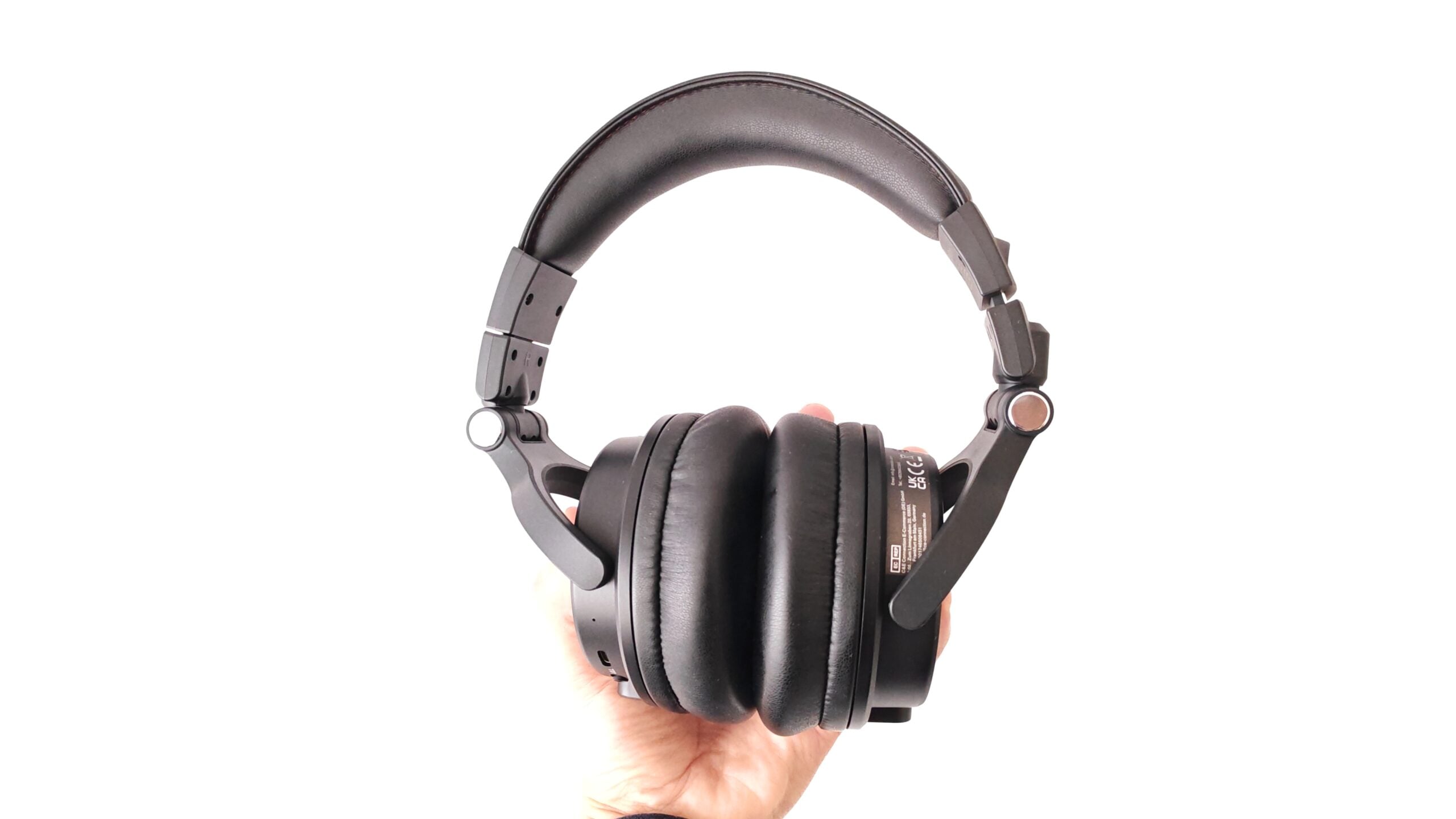
The first change is the OneOdio logo on the earcups. OneOdio has switched to an embossed silver finished, compared to last year’s logo being cutouts. (debossed). It may not seem like much, but it gives it a more premium look when compared side-by-side. From an aesthetics perspective, that’s about all the changes visible.
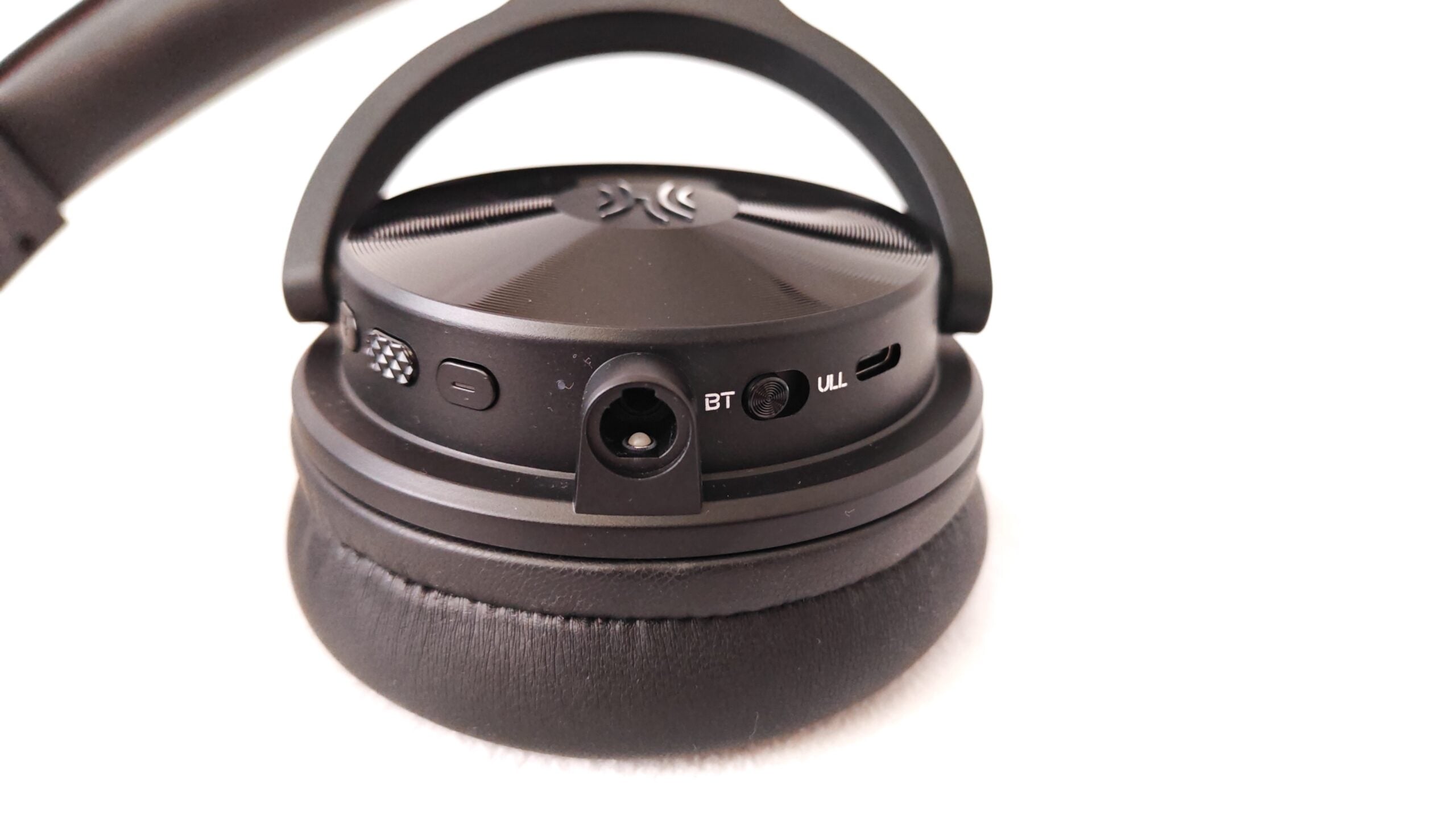
The rest of the changes provide efficiencies over the previous model. For starters, all the buttons and USB Type-C port have been moved to the right-hand side earcup. This makes it much easier when in use to know where all the required buttons are. Both earcups have audio inputs for cables, which are included in the contents. The buttons have been split on the right-hand side, on opposite sides of this cable input. To the left, you have your power and volume buttons, with the power button having a textured finish for easier recognition.
A toggle has been added to switch between Bluetooth mode and connecting to the transmitter. This is a massive improvement over the previous edition, which was a button that had to a long-press trigger to switch between the two options. This often caused a bit of hesitancy, not knowing which mode you’re in at any given time. Now, you can simply check the toggle and know immediately. The USB Type-C port is to the right of this toggle.
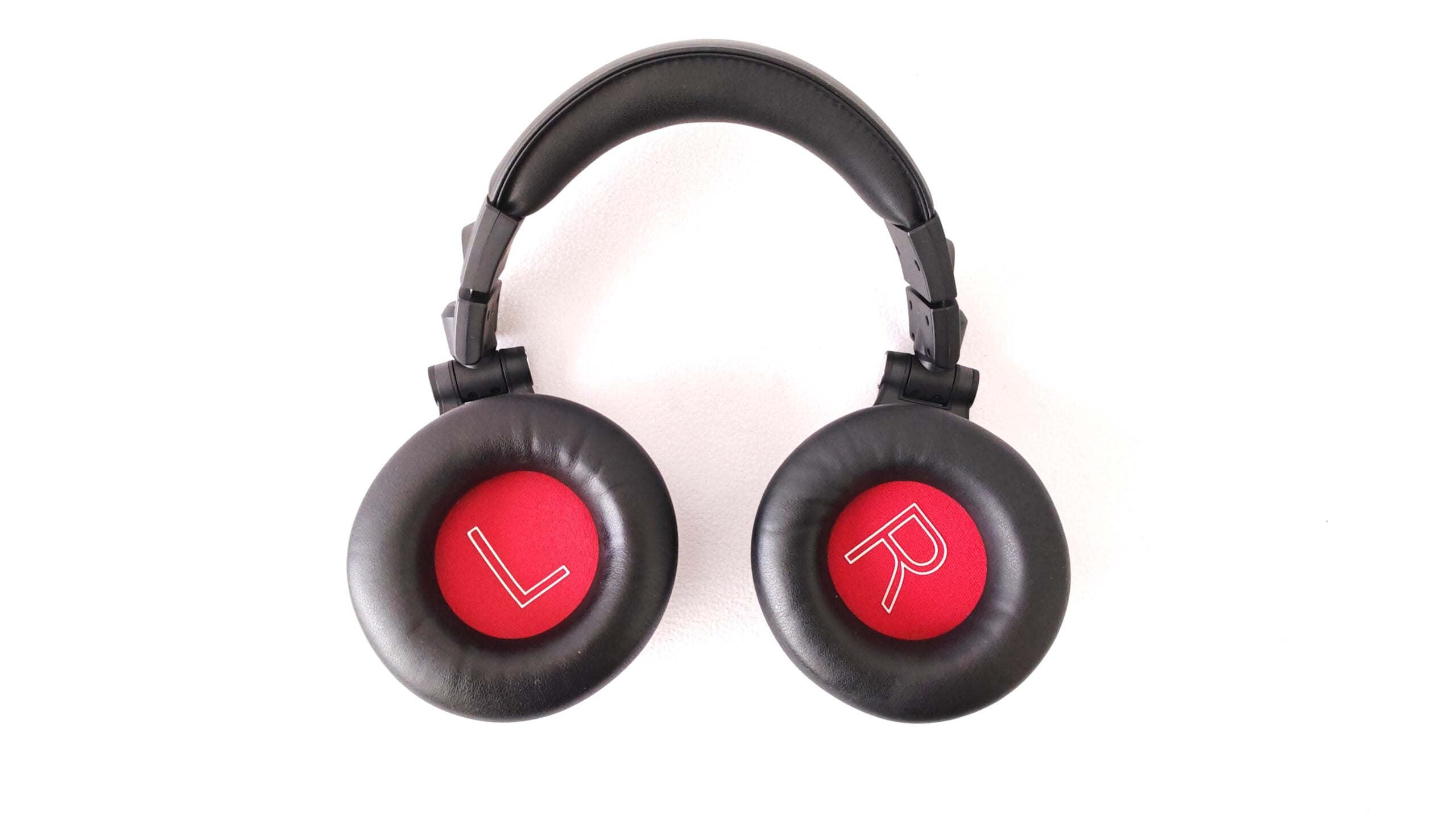
The large faux-leather, padded earcups and headband with its memory foam are back. Its swivel design has also return, which gives you the freedom to wear and use the headphones as desired, which is especially useful for DJs, for which these were designed. Having to use spectacles daily, someone seeing me use the headphones at the office asked whether the over-ear cups hurt the back of my ears with it pressing down the arms to the back of my head. Not having paid much attention to this previously, and having already used the headphones for a few hours by that time, I realised how much more they added to the comfort levels than I had realised. Knowing this, you could easliy use the OneOdio Studio Max 2 headphones for hours on end, being quite light at 350g and without feeling any discomfort, even for someone with prescription glasses.
The Studio Max 1, off the bat, were great in terms of the design and comfort. With the OneOdio Studio Max 2, the brand has tinkered just enough to improve on an already great design.
OneOdio Studio Max 2 Full Specs Breakdown
The OneOdio Studio Max 2 DJ Headphones has kept most of the specifications, tweaking a few for better optimisation. Let’s start with the hardware specifications:
- Operating Frequency: 2400 MHz – 2480 MHz
- Sensitivity: 118dB
- Frequency Range: 20Hz – 40kHz
- Impedance: 34 Ohms
- Driver: x2 45mm
- Connectivity: Bluetooth 6.0, Auxiliary, Transmitter
- Wireless Range: 10m+
- Battery Type: Lithium-ion Polymer, 1,000mAh
- Charging Time: 2.5h
- Usage Time: 120h+
- Standby Time: 500h+
- Built-In Microphone
- Tuning: KSHMR
OneOdio has changed the driver size on the Studio Max 2, reducing it from 50mm down to 45mm. While, theoretically, the larger drivers have deeper bass, the smaller 45mm driver provides more balanced audio. But we’ll get to the performance in the next section.
The transmitter, which was the mainstay of the original release, returns with an even more impressive specification. While the original had a bitrate of 160kbps, OneOdio has increased this to 400kbps on the Studio Max 2. Additionally, while increasing the bitrate, they’ve also improved the latency, down from 20ms to just 9ms. That’s 0.009s.
How Does the OneOdio Studio Max 2 Actually Sound?
Having switched to a smaller 45mm driver, the OneOdio StudioMax 2 provides more precise sound quality. This is important for who the headphones are geared towards, audiophiles, artists and DJs. Users will have a much rounder sound quality, allowing for better editing and picking out the various sounds. While the 45mm driver is expected to have slightly less in the way of bass, there’s still enough there to not lose out on the lows for those looking for balanced audio quality.
It’s great to see that OneOdio acts on reviewer feedback. One of my gripes about the previous iteration was the lack of an accompanying app to fine-tune the audio settings for the different usage options. Having been tuned for DJs, it was heavy on the bass. This wasn’t an issue per se, as it was what it was designed for. Thankfully, OneOdio has now launched an accompanying app. The app has a few presets to choose from off the bat, while also allowing users to customise their audio experience. For those looking for more bass, the app also has a boost mode for that.
And for the gamers, you’re not left out either. OneOdio has included a game mode, which makes for much more specific audio quality for games. On the previous model, I’d connect the headphones only on my gaming rig or laptop when playing games. There wasn’t really any support for the Xbox, which meant that the sound was muffled and not really usable in that sense. Now, with more support for all things audio related, I was able to connect the Studio Max 2 directly into the Xbox controller and experience good audio quality. And, setting up the device in gaming mode prior to connecting to the controller, makes for even better audio quality, which I appreciate quite a bit.
In addition to the audio settings, another important function of the app is to download the latest drivers. Included with the device is support for codecs including LDAC / AAC and SBC. This is part of the requirement to have access to firmware updates, to make sure users have access to the latest codecs and more.
With the assisted tuning of the audio by KSHMR, users should get a better experience from the headphones in general. Although it doesn’t specifiy outright, I use the monitoring mode option in the presets would be the most significant influence he had in terms of the tuning. This would be great for those users setting up their audio equipment such as their turntables, equalisers or mixers.
Over the review period, I spent most of the time reviewing the device in Bluetooth mode. This was the go-to when connecting to my laptop, where I spend most of my day. I’d switch to wired mode when connecting it to the Xbox, which doesn’t have Bluetooth pairing for devices not officially supported. However, my testing of the low latency mode using the transmitter was limited. While I was able to test it with ease, playing music from your laptop or smartphone isn’t capable of testing what it’s really used for. To fully test the low-latency aspect, you’d need to connect it to a musical instrument or other audio equipment where the input lag from the device to your headphones will be more noticeable, especially between the time you hit a trigger to when you pick up the audio in your headphones. This is what it was designed for.
OneOdio Studio Max 2 Battery Life: Real-World Results
The battery life between the two iterations remains largely the same. At 120 hours on a single charge using Bluetooth connectivity, you won’t need to charge your device for a couple of weeks. Using it in low latency mode connecting to the transmitter, it does half the charge time to 60 hours. That said, 60 hours is what you’re often looking at for the majority of competitor headphones, so it’s not really a train smash, especially with the additional features you get from using this connectivity method.
Over the two to three-week review period, I haven’t had the need to charge the headphones as yet. With 120 hours to get through, it’ll take some doing drain the battery under normal use. I spent a day or two trying to play audio as much as possible for long periods of time, but it was clear that it wasn’t going to drain sufficiently in time to complete the review. But, that’s a good problem to have. I also spent a lot more time in wired mode connected to the Xbox over the last week of the review period, which meant I wasn’t draining the battery at all during the many hours gaming.
As a result, I wasn’t able to test the full charge time required for a 0 to 100% test for its fast-charging capabilities. But, with the same two-and-a-half-hour timeframe as the previous iteration, I expect more of the same.
Should You Buy the OneOdio Studio Max 2? Verdict
Initially, looking at the specifications and features, there wasn’t much in the way of significant changes that I would have argued warranted an upgrade over the Studio Max 1. That said, OneOdio has fine-tuned, tweaked, tinkered and added new aspects to the Studio Max 2 to add sufficient value across the board to make it a worthwhile option for owners of the previous model. The audio is clearer, assisted by the use of the app to enhance the experience to your specific requirement, along with tweaks to the design for better connectivity. In the end, the sum of its parts makes for a great upgrade.
There has been a $20 increase in pricing, with the OneOdio Studio Max 2 retailing for $189.99. This isn’t a huge increase in pricing considering all the enhancements, as well as current global inflation rates. And, for KSHMR fans, adding an extra $10 (for a total of $199.99), you receied a signed version of the Studio Max 2, as well as an exclusive Music Pack, which includes over 50 different audio samples for your next ensemble.
If you’re looking to upgrade, or simply looking for a new pair of headphones, OneOdio has really delivered with the Studio Max 2. You can purchase a pair directly from the OneOdio website, which ships internationally, or via Amazon. Use the “FORTRESS15” promo code at checkout on both OneOdio and Amazon to enjoy a 15% discount on your purchase.
The Review
OneOdio Studio Max 2
OneOdio has delivered an improved package with the Studio Max 2, which has been tuned by KSHMR. Additionally, it has a companion smartphone app to fine-tune your audio experience by switching modes.
PROS
- Super comfortable earcups
- Improved audio quality
- Extreme battery life
- Downloadable app for audio modes
- Low latency transmitter
- Four connectivity modes
CONS
- Still no ANC