

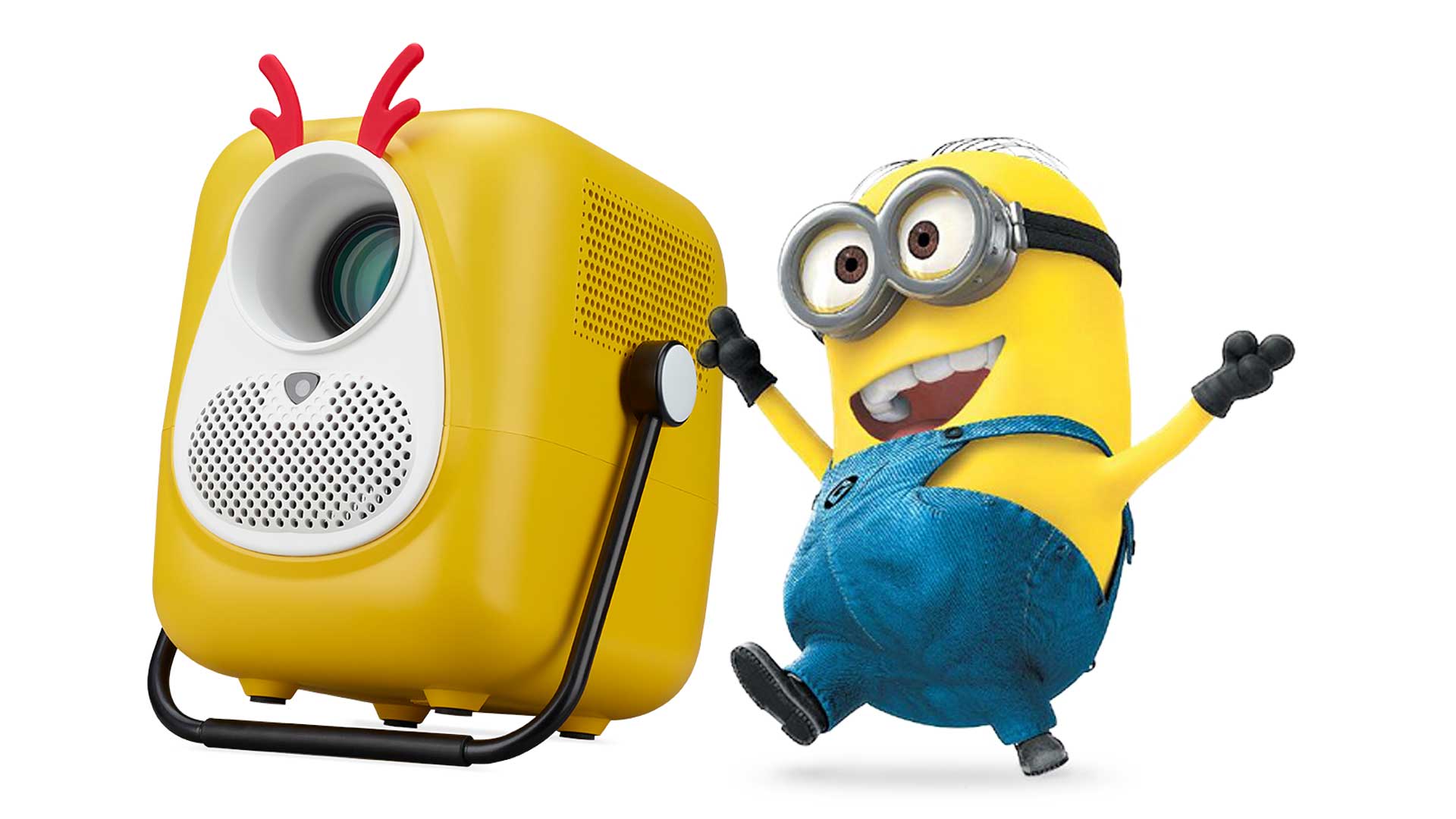


Ever since I reviewed my first projector, I’ve been hooked on the technology. While it doesn’t offer the same quality and brightness as TVs, watching movies and sports on the big screen right in your home is great entertainment. Over the years, I’ve also reviewed plenty of products in this space, even purchasing my own. Most of these, however, were living room products, meant for home use. Over the past year or two, we’ve seen plenty of portable projector options hit the market with varying degrees of quality and success. A few weeks ago, I discovered a quaint variant of the portable projector launched by AOpen, a subsidiary of Taiwanese tech giant Acer. Introducing the AOpen QF23s Portable Projector.
Whimsically known as the Minion Printer, its full title is the AOpen Fire Legend QF23s Portable Projector. The former sounds much better. Although it looks like a fun kids’ toy, it’s quite the serious projector under closer inspection. So, let’s take a look.
AOpen QF23s Design & Build Quality: A Fun, Ultra-Portable Minion-Style Projector
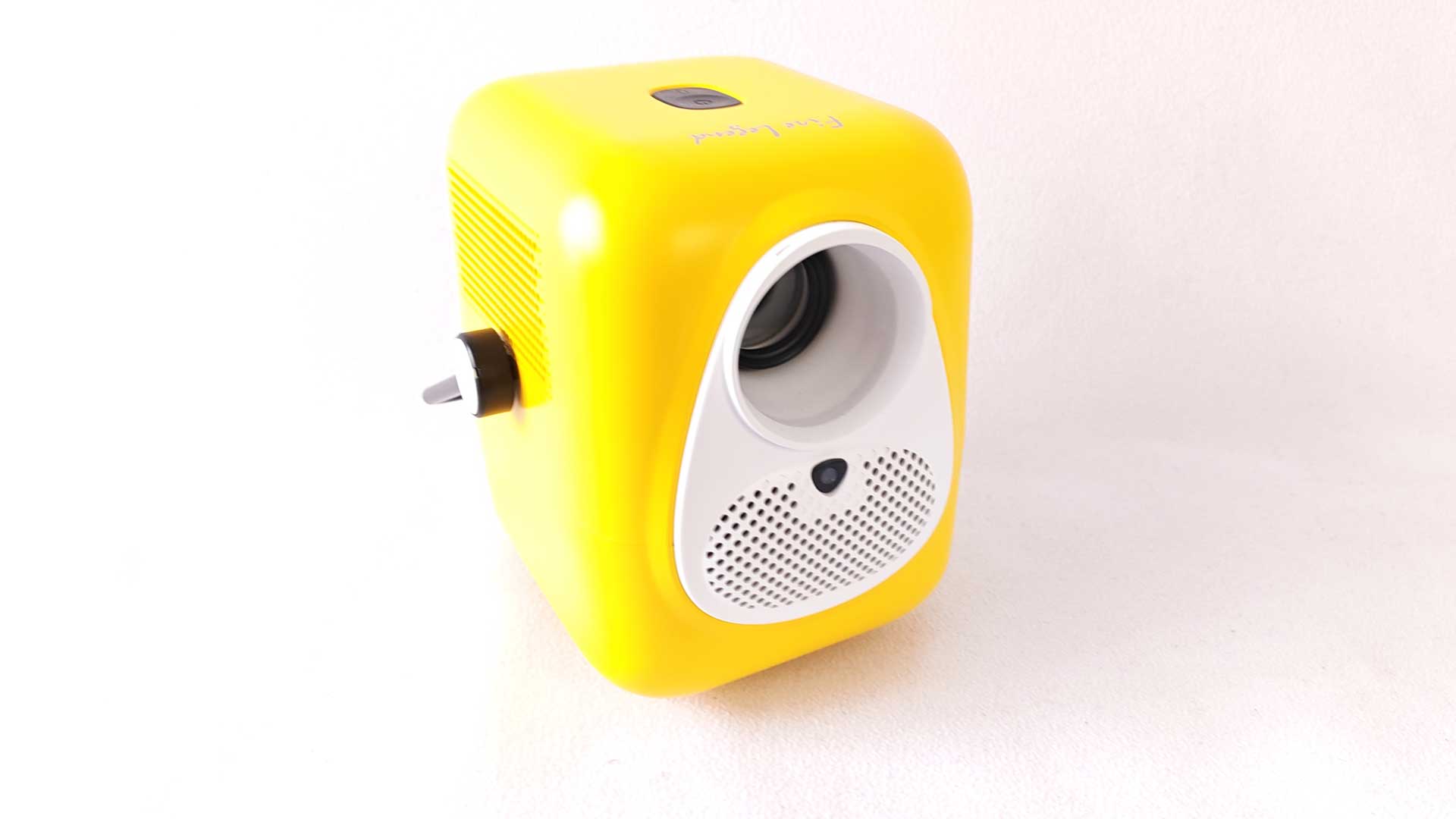
Needless to say, we all know where its pseudonym comes from. With its bright yellow primary model, pill-shaped design, large opening at the front resembling an eye, white frame around the said eye and black finishings to resemble the gloves and boots of everyone’s favourite – or most annoying – miniature characters. The Minion Projector is a fun-shaped device, but also quite practical, all things considered.
It’s extremely lightweight, weighing as much as the average laptop at 1.23KG. It also has a handle that runs across the top, allowing you to carry it around, something akin to a lantern. The handle also doubles as a stand, flipping it across to the bottom to aim the projector higher up on the wall or screen you’re projecting onto.
Furthermore, there’s also a screw input on the bottom, which allows you to screw in your tripod, as you would your camera set up. It uses the conventional sizing, so I was able to connect the projector to my tripod when out and about, which makes it even more ideal for those types of situations.
Its odd shape does make it less capable of practical storage, so it isn’t as easily stackable. That said, it’s small enough to fit in your backpack, carry-on, or even in the centre of the spare wheel in the boot if you’re really pressed for space.
The design of the AOpen QF23s might not be the most stylish when it comes to your conventional home aesthetic, but being able to lift and store it away when not in use doesn’t make it an eyesore if you’re extreme about your decor.
Included in the contents are two sets of “ears” to add even more whimsy to the occasion. The first is a set of red rubber pieces that resemble Santa’s reindeer, which is perfect for this holiday season. The second is a pair of brown, rounded ears, resembling those of a teddy bear. These are easily removable when you want to add or swap them out.
Overall, it’s a fun, lovable, cute and extremely portable device, designed to go where you go without any fuss.
AOpen QF23s Specifications: 1080p Resolution, Android TV, and Smart Features
The AOpen QF23s projector features an LCD lighting source, which has a brightness of 6,500 LED lumens and 250 ANSI lumens. This isn’t your brightest of projectors around, but for the size and price, it’s more than sufficient. More conventional home projectors would feature brightness levels around 10,000 LED lumens and 500 ANSI lumens at a minimum.
The native resolution on the projector is 1,920×1,080px with an aspect ratio of 16:9, as well as 4:3 if required. A 1080p rating with 16.7 million colours for such a diminutive projector is quite impressive, which is something that caught my attention even before the review. Even more impressive is its ability to upscale to 4K resolution – or 3840x2160px. This is easy to set up at source, when you’re using a PC, or even the Acer AiTV I tested it alongside. More on that later.
It also comes with impressive features like auto focus and auto keystone. This can be configured to detect and reset the settings on any movement or each time the unit is powered on. There’s also a nice zoom feature and four-corner keystone adjustment to get the exact alignment you require. Given my pedantic nature, I used a level and tape measure to get the most accurate alignment, for which the minion projector made such a breeze during the initial installation.
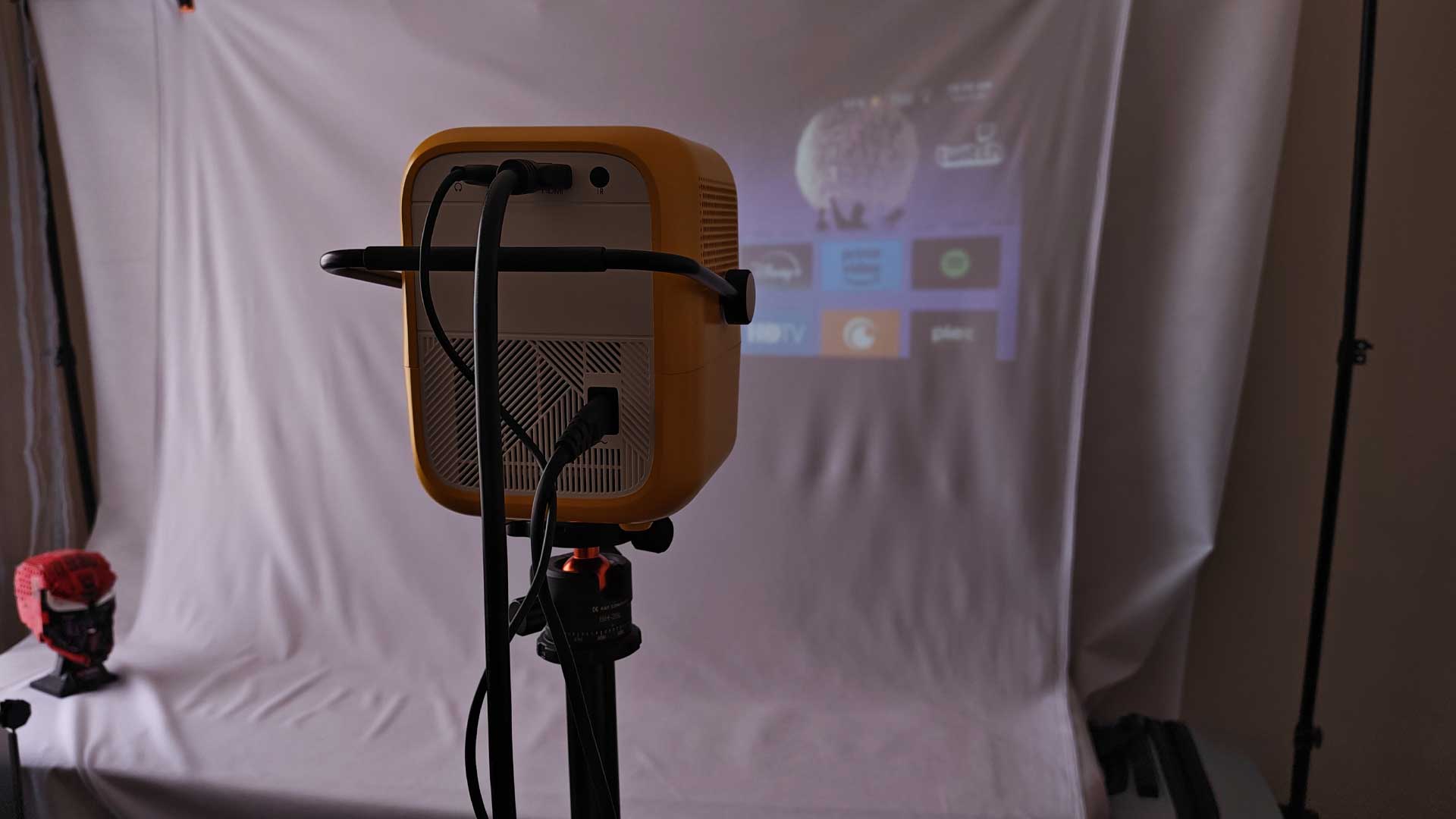
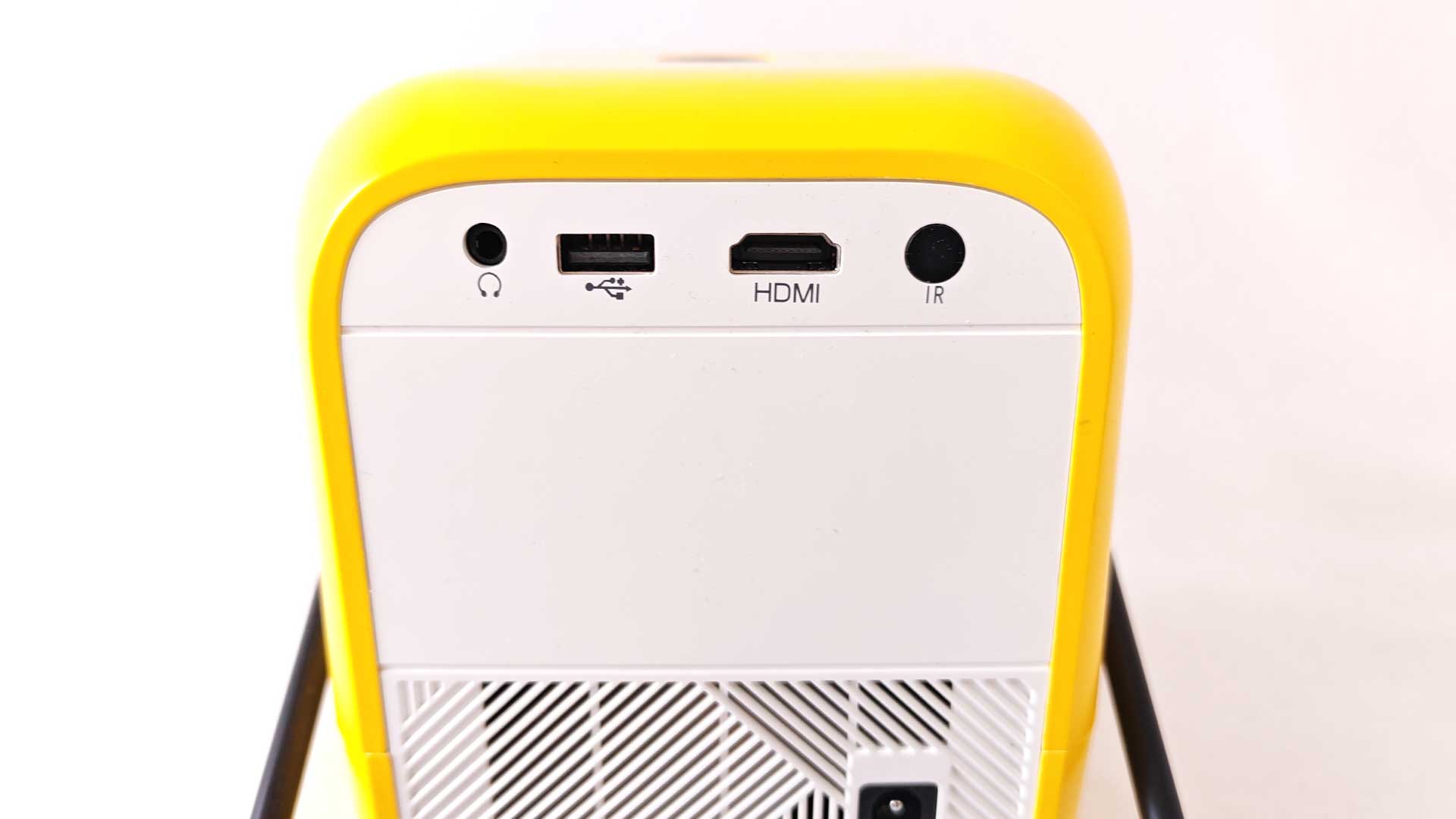
In terms of the ports, there aren’t very many, but considering its size and portability, that’s expected. It features an HDMI 2.0 port, USB Type-A port, a DC Out and a 3.5mm audio jack for your speakers. The remote uses an IR sensor, which is located at the rear of the device, next to the rest of the ports.
It also features x2 3W built-in speakers, which are adequate. This is on par with most other projectors I’ve tested over the years, so nothing poor or outstanding about it. It does include wireless connectivity in the form of Bluetooth v5.4 as well as Wi-Fi to connect to your home network – or via a tethered Wi-Fi when on the road.
Lastly, the unit runs on Google’s Android v9.0 OS. This is very practical, which means you don’t necessarily require an input source for your content, as you can stream anything you require directly from the device. And with the Android platform, you have access to all your essentials, including YouTube, Netflix, Prime, Disney+, Apple TV, Crunchyroll and more. The only caveat with the OS is that it features ads on the home screen as a banner, but using the remote to switch between apps, I seldom noticed these over the course of the month review period.
AOpen QF23s Performance Review: Surprisingly Sharp Picture in a Compact Projector
As stated, the device was designed for portability and cost, delivering on-the-go entertainment. With that in mind, I didn’t expect the device to blow me away by any means. Except that it did.
Yes, you’re not getting the brightest of projection or the best resolution, but when you consider that the majority of projectors don’t even offer native 1080p at a minimum, the AOpen QF23s is already a cut above all those devices.
Tinkering with the settings, as one does as part of the review, I managed to find the sweet spot when it comes to the most vibrant of colours and brightest view, along with its upscaled image quality. The result was great. So much so that I ended up using the Minion projector as my daily driver for at least two weeks of the review period, providing great entertainment.
Using a mix of various sources and outputs, I managed to eke out the perfect combination. I often switched between using my PC and the Acer AiTV to watch content, allowing me to connect my 5.1 surround sound system. Both of these devices also allowed me to upscale to the 4K resolution, adding a bit more quality to the result. Practicality at home was all but settled.
Using the AOpen QF23s On the Road: Camping, Travel, and Mobile Movie Nights
Despite it being designed for portability, the unit does have the option to project from many different positions. This includes the rear, in the front, from the roof, or even behind the screen. That’s quite a nifty touch. As previously mentioned, the device features auto focus and auto keystone. I really loved the auto focus, which more often than not figured out the settings and focus, thanks to the test pattern onscreen. It’s good that it did, because there’s no manual focus option. On the few instances where the focus did feel a bit off, I simply picked up the unit and dropped it back down, triggering the auto focus mode yet again. However, the keystone allows a mix of automated configuration, as well as the additional keystone options and, further to that, the four-corner adjustment, which definitely came in handy.
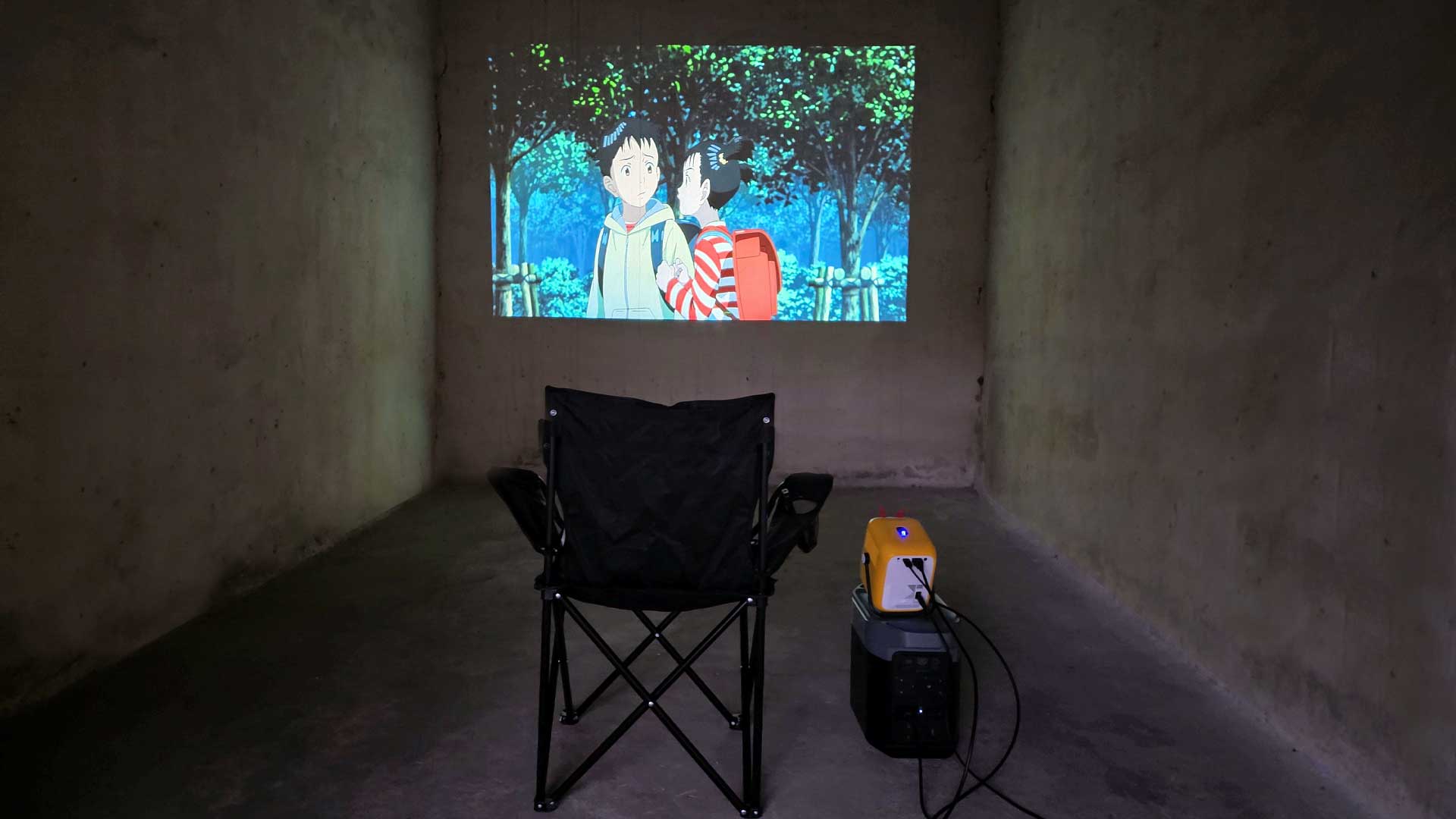
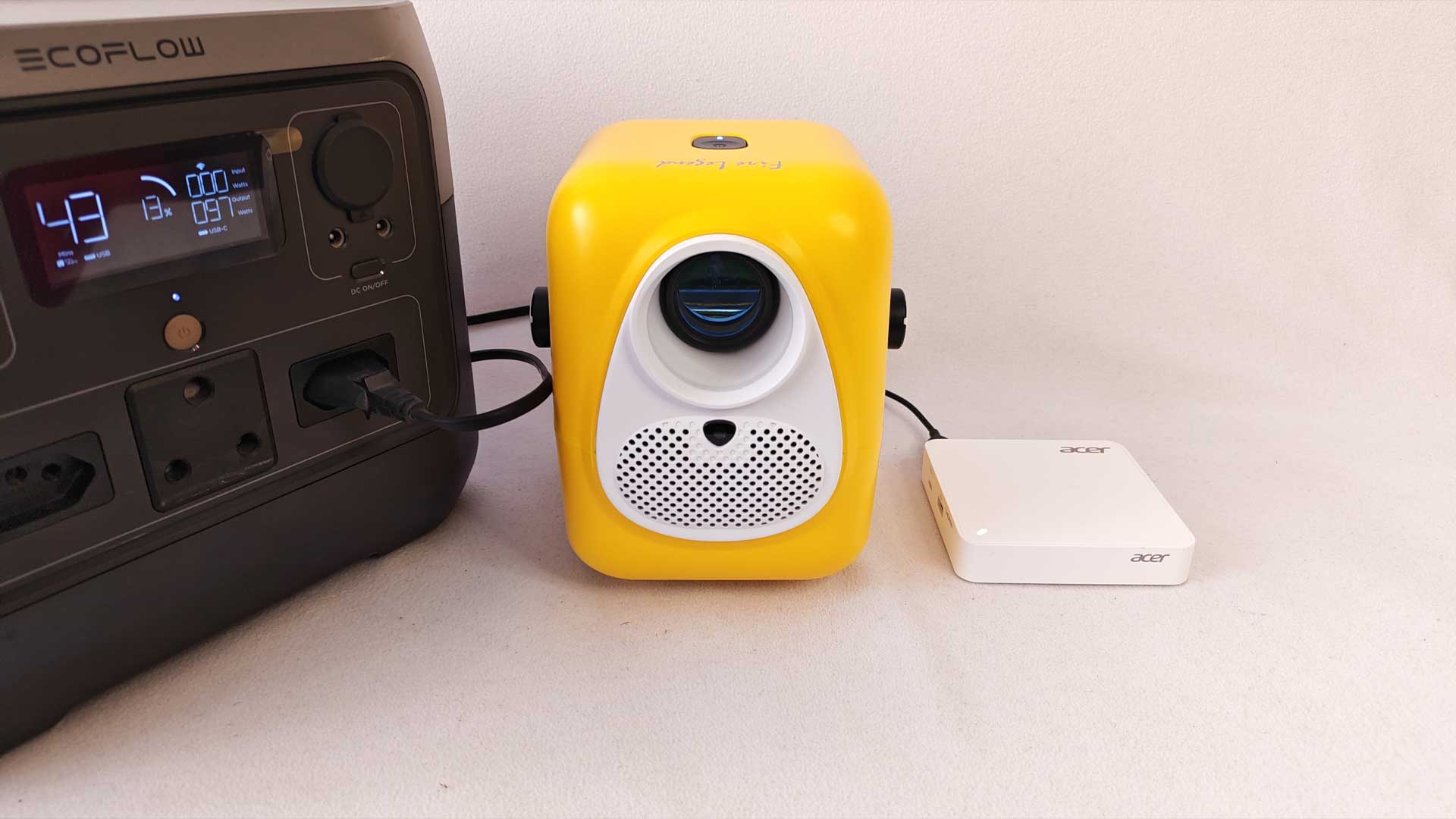
On the road, things were just as good. Dragging my 1KWh battery with me on the odd occasion, I was able to connect the QF23s to it, which gave me an expected runtime of almost 24 hours. Thanks to the USB Type-A port on the rear, I was able to connect the AiTV directly to the device for power as well. Even better, using the Android remote, I was able to configure the IR remote to work on both the projector and AiTV box simultaneously without the need for a second remote. With just a phone for Wi-Fi and power from the battery, I was able to take my big screen viewing on the road.
The one big drawback of the device was the positioning of the IR sensor. As stated previously, it’s situated on the rear of the AOpen QF23s projector. When set up for home use, the projector was positioned behind the couch, which meant that aiming the remote to control the functions wasn’t always as smooth as I’d have liked. Thankfully, the AiTV remote is Bluetooth, which allowed me to bypass this inconvenience. But, it is something to note for those who will be using the projector’s native OS without any outside sources.
Is the AOpen QF23s Projector Worth Buying?
A more practical projector I’m yet to have tested. Not only does it project in native 1080p, but the AOpen Fire Legend QF23s Projector upscales to 4K to make for even better clarity and image quality. It’s not the brightest around, but with an adequate setup, like blackout curtains, it works great. Given that this is a portable projector, the above-mentioned is even more amazing, fitting into a small, fun-shaped design that’s super easy to carry along and reconfigure wherever it comes to rest. For a full 1080p projector, you could be looking at prices ranging from R5,000 to R10,000 (around $600), depending on the specifications. However, the pricing of projectors has seen a significant decrease over the years since I last purchased my own. With the Minion projector ranging between R3,200 and R3,800 ($230), it’s an amazing price point for something so compact with so many features, including the built-in Wi-Fi, Bluetooth and Android OS.
RELATED: Epson CO-W01 Projector Review – Is This the Best Budget Projector in South Africa?
The Review
AOpen QF23s Projector
If you’re in the market for a portable entertainment system, the AOpen QF23s projector is a great option. At a price of around R3,500, it’s a steal for 1080p native projection and 4K upscaling, while delivering great portability and connectivity options to boot. I can’t recommend the Minion Projector enough.
PROS
- Whimsical design
- Light and portable
- Dual-function handle
- 1080p native resolution and 4K upscaling
CONS
- IR sensor on the rear