


It was a busy Q4 for Lenovo in 2025. The brand launched a wide variety of products across different categories. This included a refresh of the Motorola smartphone range, a few new tablets, laptops, and even the latest iteration of the Legion Go 2. I’ve already covered the Lenovo Idea Tab Pro from the brand’s tablet range. Following this, I received the Lenovo Yoga Tab (2025) a few weeks later, a more premium tablet in all aspects. Launched only a few days after Samsung’s tablet, the Yoga Tab is a direct competitor to the Galaxy Tab S11.
Lenovo released several tablets for various categories. This includes the Legion Tab for the gamer-focused market, the media-focused Tab Plus and the mid-range Idea Tab for those on a stricter budget. However, the Yoga Tab sits atop the lineup as the most premium amongst the releases.
Lenovo Yoga Tab Design and Build Quality: Premium Materials With a Creative Edge

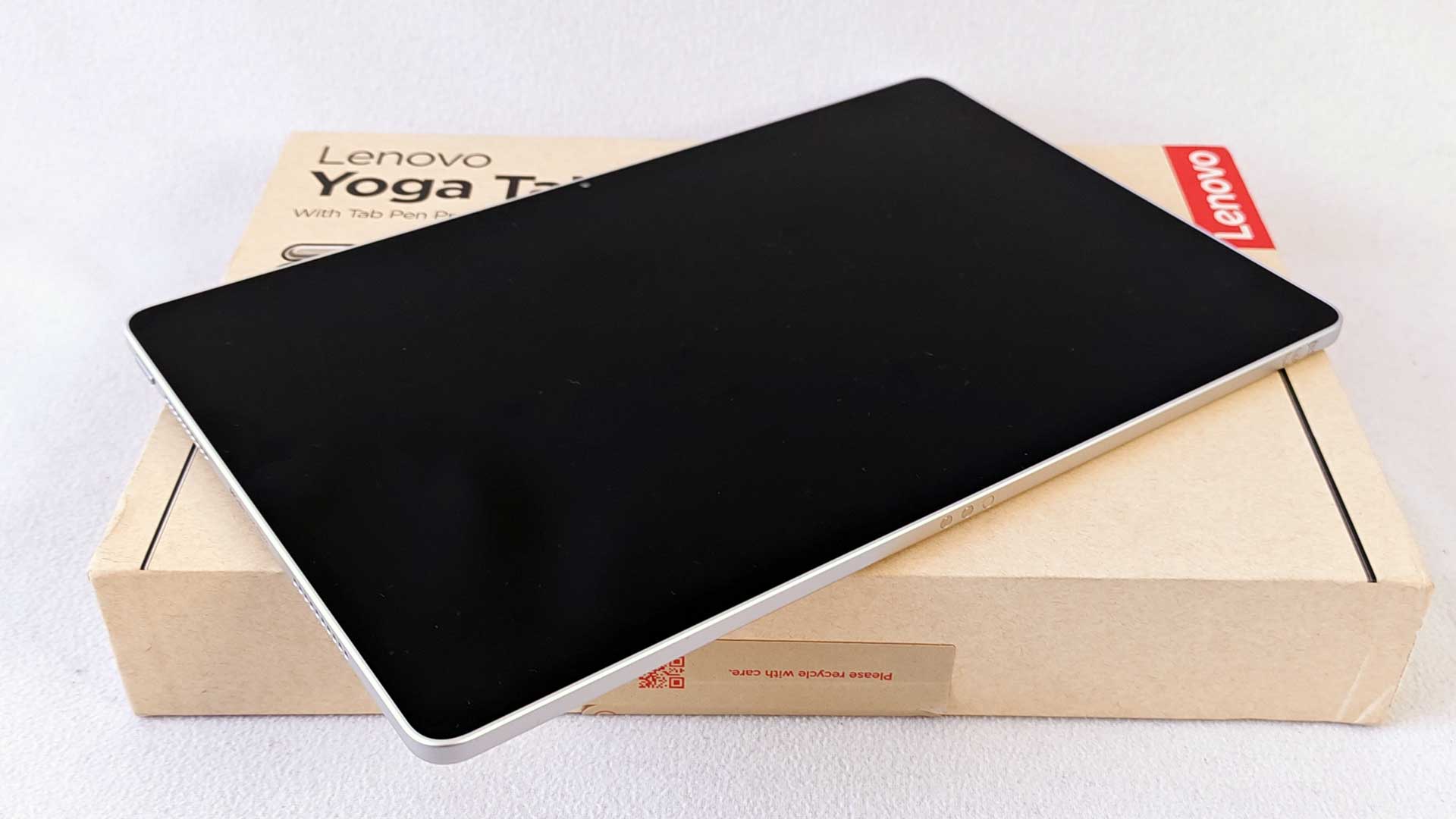
Looking at the device front on, there are no discernible characteristics different to the Idea Tab Pro. Flipping it over and revealing the rear paints an entirely different image. The most noticeable difference between the Yoga Tab and most other tablets is its use of a dual-lens camera configuration. As with most Lenovo tablets, there’s a darker line across the top, which houses the slightly raised island. This camera island sits on the top right-hand side of the rear, which also includes a flash to the left of it.
While the camera island has a noticeable protrusion, it isn’t obtrusive. Likewise with the rest of the buttons. The volume rocker, while it’s not flush to the touch, still appears as such. There are four speaker grilles, two on either side of the tablet, with the USB Type-C port in between the two on the left-hand side.
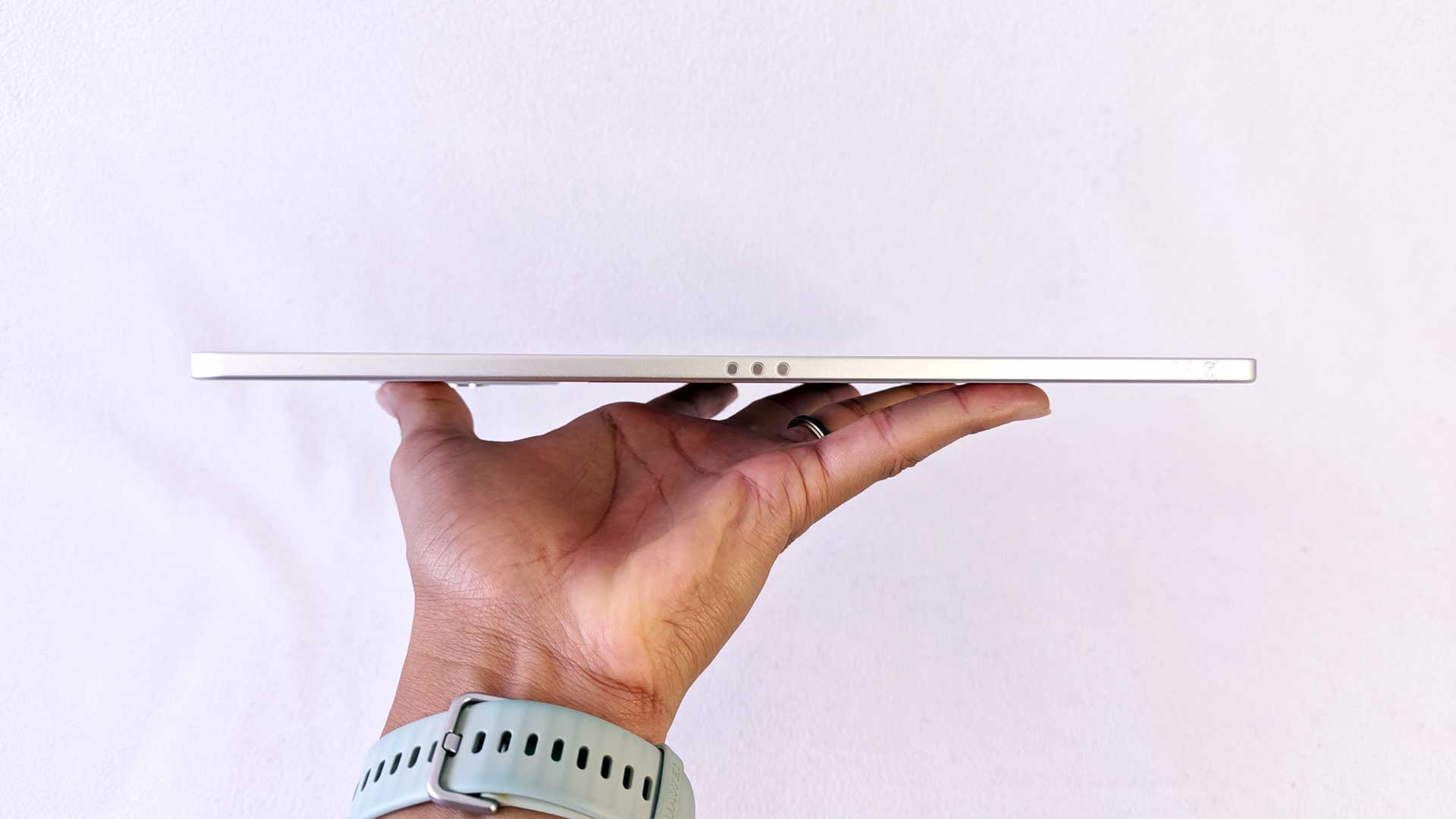
Its premium build consists of a Gorilla Glass 7i front along with an aluminium frame and rear cover. It measures 255.5×165.8×8.3mm and weighs just 458g. While the Yoga Tab is slightly thicker than the Galaxy Tab S11, it still weighs some 11g less, with both offering similar-sized chassis.
Overall, the build quality of the Lenovo Yoga Tab is excellent. Its metallic aesthetic is seen across the device, emphasised by the two shiny logos on the rear – the larger ‘Lenovo’ logo in the centre and the ‘Yoga’ logo on the top left-hand side. It doesn’t feel overly heavy in the hand either, making it ideal for longer periods of use.
Lenovo Yoga Tab Display Review: 144Hz Screen With Dolby Vision Support

As a direct competitor to Samsung’s range, the display was always going to be the biggest point of contention between the two devices. With Samsung’s strong history when it comes to panels, from its TV and monitor ranges, the brand has always held the upper hand in this regard compared to its competitors. That said, Lenovo holds its own here, offering a different take on the options available.
Starting with the size, the tablets have similar sizes, with the Yoga Tab offering an 11.1” LCD panel and the S11 having an 11” AMOLED variant. The Yoga Tab’s screen specifications include an IPS LCD panel with a 3,200×2,000px display resolution. This gives it a 340ppi pixel density and, tied to the design, has a 84.3% screen-to-body ratio. As stated in the above section, it also features Corning’s signature screen protection with the Gorilla Glass 7i.
In addition to the design elements, it also offers a 144Hz screen refresh rate with 650 nits brightness, maxing out at 800 nits peak. Further to this, it also includes Dolby Vision support to give it certified credentials.
In real-world observations, the Yoga Tab delivers great visuals. It is bright and vibrant with beautiful contrast and strikingly bold colours. Yes, it’s not going to match the contrast of the OLED panel fitted to the Galaxy Tab S11, but it still looks great. Its 16:10 aspect ratio works best for movies and YouTube content, but offers good support for gamers as well, especially with its 144Hz refresh rate.
The only lacking aspect of the device is its overall brightness. For the most part, this isn’t an issue when operating indoors, but for users who are often on the go, utilising it while out in direct sunlight, it could do with a few additional nits of brightness. Still, nothing I’d personally complain about.
Lenovo Yoga Tab Specifications and Hardware Breakdown
On paper, the specifications for the Lenovo Yoga Tab aren’t bad. It sports a Qualcomm SM8650-AB Snapdragon 8 Gen 3 (4 nm) with an Octa-core processor. This includes x1 3.3GHz Cortex-X4, x2 3.2 GHz Cortex-A720, x2 3.0 GHz Cortex-A720 and x2 2.2GHz Cortex-A520 CPUs. The configuration also includes the Adreno 750 GPU. While the Qualcomm chipset may be around two years old now, it still has a lot to offer.
There are two variants when it comes to RAM, which include 256GB storage with 8GB RAM and 256GB storage with 12GB RAM.
In terms of its software, it comes pre-installed with Android 15 and supports up to three major Android upgrades and four years of security upgrades. This is down on many other brands that offer up to five years of software upgrades, which is especially important for tablets, where users don’t upgrade as frequently as their smartphones. It’s also down one upgrade, with most of the 2025 tablets released with Android 16 pre-installed.
The camera configuration includes a 13MP lens (f/2.2, (wide), AF) as well as a 2MP macro lens. Although the camera isn’t as utilised as the smartphone, and as a result not prioritised as critical, the dual-lens camera setup is welcomed. There is also a nifty 13MP selfie camera (f/2.2, 101˚- ultrawide).
Lenovo Yoga Tab Performance Review: Snapdragon 8 Gen 3 for Work and Play
There are very few modern chipsets used by reputable brands that don’t deliver sufficient performance. This is across many of the devices on the market today. Given Qualcomm and Lenovo’s reputations, you’re not going to find issues in that department in its range of tablets, let alone the Yoga Tab.
Whether you’re navigating the menus, opening additional tabs on the browser, watching videos on YouTube or multitasking via multiple apps, the Yoga Tab is easily capable of your everyday tasks. This also includes much more resource-intensive operations, like video editing and gaming.
That said, in comparison to its competitors, the Yoga Tab is down on Geekbench CPU scores compared to the OnePlus Pad 3 by roughly 30% and the Galaxy Tab S11 by 20%. For the gamers, the 3D Mark scores are down 15-20% for the same competitors. However, this isn’t a train smash for users, as you still get decent performances from the chip, which scores an 81% stability score on Wildlife Extreme.
In real-world tests, users can achieve great results. When gaming, you could turn settings to maximum and still experience 100+ FPS on games, which makes the visuals quite spectacular alongside its 144Hz refresh rate support.
Onto the battery life. When performing the rundown tests, streaming YouTube over WiFi on maximum brightness and resolution, you’ll achieve between five and six hours of continuous usage. That’s ideal for the most part. However, within the context of competitor tablets that could achieve between eight and nine hours of usage, the Yoga Tab is significantly better in this regard. If you’re using your tablet as your main driver for work during the day, you may need to keep it close to the plugs for recharging.
Lenovo Yoga Tab Battery Life Test: How Long Does It Really Last?
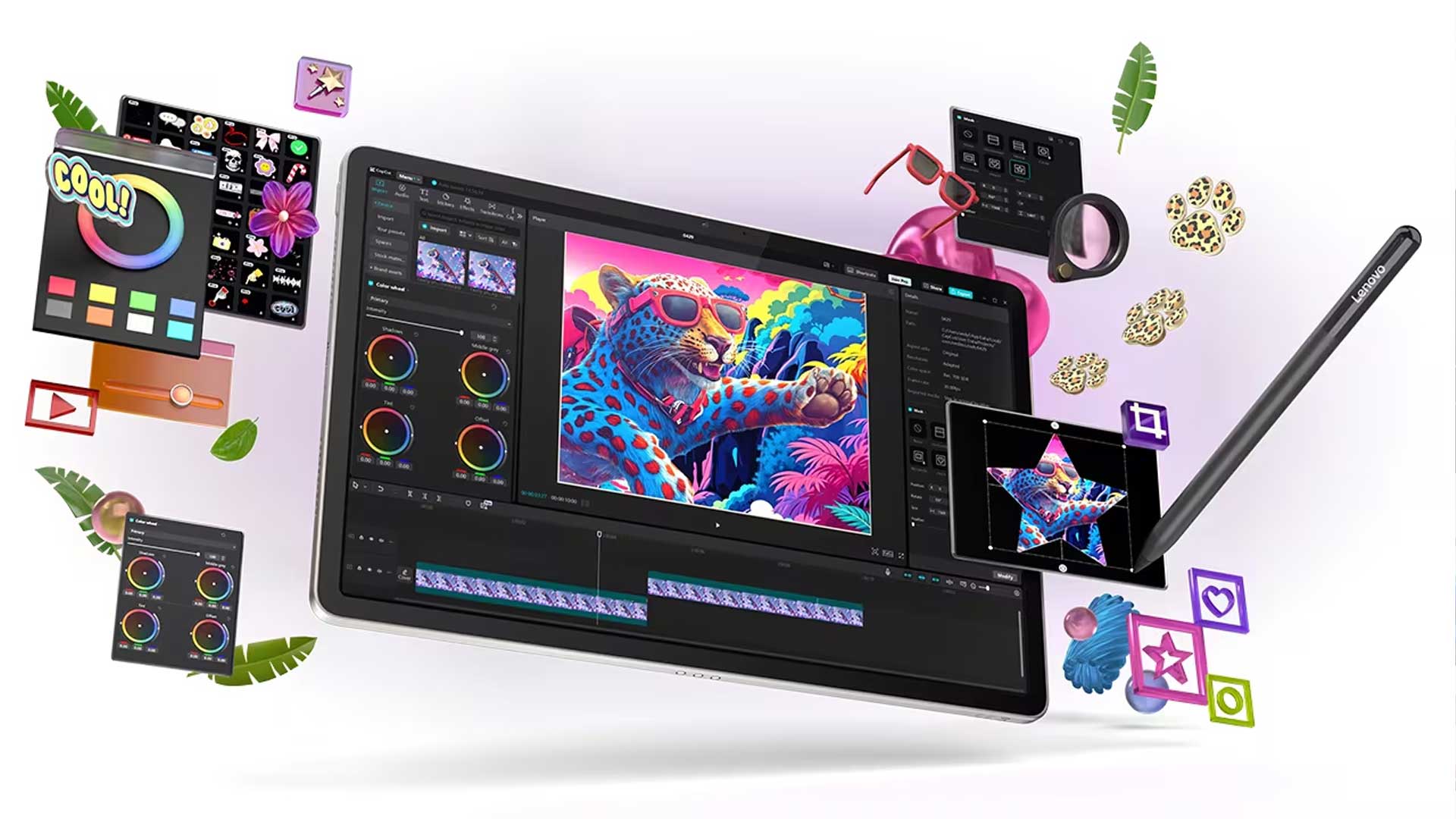
A nice addition to many of the Lenovo tablets is the inclusion of a stylus, which you don’t often get on other options at this price point. The Lenovo Tab Pen Pro is a great add-on for designers and creatives, offering brilliant accuracy and options for relatively realistic drawing. The Idea Tab I reviewed previously also includes a stylus, but the Yoga Tab takes this up a notch, especially when it comes to the lag, for which there are 8,192 levels of pressure sensitivity, tilt detection, as well as magnetic charging directly from the tablet design. Interestingly, the battery life of the stylus is longer than that of the tablet itself on continuous usage, but given that it draws its power from the tablet, there may be some mitigating factors to consider on the device’s overall battery life.
Lenovo Yoga Tab Stylus, Software and Extra Features Explained

As mentioned above, the Yoga Tab comes pre-installed with Android 15. While this is a generation behind most of its competitors, it is the most vanilla build of the various options, offering a much more lightweight UI. There are some bloatware apps included, but not as many as we’ve seen on other units. These apps include Temu, Find Apps and Solitaire. This is quite a mixed bag of apps, but nothing too serious in terms of storage usage, and can be uninstalled if required.
With three upgrades supported and four years of security upgrades, we’re effectively a year behind in this regard. Given that we can expect anywhere from three to five years of usage, as we’ve found for most tablet owners, this may be right on the threshold for user requirements.
Another nice-to-have feature on the Yoga Tab is its desktop UI mode, which allows users to plug in an external monitor and boot up in desktop mode. This is very similar to Samsung’s Dex desktop mode, which I’ve long been a fan of and something I wish more brands would offer. This versatility is great for power users and more useful on a tablet than on your smartphone, which you’d still need to take calls and the like, which can be a bit challenging when in desktop mode. With the inclusion of its DisplayPort connectivity, this is also made much easier.
Added to the entertainment value, the device’s four-speaker configuration has Dolby Atmos support, offering very decent surround sound options. Whether you’re watching movies or playing games, this is a great plus point.
Lenovo Yoga Tab AI Features: Lenovo AI Now, Gemini and Circle to Search
One of Lenovo’s selling points for the Yoga Tab was that it was the brand’s first AI-supported tablet. It uses Lenovo AI Now to support offline assistant tools for you to use. This feature is still in beta stage, with performances that are somewhat underwhelming. For the most part, it isn’t generative AI, which is fine, since it’s not scouring the internet for third-party works to replicate an answer. Instead, users input files and input prompts, like asking it to summarise texts. It doesn’t do a great job here, for the time when it would provide a response other than throwing an error message.
Google Gemini and Circle to Search by Google is also installed as an AI search options, which work similar to pretty much any other device offering the same tools.

Is the Lenovo Yoga Tab Worth Buying in 2026?
Lenovo’s premium laptop delivers solid overall performance. As an entertainment device, the Lenovo Yoga Tab is a great option for prospective buyers. With its excellent screen and great surround sound, you could be glued to your tablet for hours. It’s only limited in this case by the rather lacklustre battery performance, but still enough to keep you entertained long enough. The addition of the stylus makes it a great option for designers and creatives, delivering great accuracy and specific tilt detection for further realism.
At around double the price of the Lenovo Idea Tab range, you would need to be specific about getting the most value from the device. That said, it delivers on quite a few factors when compared to its competitors.
RELATED: Samsung Galaxy Z Fold7 Review – One of the Best Smartphones Ever, With A Thinner and Lighter Frame
The Review
Lenovo Yoga Tab (2025)
Lenovo’s flagship tablet can be felt and seen with a beautiful design and solid build quality. It offers plenty of options for entertainment and design, making it ideal for creatives and professionals alike. Limited largely only by the battery life, the Lenovo Yoga Tab is definitely capable of holding its own against its competitors.
PROS
- Great design and build
- Beautiful visuals with great resolution
- Excellent surround sound
- Stylus is a great addition for designers
CONS
- Average battery life
- Only three-year Lenovo software support