




The ProArt series has been one of my favourites across all of the available laptops in recent years. Packed with great CPU for performances and sporting the latest generation graphics cards. Although designed for creatives who spend hours editing their images and video content, sporting the latest GPUs has an added advantage of doubling as a high-end gaming laptop. ASUS’ ProArt P15 (2025) provided the perfect example of this, where its performance matched it specifications. Fast-forward a few months and ASUS has released another take on the ProArt laptop, this time opting for rugged portability with the ASUS ProArt GoPro Edition PX13 (HN7306EAC). It was designed as your mobile companion, taking your content creation into the most extreme locations.
Rugged’s ASUS ProArt GoPro Edition PX13 Design Is Built for Creators on the Move
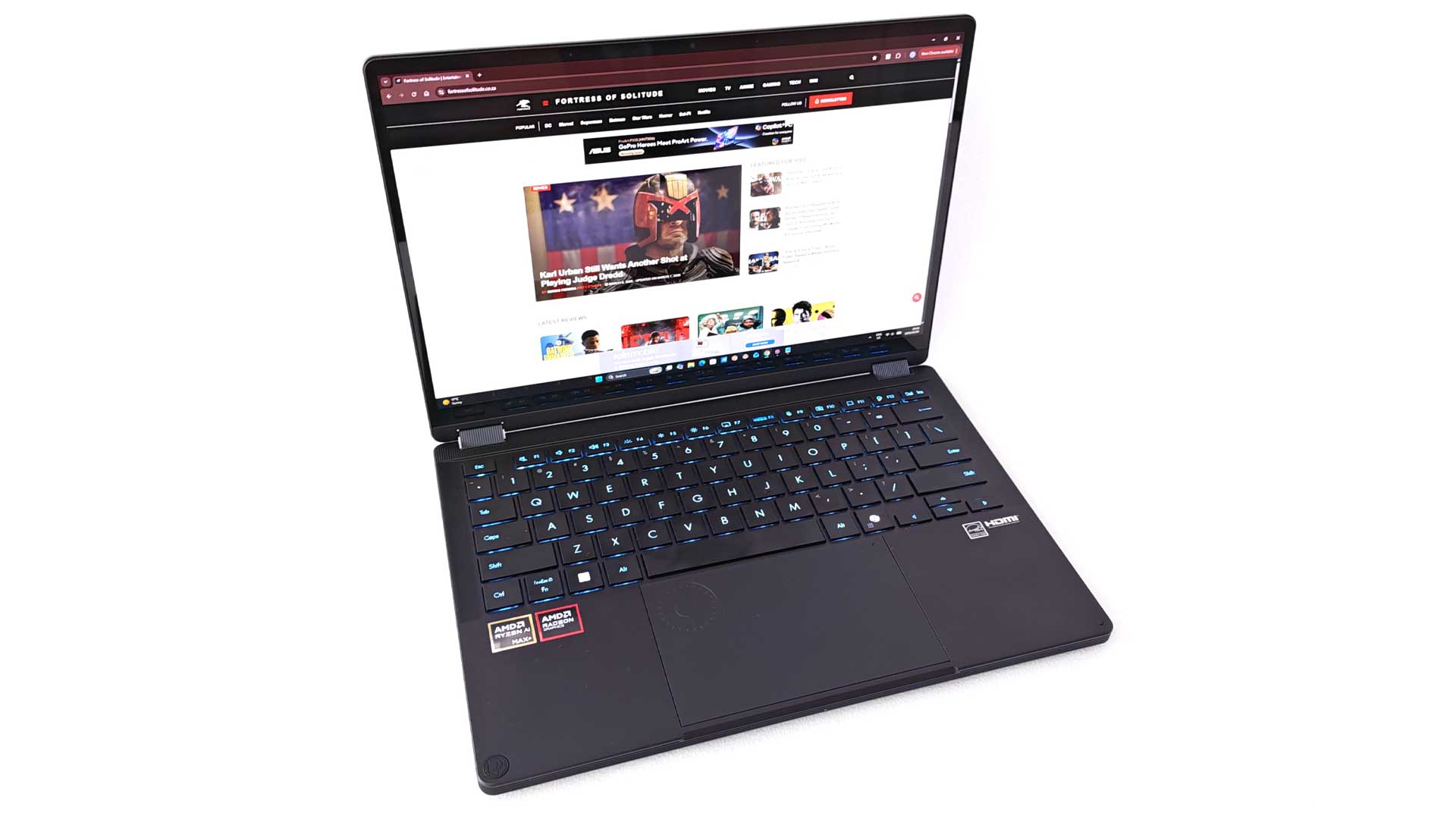
While my reviews of the ProArt has previously focused on the P16 and similar-sized offerings, the series also features a few 13” variants in the PX13 range. The GoPro Edition is the extension of this range, with a unique take on the lineup thanks to its rugged chassis.
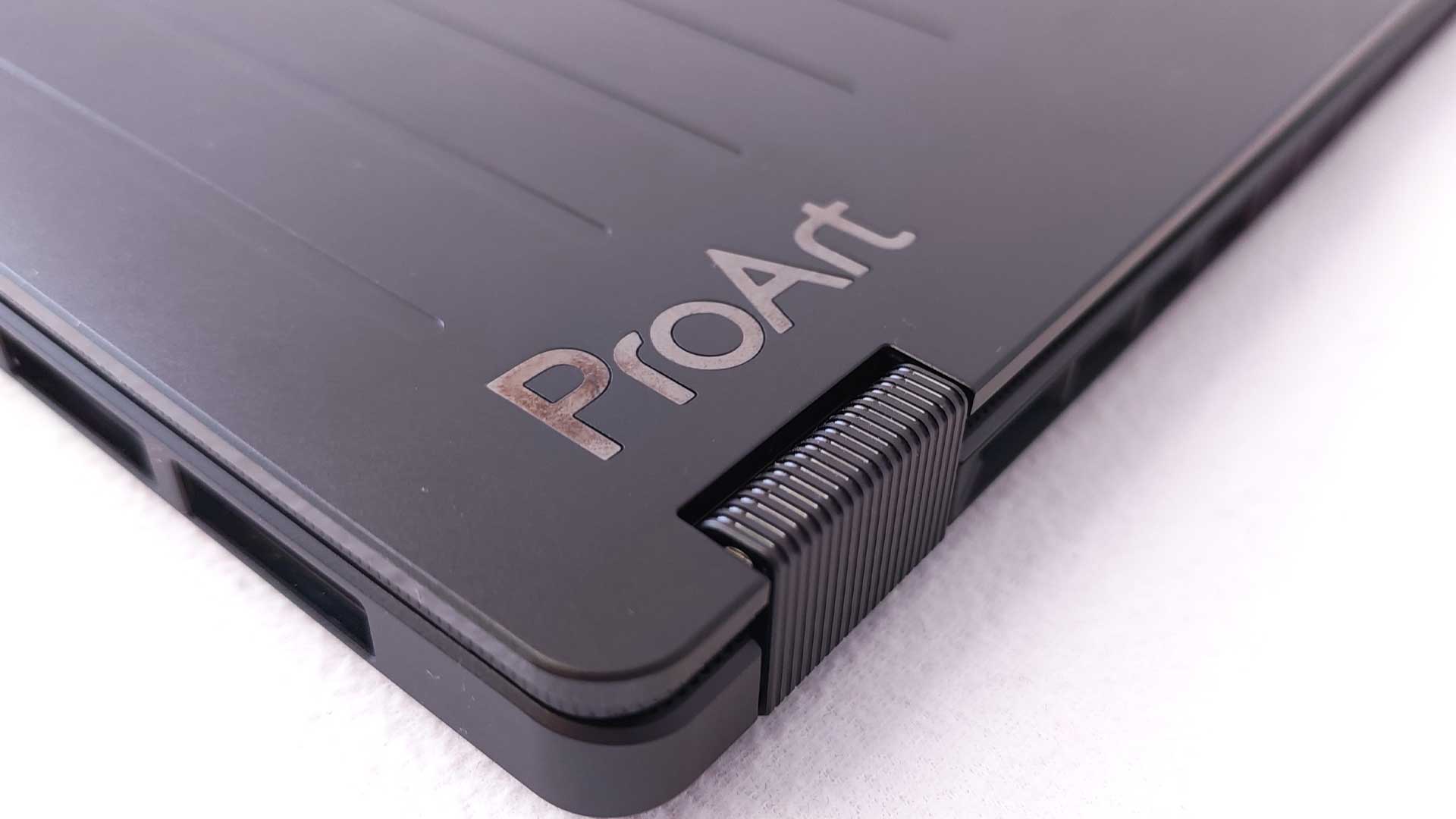
It’s original shape and size hasn’t changed much between the iterations. However, the first noticeable change on the PX13 is the move away from the smooth matte-black finish. Instead, ASUS has added a ridged design to the lid, matching a few of GoPro’s latest design scheme. The build is still impressively solid – probably one of the best in this regard across a wide array of other laptops.
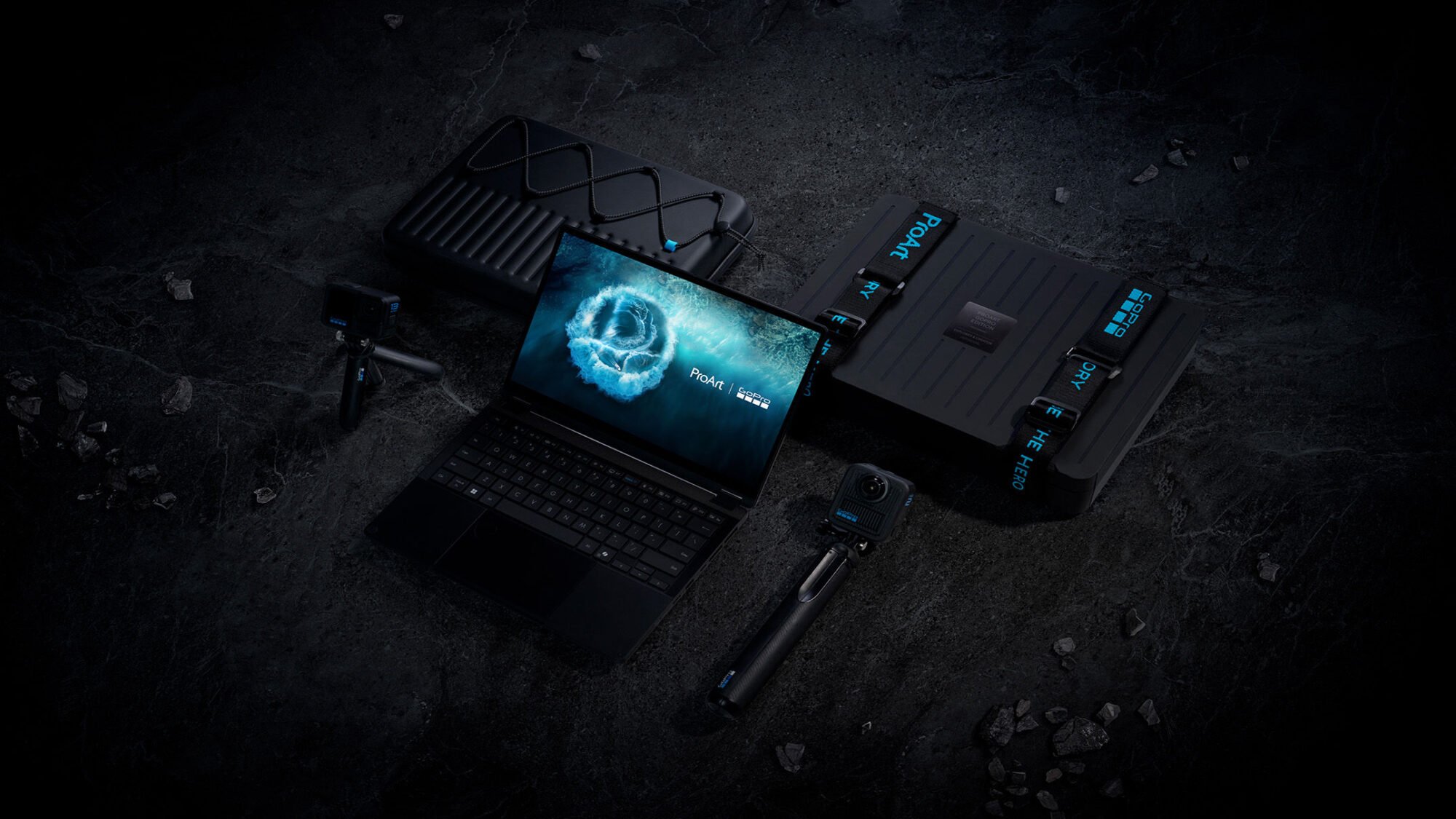
ASUS ProArt GoPro Edition PX13 Custom Travel Case and Protective Carry System
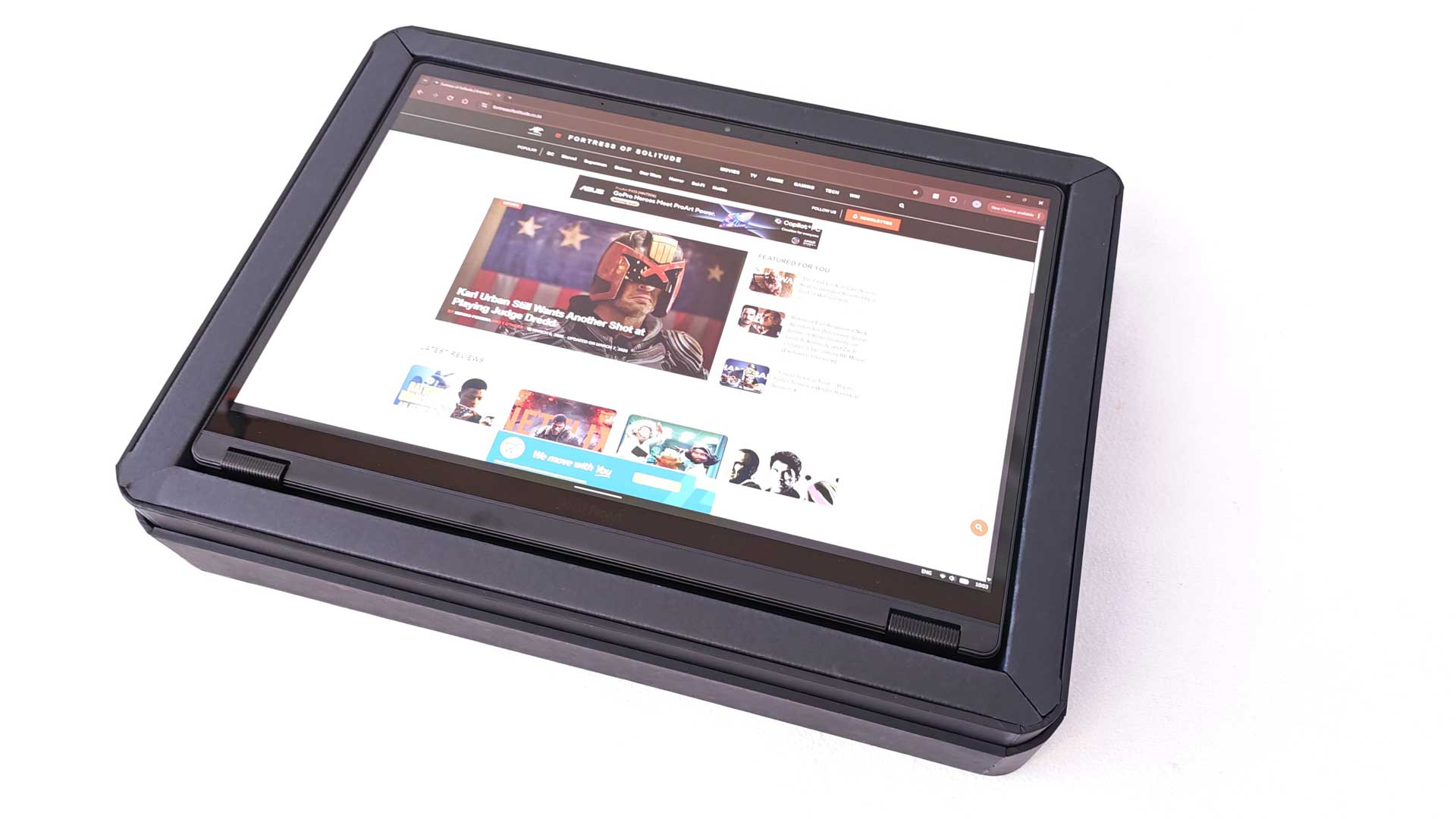
Speaking of the case – which sports the same ridged design – it features pull-out foam on the interior below the laptop rest. This means that users will be able to fit a few other smaller accessories in the same case, including a gimbal, batteries, mouse and the likes. The foam has pull-out rectangles that can be removed and replaced depending on the shape of the other items you wish to transport. Although more than capable of surviving a smash or two, the one aspect about that case that bugs me is that it doesn’t have any kind of seal. Instead, the lids slides on and off, and may, with the added weight of the laptop and gear inside, pop open after a severe fall, which isn’t ideal.
360° Hinge and 2-in-1 Flexibility
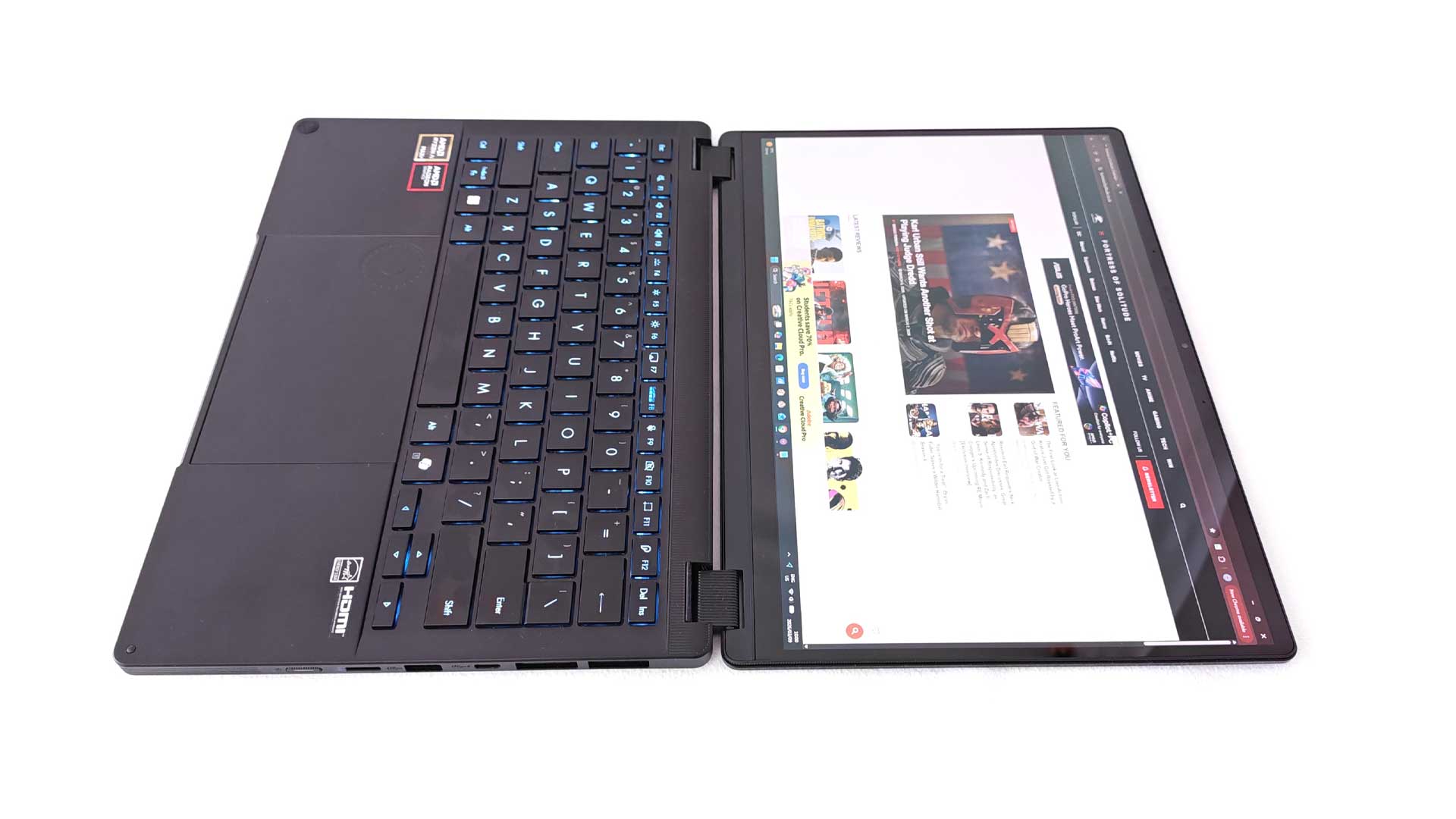
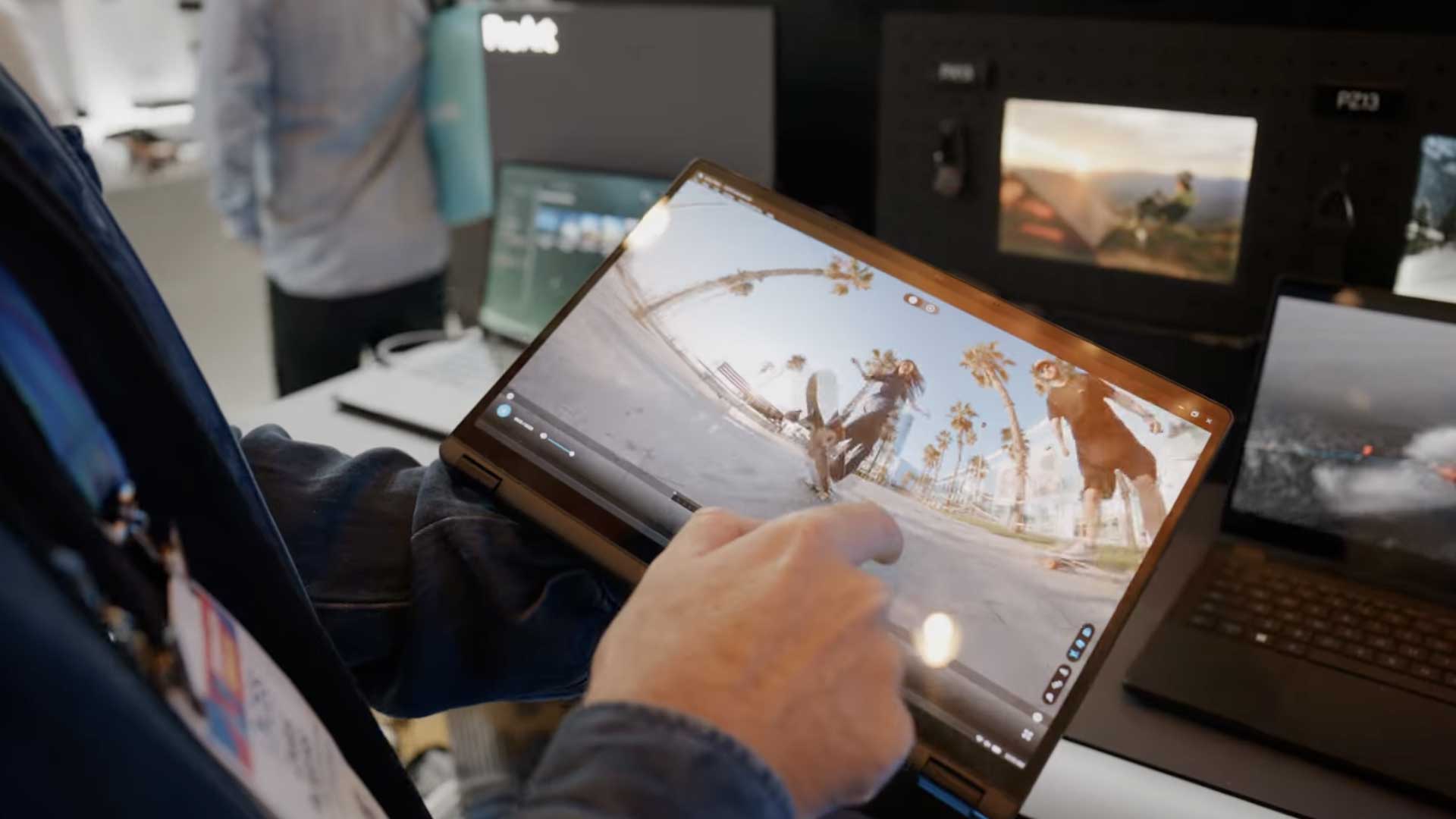
Adding to the portability of the PX13 and its emphasis on creators, is that it now sports a 360° lid. This means that you can lie the unit flat on any surface when in use, while also doubling as a 2-in-1 device, switching to tablet mode when flipping the full 360 degrees.
ASUS ProArt GoPro Edition PX13’s Keyboard, Touchpad and ASUS DialPad Controls
The inputs are also quite good. Despite its smaller frame, the spacing of the keyboard keys aren’t too squashed and feel quite comfortable. Switching from my standard 17” laptop, there wasn’t a steep learning curve to get over with the smaller layout, which I often find frustrating testing smaller laptops. The touchpad is also very nice, offering a wide range of gestures, along with ASUS’ Dial Pad, which you can activate for easy-to-use shortcuts through the dial menu.
Ports and Connectivity Options
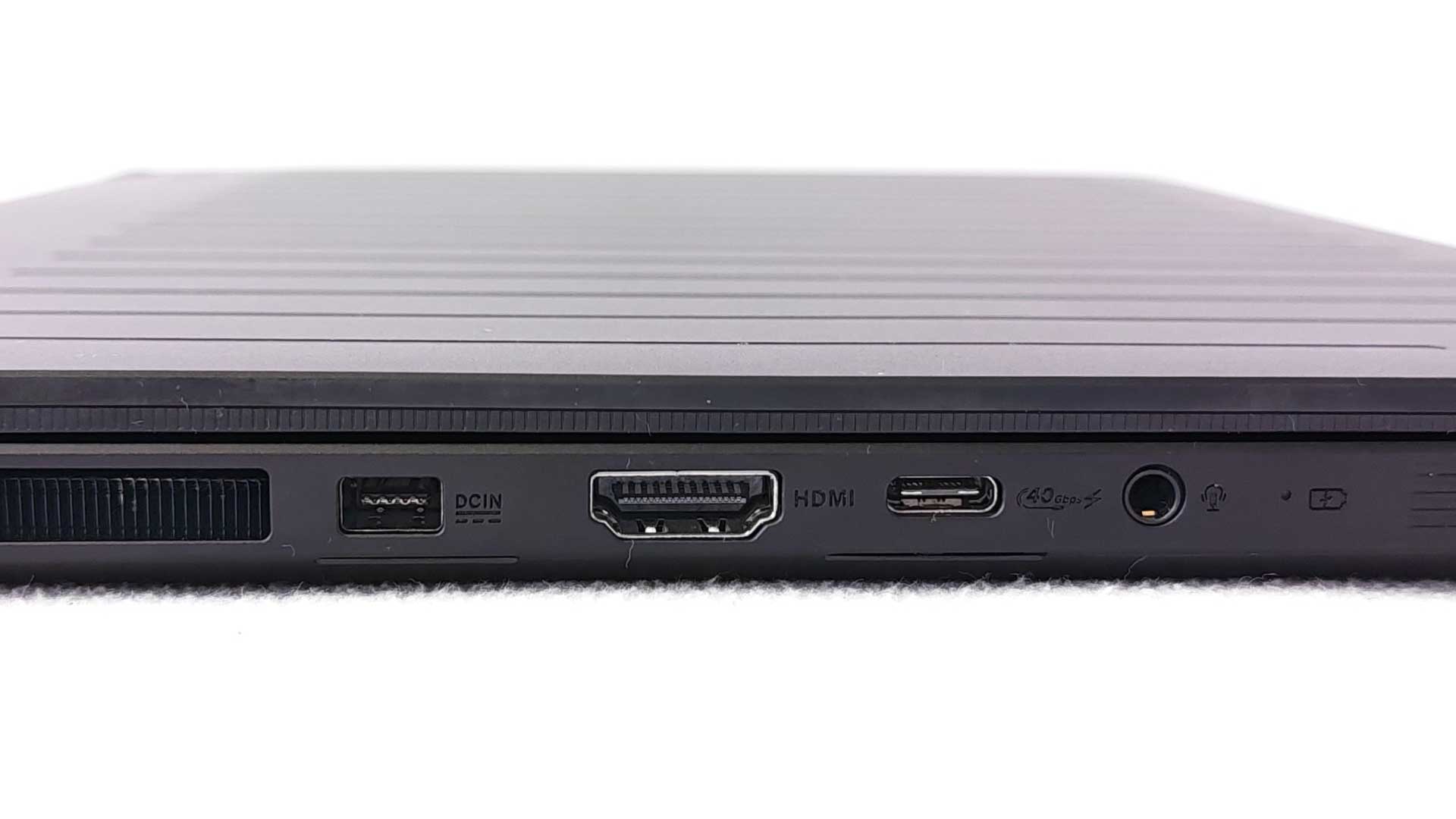
Again, despite its size, there are plenty of ports to support your peripherals. There are two large air vents on either side on the rear. On the left-hand side, this is proceeded by the power input, full HDMI 2.1 FRL and a USB 4.0 Type-C port (with support for display input and power delivery), and a 3.5mm auxiliary jack. The right-hand side features the second Type-C port with the same specs, USB Type-A, microSD 4.0 card reader and an oddly placed power button.
Overall, the ProArt GoPro Edition PX13 is a solid laptop with impressive design and layout. There’s not much to fault it in this regard, which is quite impressive.
ASUS Lumina OLED Display and Stylus Support
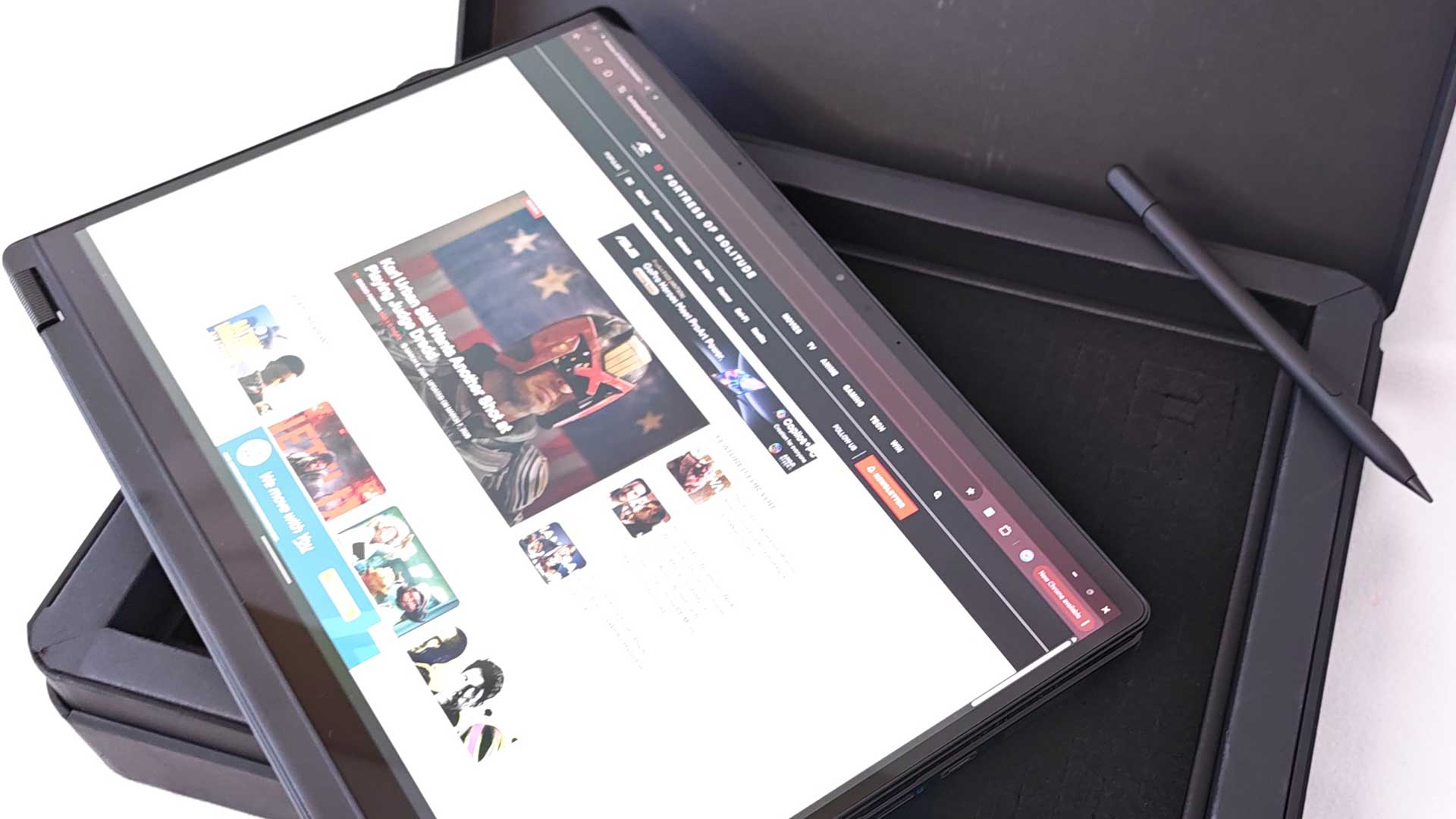
When it comes to the screen, ASUS has kept the same panel as its predecessor. That is, a 13.3”, 3K ASUS Lumina OLED display, with touchscreen support and 16:10 aspect ratio. It includes HDR10 support, 400 nits brightness, along with DCI-P3 colour gamut at 100%. It also has stylus support, with the stylus included in the package contents.
ASUS ProArt GoPro Edition PX13 OLED Visual Quality and Outdoor Limitations
The OLED panel is vibrant as ever, with bold colours, deep blacks and accurate colour correction. All of this makes for great viewing when at home or in the office, but doesn’t quite translate to the great outdoors due to its limited brightness. With a device designed for the road and the extremes, it’s a bit of a miss not to have featured a slightly brighter offering. In addition to this, it only supports a 60Hz refresh rate, which in 2026 is a bit of a letdown, irrespective of its cost. Although not designed for gamers, it does put limits on your gameplay in this regard, but more disappointment for those looking to edit higher resolution videos with high frame rates.
ASUS Pen 3.0 Stylus Experience
Added to the ProArt GoPro Edition PX13 is the ASUS Pen 3.0 with MPP 2.6 protocol. The device itself is brilliant – comfortable in hand and precise on the screen. It comes with a wireless charging case. There isn’t any slot for the stylus on the device, which then needs to be added to the carry case or your laptop bag to carry around. This is in contrast to a few tablets that offer a magnetic attachment, which also doubles as a charging spot. This would’ve been ideal for the PX13, especially at its high entry point.
AMD Ryzen AI Max+ Processor and AI Acceleration
As with all the laptops in the ProArt series, the GoPro Edition features some of the latest hardware specifications. Starting with the processor, the PX13 features an AMD Ryzen AI Max+ 395 with integrated 50 TOPS NPU for advanced AI accelerated performance.
Integrated AMD Radeon 8060S Graphics
Unlike a few previous models, it doesn’t have a dedicated GPU. It features AMD’s integrated GPU, the AMD Radeon 8060S graphics card. While many previous integrated GPUs don’t offer much more than basic requirements, the 8060S for pro level creative workloads. But will it be able to manage any form of gaming, as many of the ProArt iterations gone before it?
Massive 128GB LPDDR5X Memory for Creators
As stated previously, the ProArt GoPro Edition is a creator’s dream, offering supreme support for editors with its whopping 128GB LPDDR5X unified memory. This not only makes it a multitasking workhorse, it opens up a plethora of use cases as a result.
ASUS ProArt GoPro Edition PX13 Storage and SSD Performance
In terms of its storage, it includes a SanDisk PC SN5100S 1TB PCIe Gen 4 SSD.
CPU Performance and Multitasking
AMD’s Ryzen AI Max+ 395 delivers excellent performances across both CPU and GPU testing. The standard load testing for multitasking provided no challenges for the Ryzen CPU. It breezed these tests, despite throwing almost 100 Chrome tabs at it. This is mainly thanks to the added 128GB of RAM, using the AMD Strix Halo chip, which allows the device to take all this in its stride.
Throughout the testing, my use cases were limited to how to fully utilise the available 128GB memory. I ran a few edits, some alongside AI image automations, but it never maximised or even came close to available memory. As a result, for your average power user, there shouldn’t be any limits from this perspective. If there is one negative about the RAM itself, although not a drawback, is that it features a soldered module. This means that users who want to upgrade at a later stage will be limited, but I don’t foresee an instance of 128GB been an issue in the near distant future.
Gaming Performance on Integrated Graphics
I’ve never been a supporter of intergraded graphics, but the AMD Radeon 8060S has made me a believer. Having installed a few AAA games via Steam, I initially only meant for it to be merely for testing purposes, not expecting much in the way of fruitful gaming. I was surprised by its capabilities, being able to run all of the games, many on Ultra settings while also using the maximum resolution settings available. Across most of the games, which included Red Dead Redemption 2 and Spider-Man: Miles Morales amongst others, it achieved an average of 40-60 FPS. With the screen itself limited to a 60Hz refresh rate, it may be where the hinderance lies in achieving higher FPS. There were instances where the frame rates dropped to around 30 FPS, but nothing major or lower than that across the testing. Where the major difference comes in is the raytracing, which isn’t as beefed up as the dedicated GPUs, but still decent enough.
Running the benchmark tests on the GPU, it achieved excellent results. Interestingly, the 3DMark benchmark fell only a few points short of the dedicated RTX 5070 GPU fitted on a few of the 2025 ProArt models. Users can tweak the RAM available to the integrated GPU from the 128GB to produce improved results, making the PX13 quite a decent gaming laptop.
Audio Quality and Cooling System
Despite its “creator” tag, there’s one aspect of the PX13 that doesn’t meet the threshold and that’s the audio. The down-firing speakers make for rather poor audio quality, often sounding muffled and tinny. This isn’t great for utilising outdoors as well.
Another of the negatives in the performance is the fans. These trigger into gear after slight load, which removes the silent operation aspect. While the performance doesn’t seem to suffer under load, the fans will continue to spin faster, which means higher decibels. You’ll definitely notice this when working from home or the office. The load does generate some heat, but it’s not at all uncomfortable. The fan speeds are most likely as a result of the smaller frame not being able to dissipate the heat as easily.
Battery Life in Real-World Editing Scenarios
Battery life is reasonable for the most part. Under normal use and load, users can eke out seven to eight hours. However, doing a few video edits with higher load can decrease the battery performance down to between four and five hours. These stats are about two-thirds up to half of what you’re able to eke out on the MacBook when it comes to editing while on battery.
Final Verdict: Is the ASUS ProArt GoPro Edition PX13 Worth Buying?
The ASUS ProArt GoPro Edition PX13 (HN7306EAC) is a solid device – literally. It offers a rugged chassis with a sturdy build that doesn’t have any squeaks or creeks, while its hinges allow for 360° rotation to switch into tablet mode. The 2-in-1 design is supported by a brilliant touchscreen OLED panel and its experienced enhanced with the ASUS 3.0 stylus.
The ProArt GoPro PX13 is available online from the ASUS eShop and retails for a steep R74,999. You do get a lot with the laptop, from the high-end specifications, being able to double as a gaming laptop and all the extras included.
The Review
ASUS ProArt GoPro Edition PX13
The ASUS ProArt GoPro Edition PX13 is an impressively powerful laptop, great for editing while doubling as an entry-level gaming laptop. With its 128GB RAM, users have the world of options at their fingertips. Its steep cost does make it a tough decision but still remains a creator’s dream for content creation.
PROS
- Impressively solid chassis
- Great processor performance
- Insane amount of RAM
- Beautiful OLED panel
- Integrated GPU capable of playing AAA games
CONS
- Limited 60Hz OLED
- Poor sound quality
- Fan operation under load