

With many gaming peripherals becoming more and more expensive, mostly as a result of the rand-dollar exchange, many South Africans have slowly been priced out of the gaming circles when it comes to replacing old or damaged equipment. Without even factoring in some of the mainstream hardware components, which has seen an exponential spike in pricing as a result of the AI industry buying up most of the available hardware to power their ventures. Thankfully, there are still a few brands that produce good quality peripherals for gamers without needing you to take out a small loan to afford. I recently got my hands on the Marvo Monka Contra GT-96 Game Controller, an affordable controller that allows you to connect to your PlayStation and Windows PC, as well as your iPhone and Android smartphones.
Marvo is a Chinese brand that has been around for some time, moving up the ranks in European markets for over a decade and have recently entered the South African market with distribution via Evetech. The brand offers a wide range of products, including the gaming mouse, keyboards, headsets, mousepads, controllers, steering wheels, speakers and more.
Marvo GT-96 Build Quality and Design
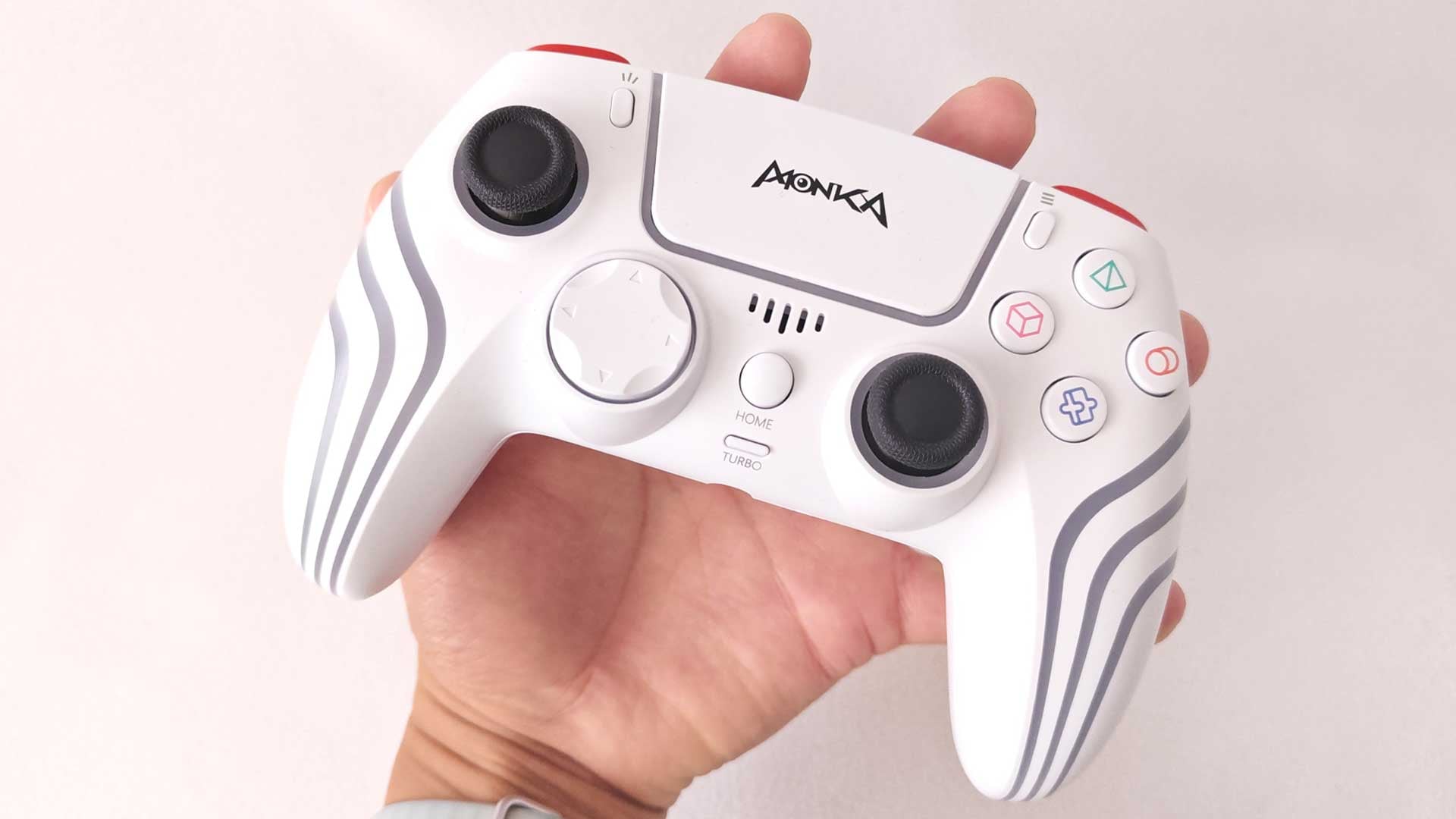
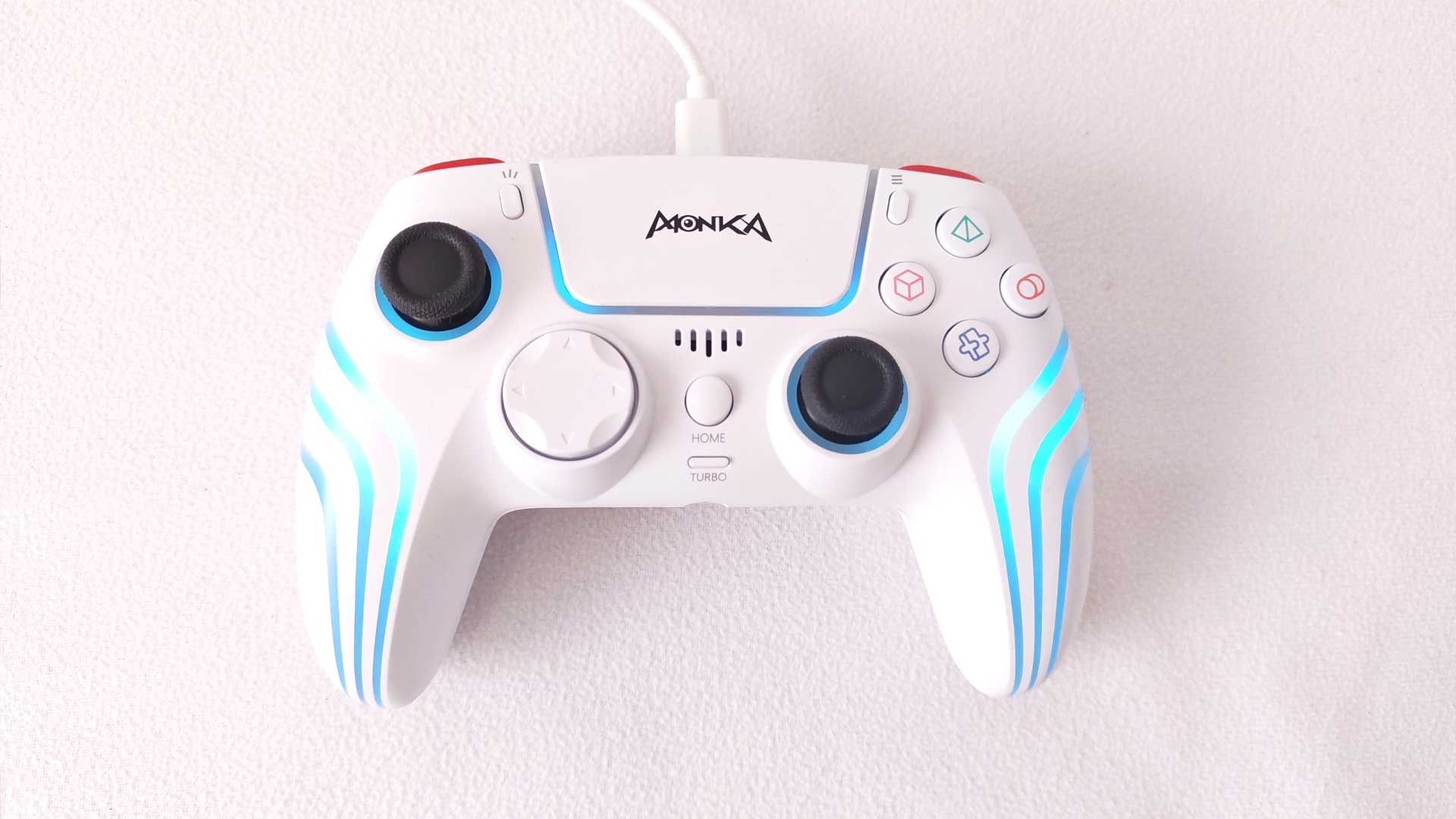
From a design perspective, the GT-96 has a standard game controller build. While its built mainly with PS4 and PS3 support, and takes it features from those respective controllers, its design leans more towards the Xbox and other PC gaming controllers.
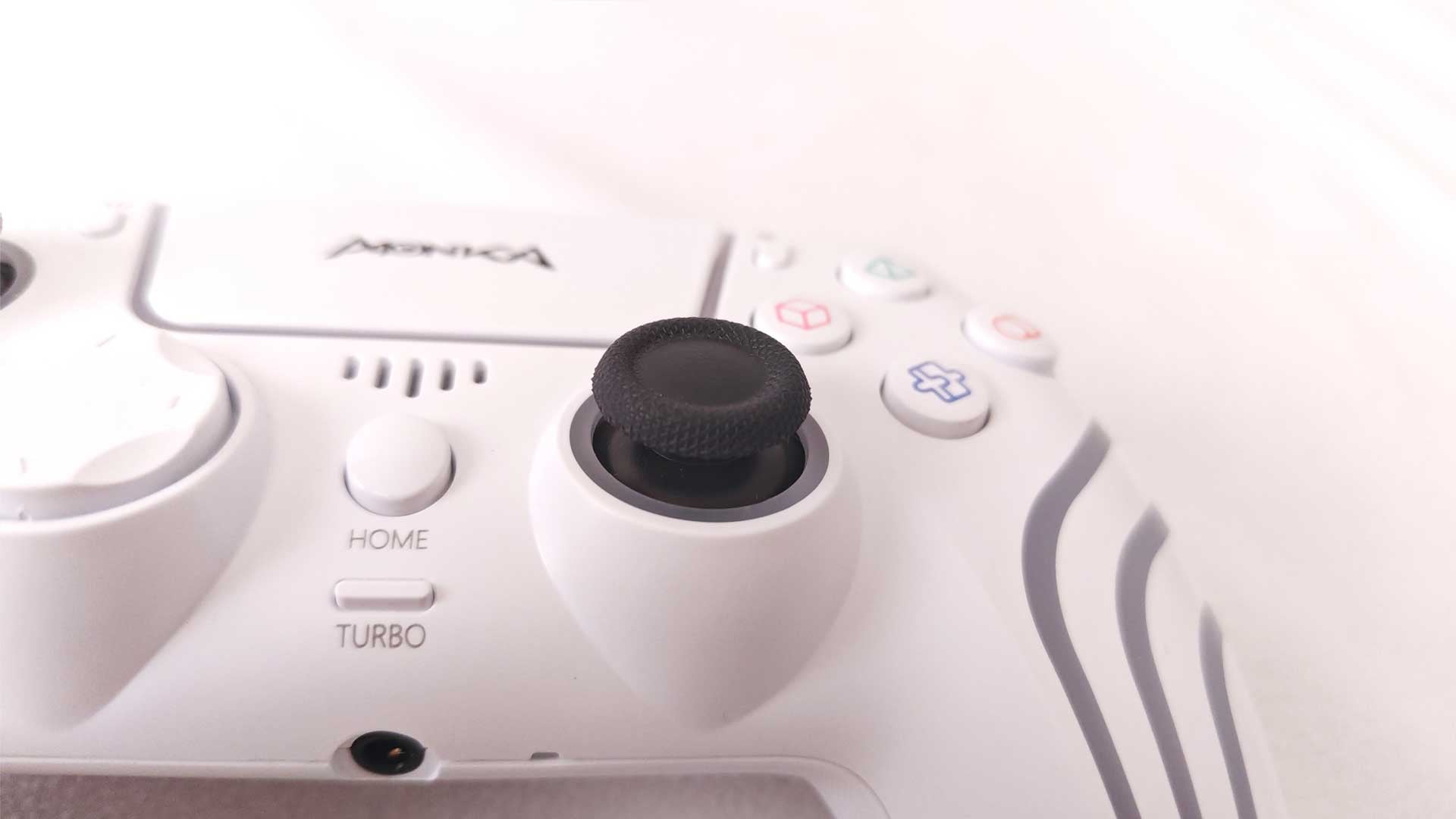
Unlike the DualSense controllers, which has left and right sticks together towards the bottom of the chassis, it features the Xbox split with the left-hand side stick switched with the directional buttons. In this case, it’s not separate directional buttons, but rather the single D-pad design. Where it does feature the PlayStation approach is with its centred touchpad, flanked by the menu and options buttons. The speaker grille sits directly below the touchpad, with the Home button replacing the “PS” button and a Turbo button replacing the “mute” button from the PS controller.
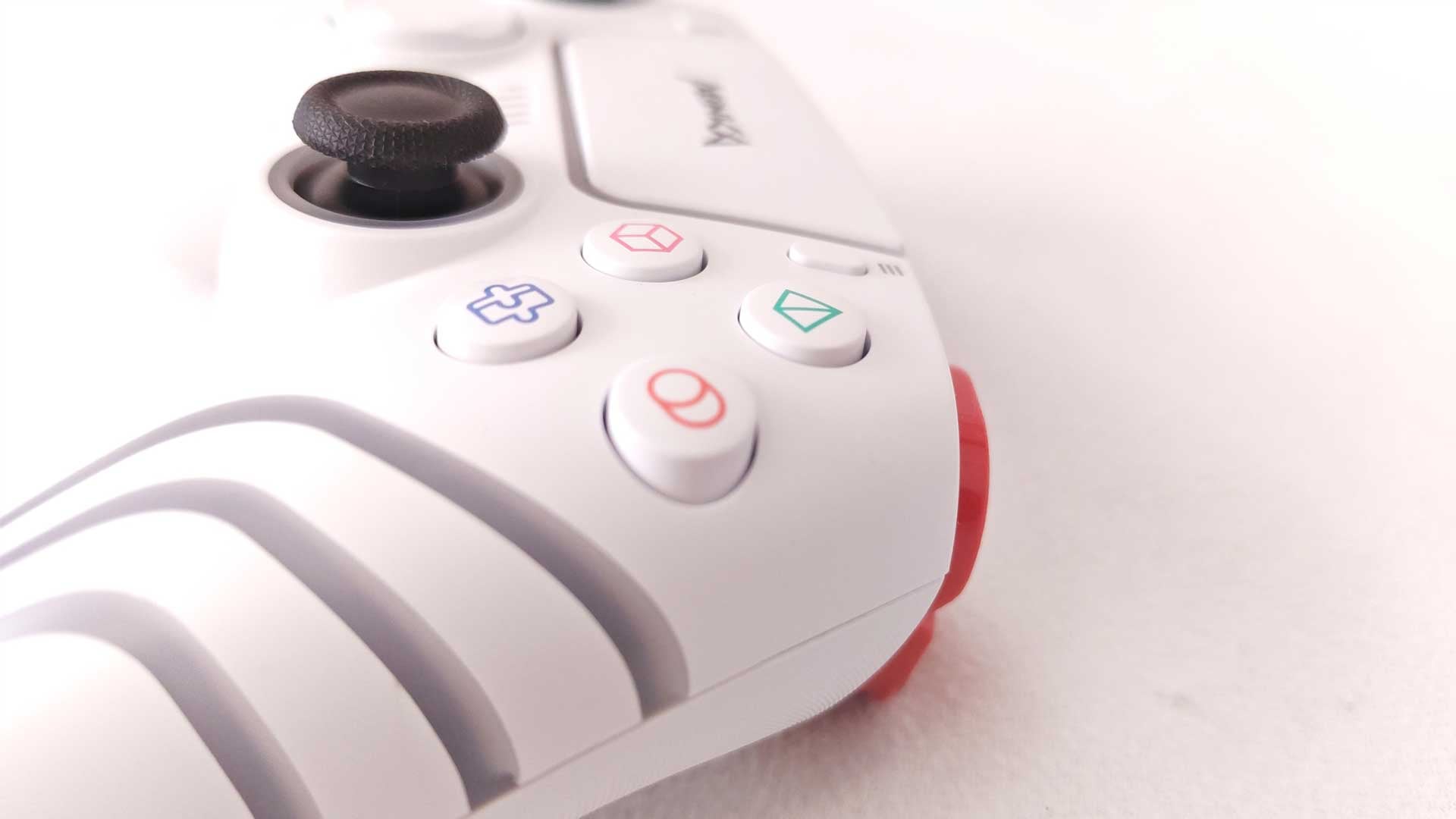
The right-hand side buttons follow the PlayStation layout, with the icons featuring a 3D version of the icons popularised by Sony. The triggers and 3.5mm jack also follow the same PS design. As a result, its configuration is a blended version of popular controllers, which can be quite useful to some gamers.
The DualSense controllers are a bit more conservative in its approach to LED lighting, with most of it lighting surrounding the touchpad. However, the GT-96 controller has lights almost across the entire device. This includes the lights around the touchpad, as well as lighting across the handles in the form of three stripes on each. The LED lighting cycles between the full palette as with most RGB lights.
From a technical aspect, the controller is extremely lightweight. It weighs just 227g, which is half that of the PS5 DualSense controller.
There are two main connectivity options, firstly via Bluetooth 5.2 and second via the included USB Type-C cable, which also doubles as a charging point for its built-in 1,000mAh battery.
Overall, the design delivers a solid aesthetic, a mixed layout between the two main consoles and LED lighting to set the scene. The shape is ergonomic and provides decent comfort even over extended periods of use, with the grips including sweat-resistant and anti-slip materials to counteract any negative effects of longer usage.
Marvo GT-96 Features, Connectivity and Performance
As stated previously, the Monka Contra GT-96 is compatible with a few different devices. From a console perspective, users can connect to the PS3 and PS4 via Bluetooth by simply clicking the Home button, with connectivity to your Windows PC via the included USB cable. It is also compatible with your smartphone, offering wireless connectivity for your iOS and Android smartphones.
There is no direct connectivity option to the Xbox, but there is still a way to play your Xbox games using the controller. Using the Xbox app on Windows, you can use the Xbox Remote Play feature to connect and play your games on your PC using the controller. You will, however, require a low-ping connectivity for it to work smoothly.
Its 1,000mAh battery provides continuous gaming of up to six hours on a single charge. The standard DualSense controller is measured between six and 12 hours of usage, depending on the type of vibrations from respective games, which puts the GT-96 at the lower end in this comparison. Still, six hours of gaming is not bad. The battery takes between two and three hours to recharge via the Type-C cable. This is probably the biggest drawback of the controller, not offering any type of fast-charging support.
It offers the same features in terms of the sensors as most controllers, including a 6-axis sensor, which includes a 3D sensor and a G-sensor, making it compatible with games where moving the controller itself, without the use of any buttons, is required. This adds another dimension to gaming, while also ensuring more accurate usage. The internals also include the dual-vibration feedback on either side of the controller. While it does accurately trigger in-game, the vibrations aren’t as vivid as with the DualSense controller, but still do a good job.
Overall, the experience features all the bells and whistles you’d expect from a modern controller.
Is the Marvo Monka Contra GT-96 Worth Buying?
For casual gamers looking for a cost-effective solution, the Marvo Monka Contra GT-96 Game Controller will do an excellent job. It’s lightweight, which makes it great for young gamers, while also offering plenty of connectivity options to game across various platforms. At a retail price of just R499, it’s quite the bargain when you consider many other console controllers are triple the cost.
RELATED: ASUS ROG Xbox Ally X Review – The Handheld Console To Kill the Steam Deck
The Review
Marvo Monka Contra GT-96
The Marvo Monka Contra GT-96 Game Controller is an affordable option for casual gamers. With connection options across various devices, its use cases are not limited to just a single console.
PROS
- Extremely lightweight
- Affordable
- Multi-platform connectivity
CONS
- Triggers can be a bit stiff
- Slow charging time